
5 Reasons to Choose the New MacBook Neo (and 5 Reasons to Skip It)

Toggle Dark Mode
For years, if you wanted a MacBook, you had to accept that it would cost noticeably more than most Windows laptops or Chromebooks or settle for a still-pricey refurbished model.
Apple has traditionally focused on premium design, long-term software support, and a polished user experience rather than trying to win purely on price.
That’s why the MacBook Neo is such an unusual addition to the lineup. It represents Apple intentionally lowering the barrier of entry to the Mac ecosystem with a brand-new laptop that starts at a far more approachable price, albeit still a bit more expensive than the competition.
At first glance, the Neo looks like exactly what many people have been asking for: a modern MacBook that doesn’t require spending a thousand dollars or more. However, that lower price doesn’t appear out of nowhere; Apple had to make very deliberate choices about hardware, expansion options, and internal components to hit that $599 price tag.
Many of those choices are perfectly reasonable for students or casual users, but others may still feel restrictive for some. That’s why the MacBook Neo works best when you look at it through a simple lens. Below are five reasons why the MacBook Neo could be a smart choice — and five reasons you might want to consider skipping it for something more powerful or versatile.
5 Reasons to Go for the MacBook Neo
1. It’s the Cheapest New MacBook You Can Buy

The biggest feature of the MacBook Neo is its price. Starting at $599, it sits well below the MacBook Air, dramatically lowering the cost of buying a brand-new Mac. Apple hasn’t seriously competed in a lower price range for new laptops in quite some time, so the Neo fills a gap that many students and budget buyers have felt for years.
For a long time, the typical advice for someone who wanted a cheaper Mac was to buy refurbished or pick up an older model. That approach worked, but it also meant starting with hardware that was already several years old. The MacBook Neo changes that equation by giving buyers access to a current-generation Mac with modern design and ongoing software support.
In practical terms, this makes the Neo especially appealing for students, families, and anyone who needs a basic everyday laptop. If your typical day involves writing documents, browsing the web, managing email, streaming media, and attending video calls, Apple’s new computer offers those capabilities at a price that feels far less intimidating than most MacBooks.
The important thing to remember, though, is that the Neo’s value comes from being the most affordable Mac, not necessarily the best Mac overall. If you keep that expectation in mind and don’t expect to get the best MacBook in the world for almost half the price, you’ll be okay.
2. The A18 Pro Chip Is Plenty Fast for Everyday Tasks

One of the most interesting design choices in the MacBook Neo is the use of the A18 Pro chip. Unlike the MacBook Air and MacBook Pro models that rely on Apple’s M-series processors, the Neo uses a class of chip that’s only been found in iPhones and iPads until now. That might sound like a downgrade at first, but the real question is how it performs in the kinds of tasks most people actually do every day.
For common activities like browsing, writing, streaming, messaging, and casual photo and video editing, the A18 Pro is more than capable. Apple designed the chip to prioritize efficiency and responsiveness, which means apps launch quickly, pages load smoothly, and the system generally feels snappy in day-to-day use.
That focus on efficiency also helps the laptop stay cool and power-efficient. Instead of pushing extreme performance numbers, the Neo aims to provide consistent speed for normal workloads. If your laptop use revolves around productivity apps, schoolwork, and general online activity, the A18 Pro should feel perfectly comfortable.
Of course, this means that if you buy it, you already know that the MacBook Neo isn’t designed for professional workloads. It’s designed to feel smooth in everyday activities.
3. Battery Life Makes It a Reliable Laptop

Battery life is one of the most important factors in whether a laptop feels convenient or frustrating over time. Many budget laptops look appealing at first, but quickly become annoying when they struggle to last a full day without a charger.
While it’s still too soon to tell, the MacBook Neo aims to avoid that problem by focusing on efficiency and endurance. Apple promises that the device can deliver up to 16 hours of video playback and roughly 11 hours of web browsing.
Of course, real-world performance will always depend on how you use the laptop, but the general idea is clear: the Neo should be able to last through a school day or a long stretch of work without constant charging.
That reliability makes the laptop particularly attractive for students and people who tend to work at coffee shops. When you know your computer will last most of the day, you stop worrying about outlets and battery percentages. Instead, you simply carry the laptop and use it when you need it.
Combined with the Neo’s lightweight design, the strong battery life makes the new MacBook a portable everyday machine. You can literally take it anywhere, whether that’s a classroom, a coffee shop, or a long trip.
4. You Still Get the Core Mac Experience

Let’s face it: one of the biggest reasons people buy Macs has little to do with specs. Instead, it’s about the overall experience. Macs tend to look and feel premium. The trackpad is precise, the keyboard feels consistent, and the operating system integrates smoothly with the Apple ecosystem.
The MacBook Neo still delivers that core experience. Even though it sits at the lower end of Apple’s laptop lineup, it runs macOS and integrates with the broader Apple ecosystem. If you already use an iPhone, that integration can make everyday tasks much simpler.
For example, files can move seamlessly between devices, messages and calls can appear across your Apple hardware, and photos stay synced through iCloud. These features might sound small on paper, but they often make a noticeable difference in daily use.
For first-time Mac buyers, the Neo can also serve as a comfortable introduction to macOS. If you already feel at home using an iPhone or iPad, the learning curve tends to be much smaller than switching to a completely unfamiliar system.
5. The Colors and Friendly Design Help the MacBook Neo Stand Out

Apple rarely treats design as an afterthought, and the MacBook Neo reflects that philosophy. Instead of sticking with only traditional finishes, Apple introduced several brighter color options, including blush, indigo, citrus, and silver — and it colored the keyboards to match.
These colors may seem like a cosmetic detail, but they contribute to the device’s personality. Entry-level laptops often look generic and forgettable. By contrast, the Neo feels playful and approachable, which aligns with Apple’s apparent focus on students and younger buyers.
The design approach also reinforces the idea that the Neo is meant to be a personal device. It’s not just a computer that sits on a desk all day. It’s something you carry around, open in public spaces, and use constantly.
That sense of personality may not matter to everyone, but for the target audience, it helps make the device feel more appealing and less like a stripped-down budget machine.
5 Reasons to Skip the MacBook Neo
Now that we’ve looked at the reasons to buy it, here are a few reasons why you might be better off looking at another MacBook instead.
1. The 8 GB of Memory May Feel Limited
Despite its strengths, the MacBook Neo does come with compromises. One of the most important is the memory specs. There are only two models, and they both come with only 8 GB of unified memory.
To be clear, that 8 GB should work perfectly well for most casual users, and it’s very important not to judge the MacBook Neo by the standards of Intel-based PCs. The ultra-fast unified memory architecture of Apple silicon and the memory-efficiency design of macOS both mean that 8 GB goes a lot farther on a Mac that it does on Windows.
Browsing, writing, watching videos, and handling everyday productivity tasks won’t push the system too hard. In those situations, the Neo should perform very smoothly. However, not having enough memory can become more noticeable as your workloads grow. Running many browser tabs, trying to edit a large 4K video, or juggling multiple apps at once can put pressure on the system. Not only that, but over time, software demands tend to increase as well.
If you expect to keep your laptop for several years, you should think carefully about how you plan to use it. If you frequently multitask or rely on demanding applications, the limited memory could eventually feel restrictive.
2. The Ports Are Limited
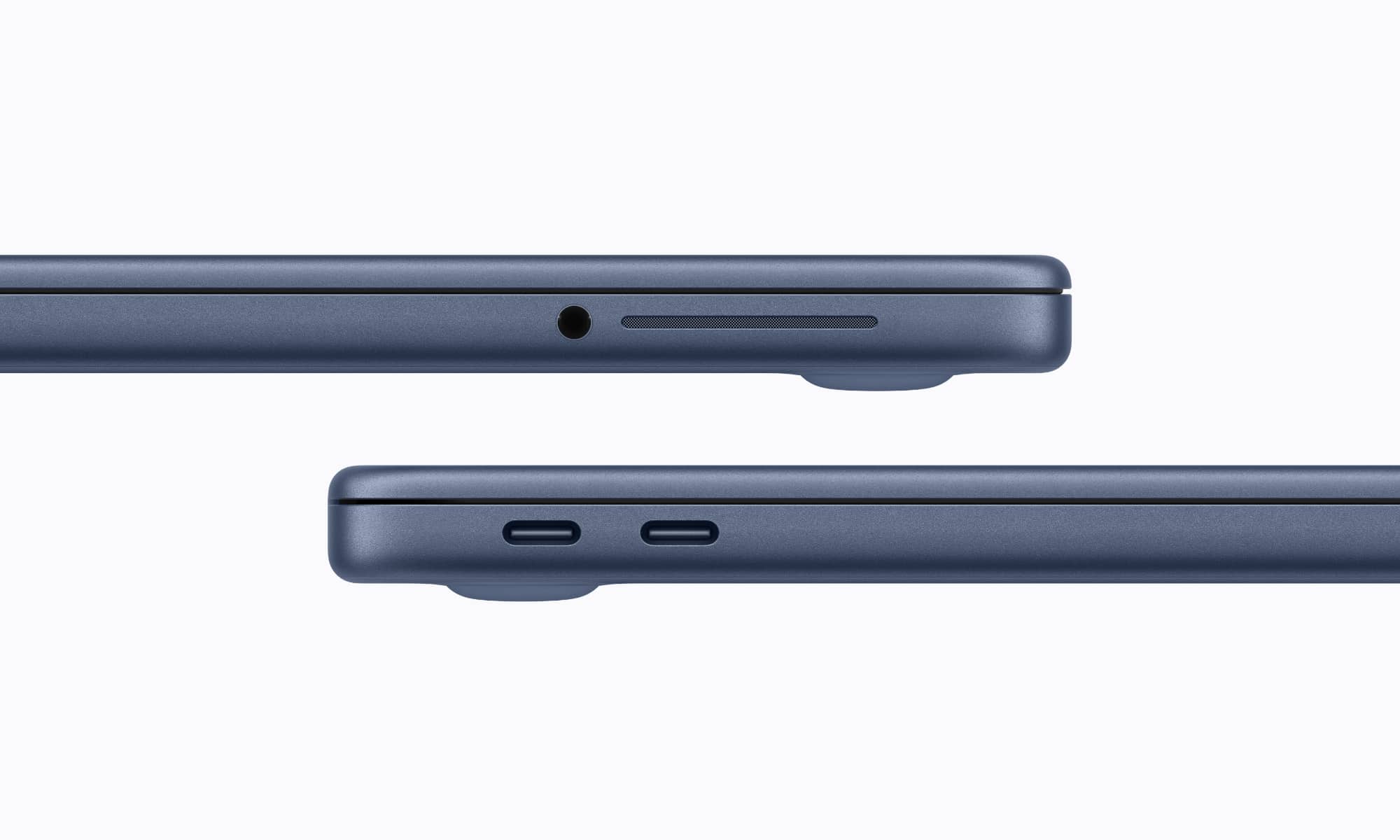
Another big compromise involves connectivity. The MacBook Neo includes two USB-C ports and a headphone jack, which may sound reasonable until you consider how those ports are used in everyday situations.
The Neo lacks features like Thunderbolt connectivity and MagSafe charging, which helps reduce cost, but also limits users who rely on external displays, docks, or high-speed storage.
Instead, you get two USB-C ports, one of which will often be occupied by a charging cable. That leaves only one port available for accessories like external drives, displays, or adapters unless you add a USB-C hub.
Things become slightly more complicated because the two ports don’t offer identical transfer speeds. Only one port supports USB 3 data transfer speeds and video output, while the other only runs at 2005-era USB 2 speeds. That’s fine for a mouse, but frustrating for a hard drive.
This means you’ll need to pay attention to which port you use for certain accessories, and the high-speed port won’t be available when using an external monitor without a USB-C hub that supports DisplayPort.
Of course, USB-C hubs are pretty inexpensive, but if you need connectivity on the go it will become one more thing to carry around.
3. You Don’t Get Fast Charging
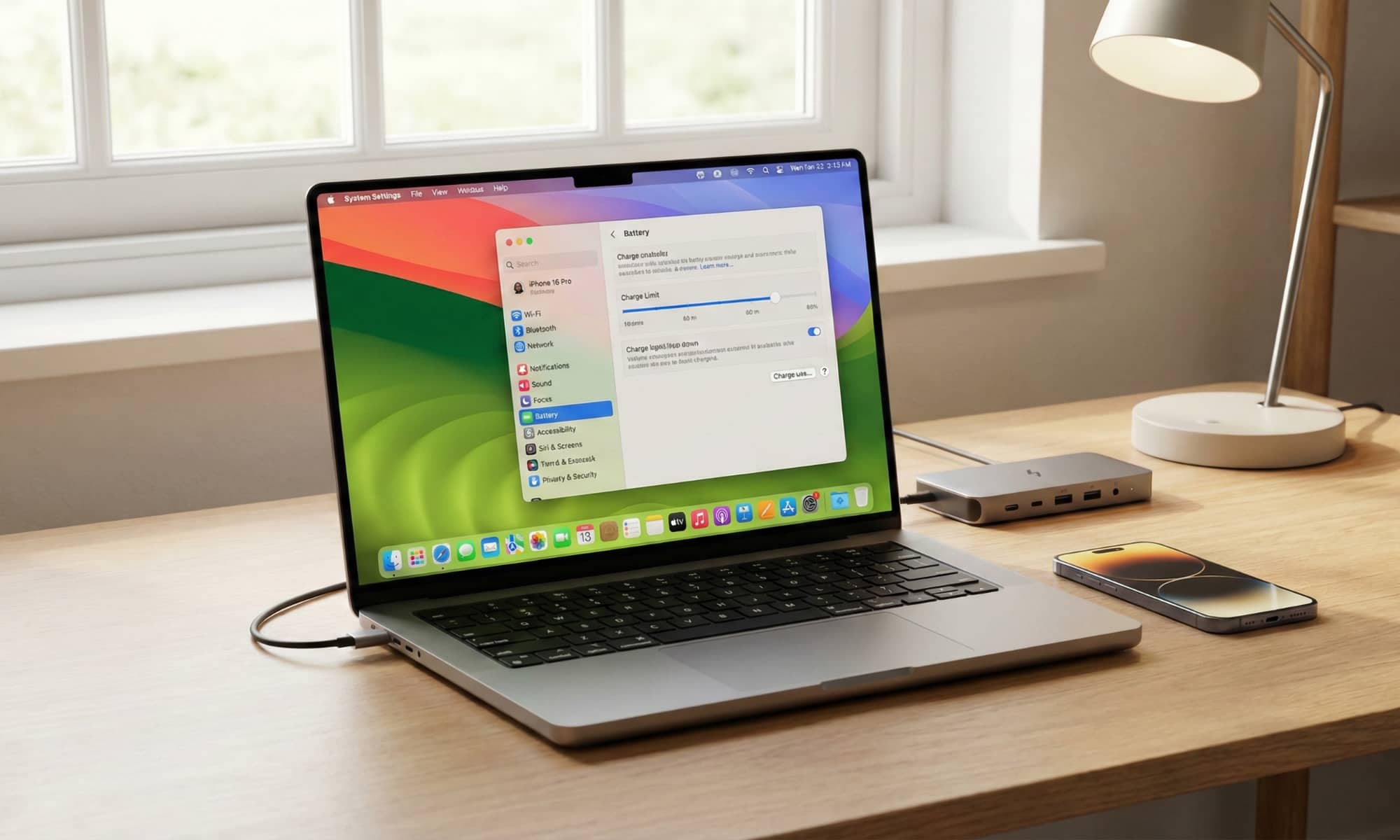
When Apple set out to build a lower-priced MacBook, some of the premium features inevitably had to go. One example is the charging setup. The Neo includes a relatively small 20-watt power adapter and does not support the faster charging options found on more expensive MacBooks.
For some users, that won’t matter. If you mostly charge your laptop overnight, slower charging speeds won’t really affect you at all.
However, people who rely on quick charging during busy days will definitely notice the difference. Fast charging can be extremely convenient when you only have a short window to add battery life before heading out again.
4. It Isn’t Designed For Heavy Professional Work
The A18 Pro chip works well for everyday tasks, but it isn’t built for really demanding professional workloads. If your work involves large video projects, advanced photo editing, music production, or complex development tools, you will likely benefit from the additional power found in M-series MacBooks.
Professional software often relies on both processing power and memory bandwidth, and the MacBook Air and MacBook Pro are designed with those requirements in mind.
That doesn’t mean the Neo can’t handle creative tasks at all. You’ll likely have no problem editing video clips to share on Instagram, but it’s far better suited for those types of lighter projects and shorter workloads than long, resource-intensive sessions like rendering hour-long 4K videos. It’s also worth keeping in mind that the screen lacks features that serious photo and video editors rely on, such as True Tone and a wide P3 color gamut.
If your career or hobbies depend on demanding software, choosing a more powerful MacBook will likely give you a better experience in the long run.
5. It May Not Be The Best Long-Term Mac If You Can Afford the Air

The final thing to keep in mind comes down to longevity. While the MacBook Neo is the most affordable MacBook available, the MacBook Air generally offers better performance, better connectivity, and fewer compromises.
For buyers who plan to keep their laptop for many years, those extra features and capacity can make a huge difference. A machine with more power and flexibility may continue to feel comfortable even as software becomes more demanding.
This doesn’t mean the Neo is a poor value. In fact, for the right user, it can be an excellent purchase — and the money you save could be put away to upgrade to a newer model when it arrives. But if your budget allows you to spend a bit more and go for the MacBook Air, the additional investment may result in a laptop that remains satisfying for longer.
Will You Get the MacBook Neo?
The MacBook Neo represents an interesting shift in Apple’s laptop strategy. By introducing a lower-priced MacBook, Apple is opening the door for more people to experience macOS without paying the premium that has traditionally defined the lineup.
For students, casual users, and anyone who wants a dependable laptop for everyday tasks, the MacBook Neo offers a compelling combination of portability, battery life, and ecosystem integration. It delivers the core Mac experience at a price that finally feels accessible to many more of us.
Of course, it’s far from perfect. The Neo is built around a clear set of compromises: Limited memory, minimal ports, and a processor designed primarily for simpler tasks mean it won’t satisfy every kind of user.
Overall, the Neo is a practical entry point into the Mac ecosystem for people who want something simple, reliable, and reasonably priced. If that description fits your needs, this MacBook may be exactly the laptop you’ve been waiting for. If your expectations lean toward long-term performance, heavy multitasking, or professional work, stepping up to the MacBook Air or even a MacBook Pro may still be the better decision.






