
AirPods New Features: Do Your AirPods Run the Most Recent Update? Check Here

Toggle Dark Mode
Apple is bringing many new features across all its main devices. Whether it’s the iPhone, Apple Watch, or Mac, there are a ton of things coming in the next few months.
And even though they aren’t as big of a focus, the AirPods are also getting some new features that will change the way people use them. Thanks to iOS 27 and a new firmware update coming to Apple’s Bluetooth earbuds, we’ll get more control over the sound quality and even a cool accessibility feature for those who truly need it.
Here’s everything that’s coming to the AirPods, and how to make sure yours are up to date for when iOS 27 finally comes.
The AirPods Finally Have Adjustable EQ Settings
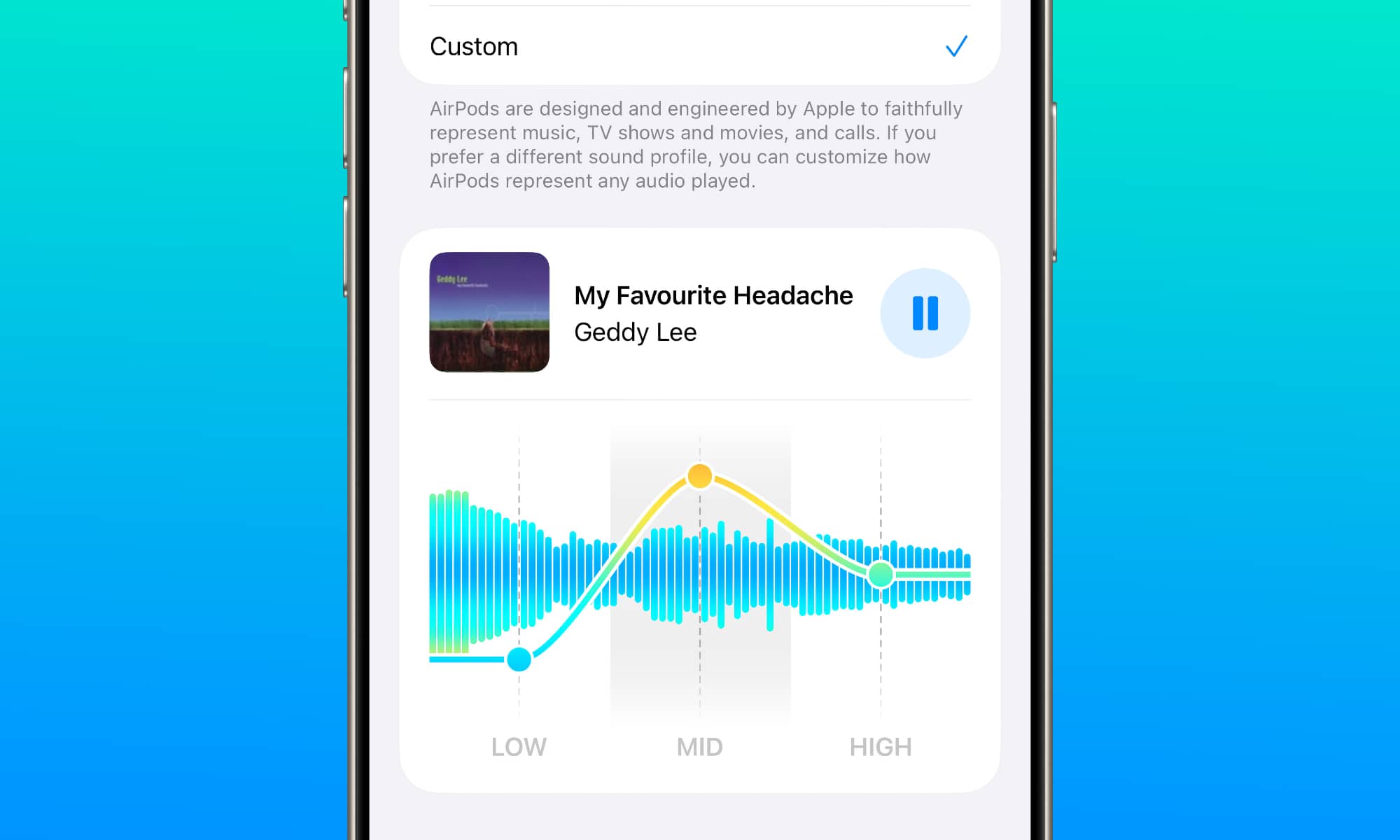
It took Apple a while, but the company finally added EQ controls to the AirPods settings. Now it’s easier to adjust the frequencies however you like. You’ll find controls for low, mid, and high frequencies that you can customize to your liking.
And the best part is that when you change your equalizer settings, they’ll stay with your AirPods, so you won’t have to constantly adjust your settings across all your Apple devices.
This change is already in beta, so you can check it out for yourself if you’re running the iOS 27 public beta. Simply go to the Settings app, tap your AirPods’ name, and select Audio & Routing > Equalizer > Custom.
Note that this feature is only supported on the AirPods 4, AirPods Pro 2, AirPods Pro 3, and the AirPods Max 2, and you’ll also need to be running the beta firmware on your AirPods. We’ll explain how to check that at the end of this article.

Get an Alert When Someone Says Your Name

This is a small upgrade, but it will be huge for people who have hearing problems. Right now, the AirPods can listen to your environment, but with iOS 27, your AirPods will be able to alert you if they hear someone calling your name. It’s also supported in fifty different languages, which is a big plus for people outside the US.
Siri AI Will Be Available on the AirPods
Another cool feature is Siri AI, which will be available on your AirPods, as long as they’re connected to your iPhone, that is.

Siri AI is the smarter Siri we’ve all been waiting for. Apple claims that this version of Siri will be able to have better conversations and answer any questions you may have. You’ll be able to control Siri and talk to it with nothing but your AirPods.
More Options to Find Your Lost AirPods
If you have the AirPods Pro 3, you probably already know about Precision Finding, which is a useful feature that lets you look for your AirPods with the help of your iPhone and the Ultra Wideband chip feature in the AirPods Pro’s charging case.
Well, now, with iOS 27, you’ll be able to use Precision Finding with your Apple Watch as well, which is a small but useful feature that will let you take your AirPods Pro 3 and Apple Watch without even thinking about your iPhone.
How to Check if Your AirPods Have the Most Recent Update
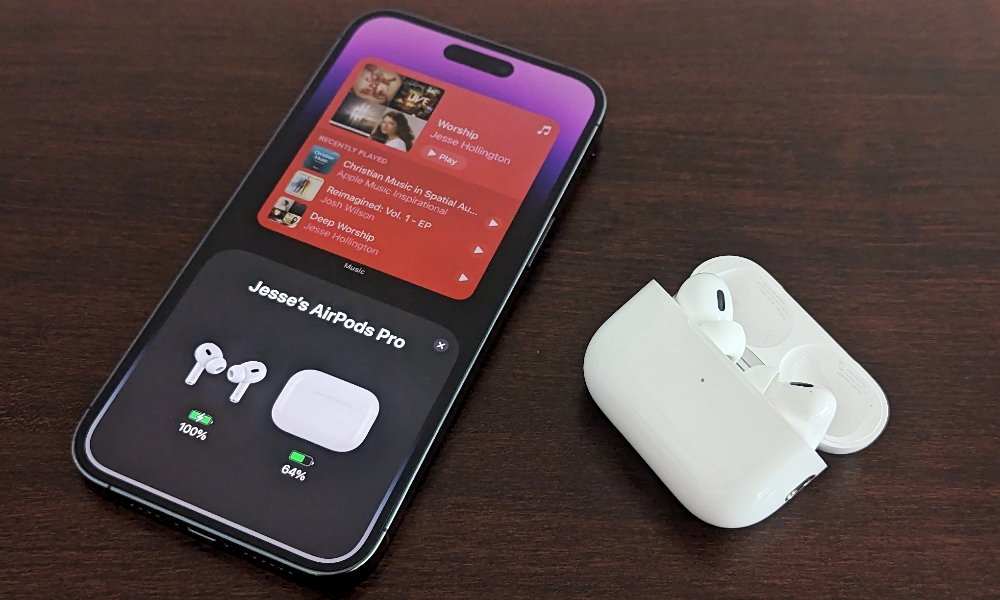
If you want to try all the beta features right now, you’ll need to update your iPhone to the iOS 27 public beta. After you’ve done that, you’ll need to make sure that your AirPods have been updated to the latest beta firmware. As of this writing, the build number is 9A314b, but of course, that will likely change as the beta cycle continues and we get closer to the final release of iOS 27.
This firmware is available for AirPods 4, AirPods Pro 2, AirPods Pro 3, and the AirPods Max 2.
To check your current build, you’ll need to connect your AirPods to your iPhone and then go to the Settings app. Tap your AirPods’ name and scroll down to the bottom. Under the About section, you’ll see your current firmware version right next to Version.
If you have at least the version numbered above, you’re good to go. If not, you’ll need to update your AirPods. Unfortunately, updating your AirPods isn’t as straightforward as tapping an update button.
Instead, you need to first put your AirPods in their charging case, and then start charging the case.
Next, put your AirPods close to your iPhone, and make sure that your iPhone is connected to a Wi-Fi network. Wait around half an hour, and they should automatically update themselves. If not, just be patient; sometimes it takes a bit longer. Sadly, there’s no way to speed it up.
Keep Your AirPods Up to Date
Your AirPods will have a bunch of new features in the next few weeks, or they may already have them if you’re testing the iOS 27 public beta.
Regardless, all of these features are amazing, and we can’t wait to try the full version of them once they come out. Granted, they’re not huge new changes as with Apple’s main products, but they’re some quality-of-life updates that will make your AirPods even better than before, which is always welcome.






