
iOS 26.4 Finally Shows What’s Eating Your Personal Hotspot Data
Toggle Dark Mode
While the new emojis were arguably the most noticeable changes in last month’s iOS 26.4 release, Apple also packed in some nice Apple Music upgrades, including AI-generated playlists for folks in the US, plus some major keyboard fixes. However, there was also one subtle but useful change that’s flown slightly below the radar: keeping track of who’s using up your cellular data.
It’s a feature we probably could have all used years ago when unlimited data plans were far less common, but iOS 26.4 finally makes it easier for you to keep an eye on how much data is being used by the Personal Hotspot feature — and who or what is consuming it.

Although it’s always been possible to find out how much data is being used by Personal Hotspot by going into Settings > Cellular and checking the data usage, it wasn’t until a few years ago that Apple began breaking it down by specific device and user. Even so, the setting was somewhat buried, so we won’t blame you for never knowing it was there.
Thankfully, Apple has made this much more visible in iOS 26.4, which now features a new Data Usage section directly in the Personal Hotspot settings.
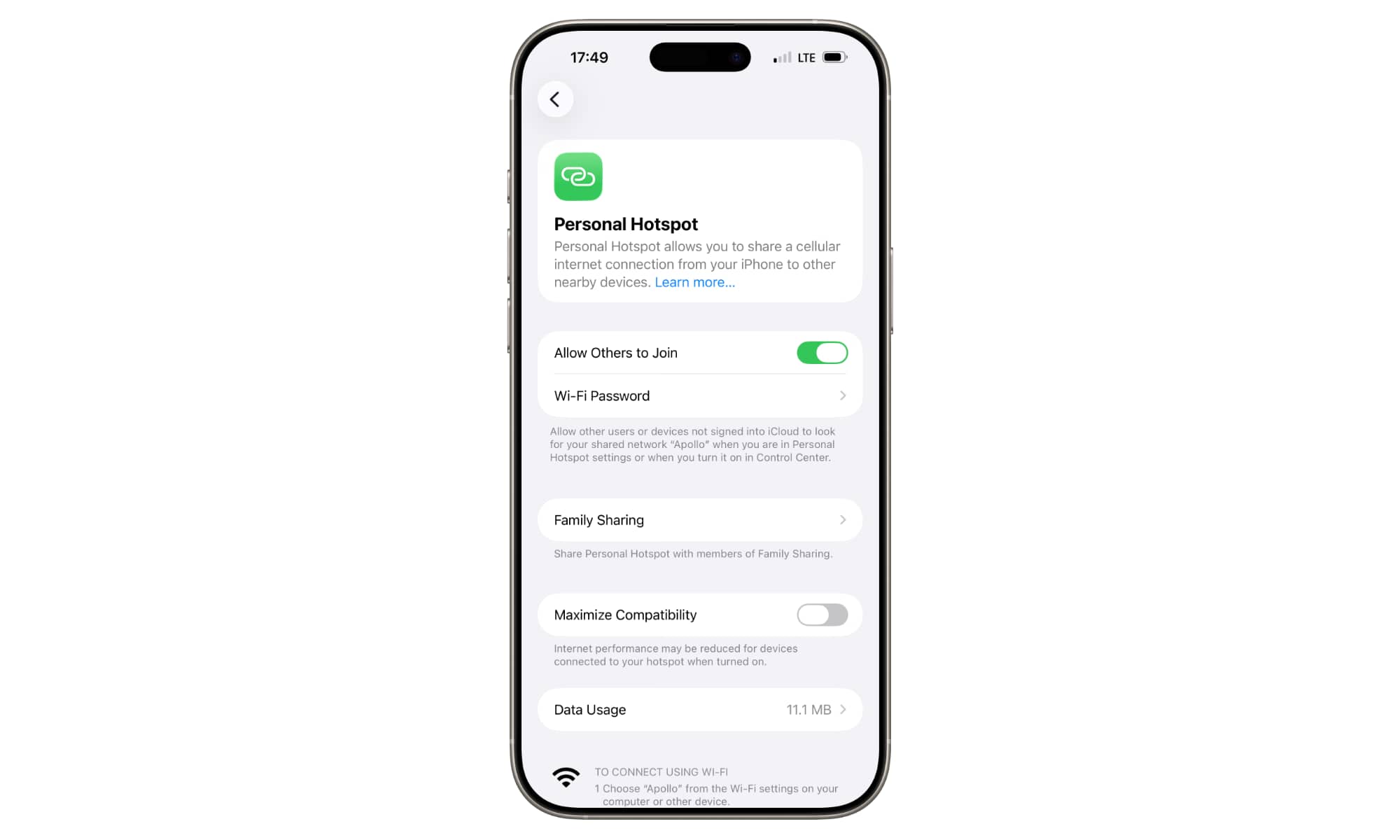
This option will appear at the bottom in Settings > Personal Hotspot as long as cellular usage statistics are enabled and you’ve actually used some personal hotspot data since the last time you reset those stats. This is really just another view into the same information you can find in the cellular data usage section, but it’s much quicker to access than digging through dozens or even hundreds of apps.
If you hit the Reset Statistics button under Settings > Cellular, the Personal Hotspot numbers will also be cleared, and the Data Usage section will disappear from the Personal Hotspot settings until the next time you connect another device and use some data.
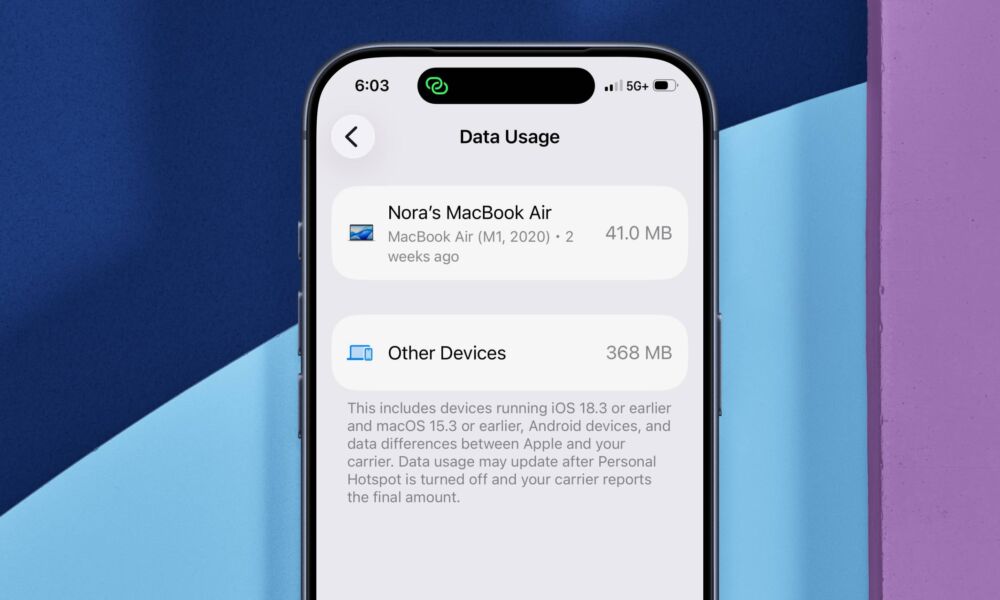
The Data Usage section will show a list of all modern Apple devices that have connected to your iPhone’s Personal Hotspot and how much data each one has used. This applies both to your own personal devices like iPads and Macs as well as those belonging to others that you allow to use your personal hotspot, whether that’s via Family Sharing or simply giving them the password. This also doesn’t include Wi-Fi data used by your paired Apple Watch, since Apple treats that as an extension of your iPhone and bundles it all together.
Since this feature relies on devices that are using your personal hotspot to identify themselves, it only shows individual guest devices if they’re running at least iOS/iPadOS 18.4 or macOS 15.4. Non-Apple devices and those with older operating systems will have their data usage lumped in under a generic “Other Devices” category at the bottom. You won’t be able to see any more granular detail here as to which devices have even connected, much less how much data they’ve used individually. In theory, Apple could still provide a list of usage by name or MAC address, but that’s likely to be a bit too technical for most folks, and wouldn’t be entirely reliable anyway.






