
tvOS 26.4 Wants to Fix Your ‘What Should I Watch?’ Problem
Toggle Dark Mode
While Apple’s iPhone updates justifiably get all the attention, iOS 26.4 isn’t the only software update the company released yesterday. Along with other biggies like iPadOS and macOS, Apple also pushed out tvOS 26.4 for the Apple TV (the set-top box, not the streaming service).
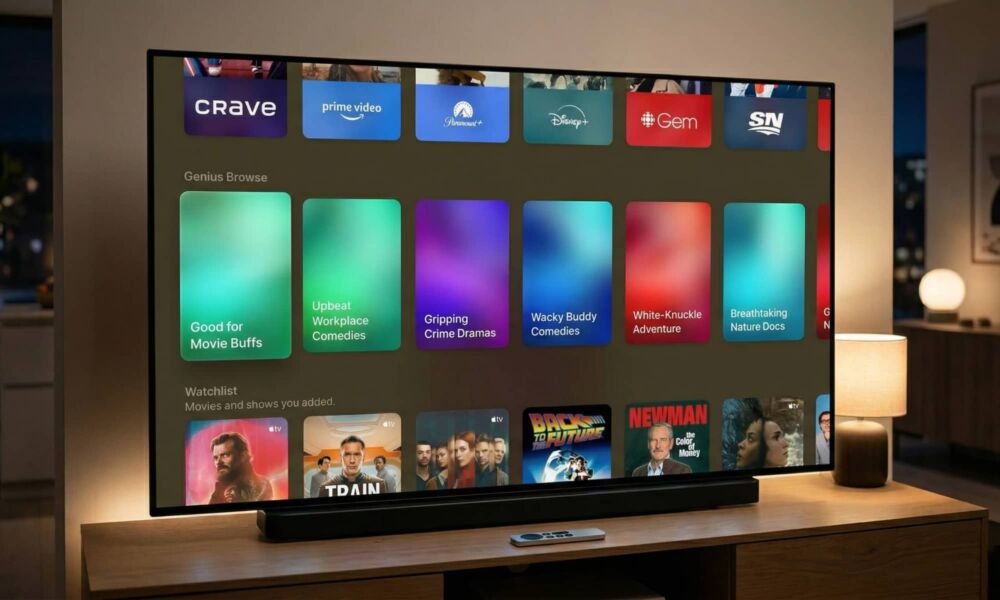
While tvOS updates are usually pretty bland, this one has at least one interesting new feature centered on the Apple TV app (not to be confused with the hardware or, again, the streaming service): a new intelligent recommendations engine called “Genius Browse.”

Borrowing the name from a longstanding but somewhat obscure iTunes and Apple Music feature that creates playlists and music mixes, Genius Browse effectively does something similar by providing recommendations for TV shows and movies you might want to watch, divided into helpful categories like “Thrilling Blockbusters” or “Fun for the Whole Family.”
While the new feature draws recommendations from Apple TV (now we are talking about the streaming service formerly known as Apple TV+), it also taps into the library of movies available for purchase or rent from Apple’s digital storefront — which, for the nostalgics, is still technically the iTunes Store — as well as any other streaming services you’ve linked into the Apple TV app, such as Amazon Prime and HBO Max (as it’s once again called). As usual, Netflix isn’t included as it continues to refuse to join the Apple TV party, preferring to remain its own island on Apple’s set-top box.
Genius Browse
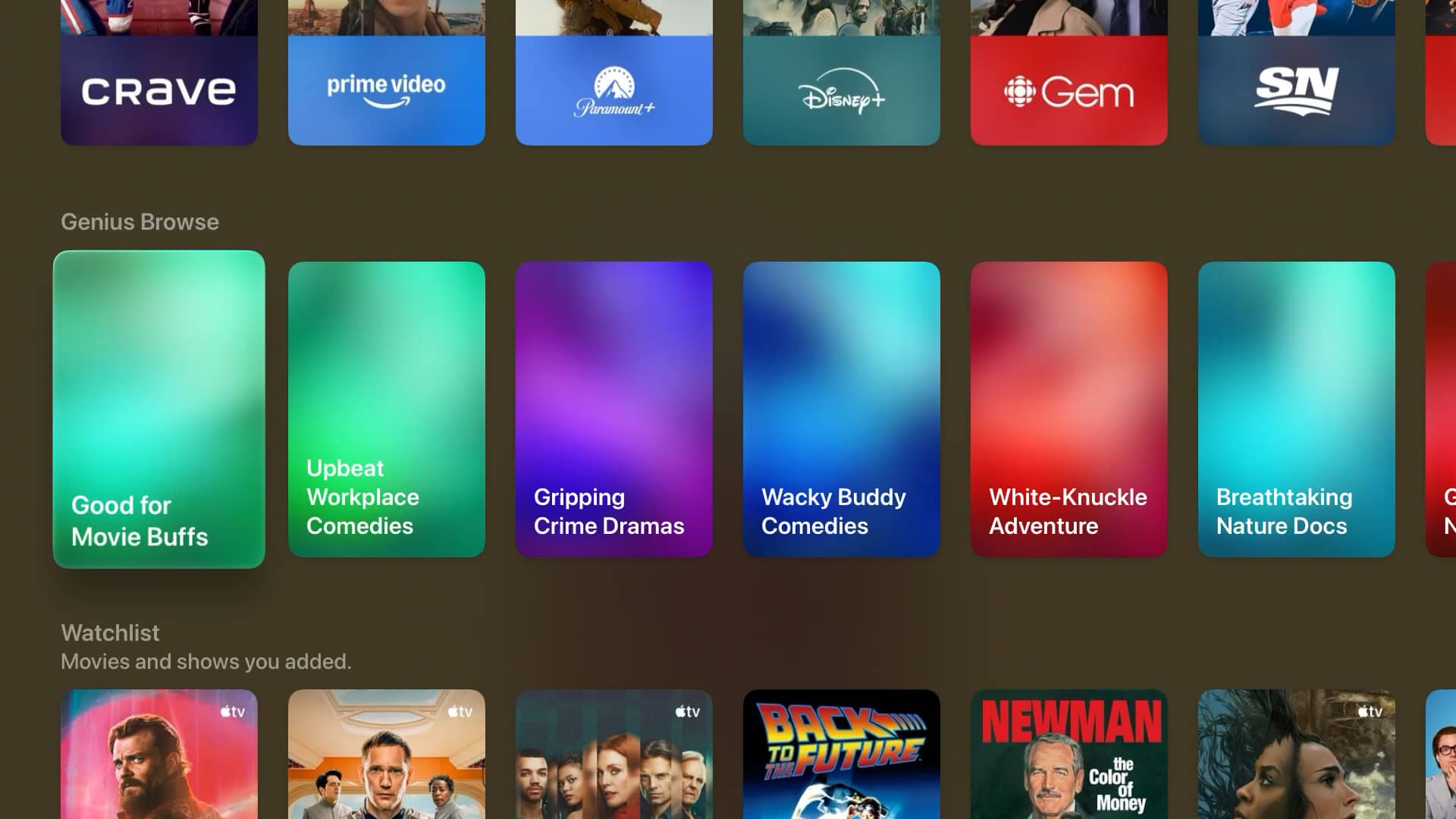
Genius Browse can be found on the TV app Home Screen, although you may have to scroll a ways down to find it; for me it was about 12 rows down, sandwiched between “Channels & Apps” and “Watchlist.”
Suggestions here will appear based on what you typically watch, and even the categories themselves are dynamic, so you won’t likely see “Bittersweet Family” dramas if all you watch is action and horror flicks. Diving into a category will show a list of suggestions, with options at the top to filter the results to only Movies or TV Shows, specific genres, or view recommendations based on other user profiles on your Apple TV.
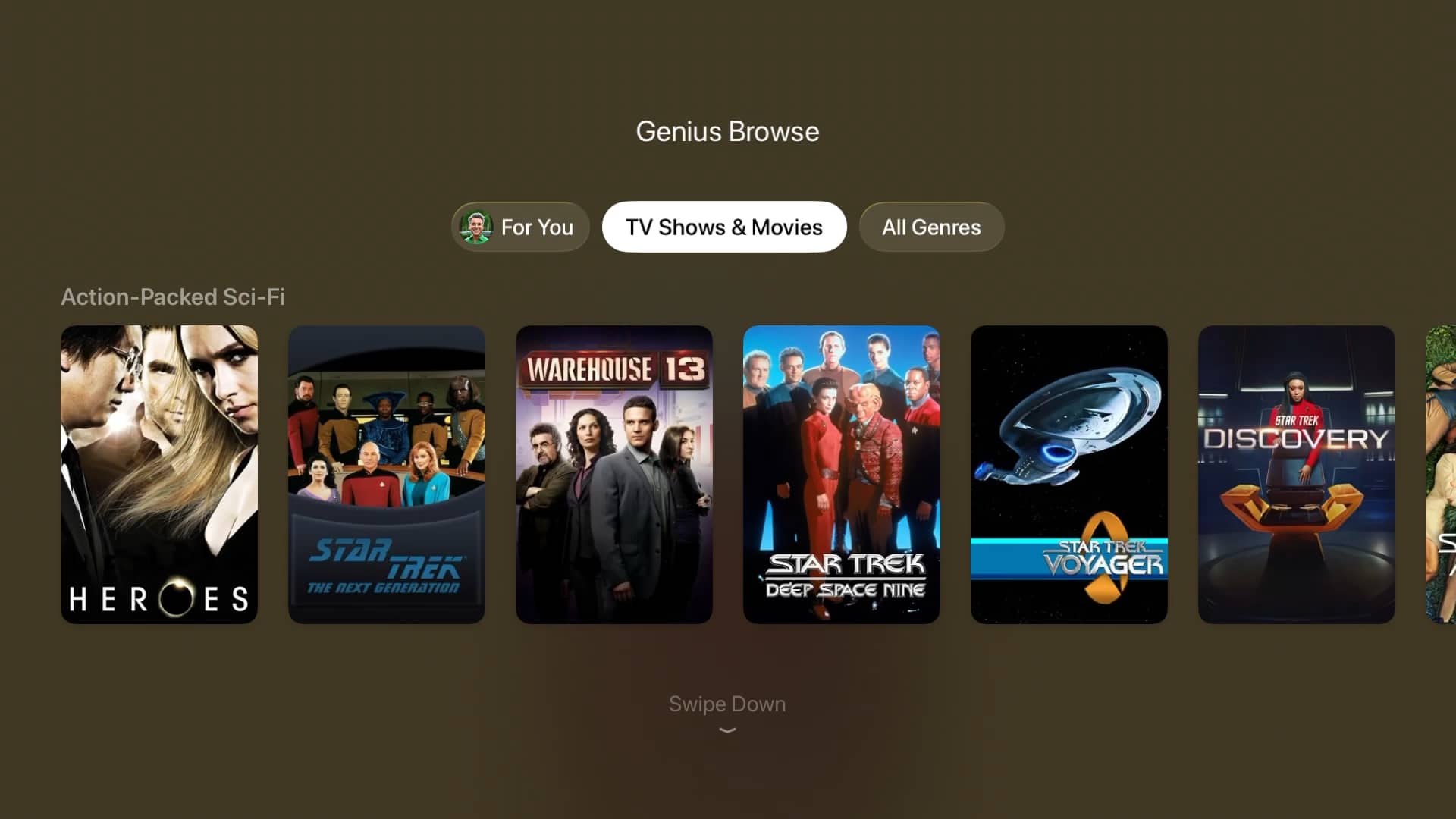
Scrolling down will show additional recommendations that expand on whatever you’ve highlighted in the row above. For example, choosing “Action-Packed Sci-Fi” showed me Heroes , Star Trek: The Next Generation, and Warehouse 13; moving down shows a new row that dynamically updates with “More Like” whichever of those titles I highlight.
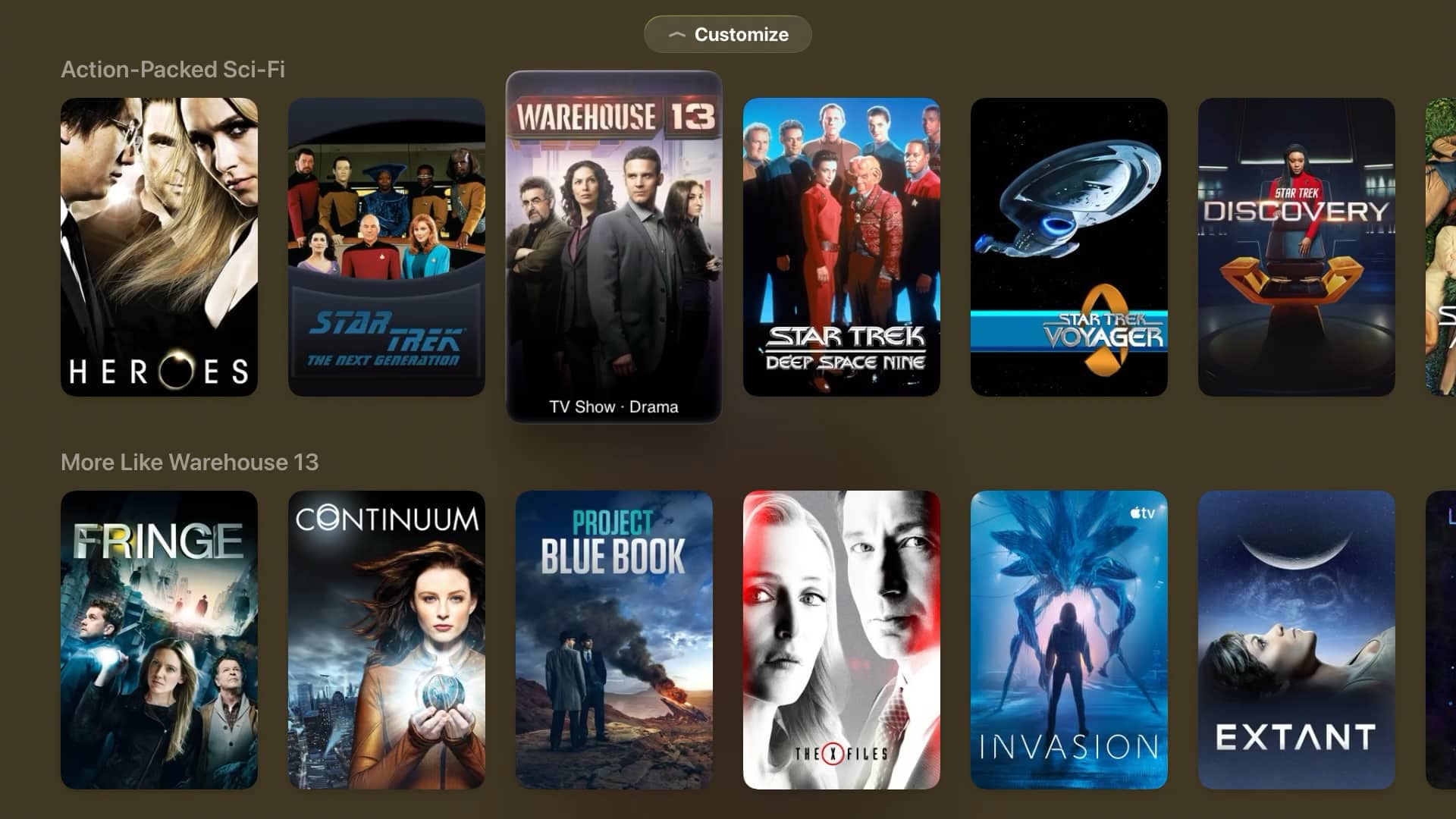
You can then move down to that row, and select a title from there to see more movies and TV shows like that one, scroll down and pick one of those to see more recommendations, and so on, ad infinitum. The lists will also occasionally include key actors, allowing you to see additional recommendations for films and shows that they appear in.
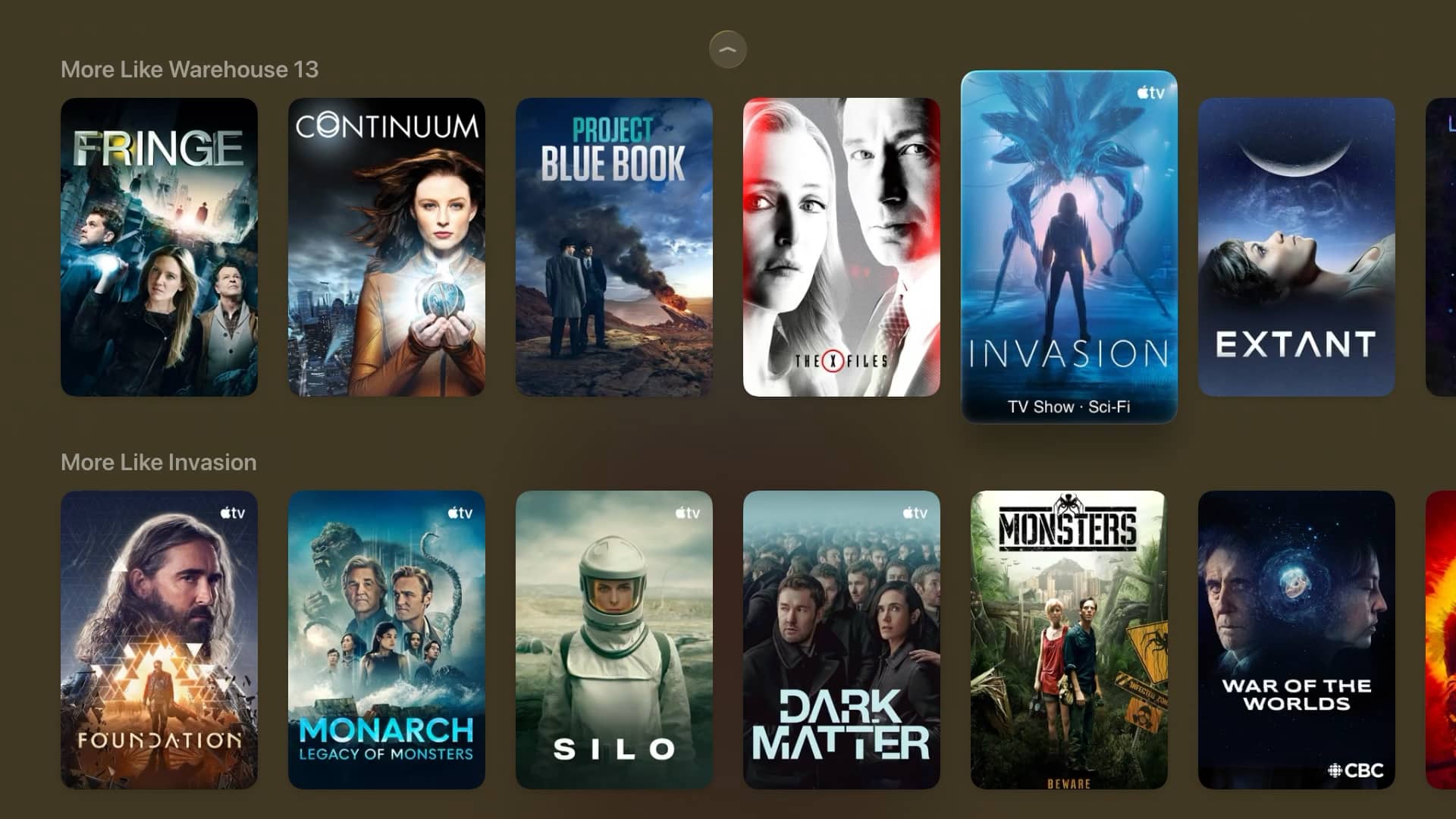
There appears to be no limit to how far you can keep going. At least, I got bored before I hit anything that felt like the bottom of the list. That’s probably where the “Browse” comes in, as you can really go down a rabbit hole of recommendations here if you keep on digging.
What Else is New in tvOS 26.4?
While Genius Browse is the only thing that might qualify as a headline feature, tvOS 26.4 also adds a new HDMI Continuous Audio Connection option in settings, which fixes the popping issues some users had with Sonos and other HDMI-based home theatre setups when switching between different audio formats, like Dolby Atmos and stereo.
The tvOS 26.4 update also gets a well-deserved “finally” for eliminating the standalone iTunes Movies and iTunes TV Shows apps that were zombified over two years ago in tvOS 17.2. Since then, these have existed solely as placeholders to point folks to the TV app, and later preserve Wish Lists (but only after Apple realized it had goofed by removing them, putting them back in tvOS 17.3).
Apple added an option in Settings to “hide” these apps in tvOS 26, but they remained visible by default, and many folks didn’t know the option existed. With tvOS 26.4 they’re gone entirely, never to return. Perhaps sadly, so are your online Wish Lists from the iTunes Movies app and Favorites from the iTunes TV Shows app. However, if you had anything left in those lists, Apple should have emailed you a PDF by now; check your spam folder if you haven’t seen it, but if you can’t find it, you also may want to avoid updating to tvOS 26.4 until you’ve at least taken some screenshots of whatever you had stored in the legacy iTunes Movies and iTunes TV Shows apps.






