
The Final Deadline for Upgrading Your Apple Home Is February 10
Toggle Dark Mode
Apple introduced a new architecture for its Apple Home platform in late 2022 with iOS 16. While it took a bit longer to iron out all the bugs — it wasn’t finalized until iOS 16.4 arrived in 2023 due to a few problems during earlier betas — the upgrade was designed to deliver improved compatibility, enhanced performance, and pave the way for Matter accessories.
The initial rollout was delayed after iOS 16.2 beta users who had updated to the new version in late 2022 reported their HomeKit devices disappearing from HomeKit setups or showing stalled status updates. Other reported issues included invitations to share the Home with other users failing and problems with HomeKit Secure video recording.
While Apple managed to fix these issues by the time it delivered the new architecture to the public in the iOS 16.4 update, there had been enough negative reports from public beta testers to make folks wary. That might be why Apple made the new version of Apple Home optional; users only needed to update if they wanted to add Matter accessories or access newer Home features.

That changed last year when Apple quietly announced in May 2025 that support for the previous version of Apple Home would be discontinued in that fall. However, Apple later granted the old architecture a bit more time, announcing in early November that the deadline had been pushed back to February 10, 2026.
Apple appears to be sticking to that new deadline, as the company has sent out fresh reminder emails to users who have not yet upgraded to the new version of Home that support is about to end for the old version, which may result in having their access to the entire Home platform blocked if they don’t (or can’t) update to the new version.
This email serves as your second reminder that support for the earlier version of Apple Home will end next month on February 10, 2026.
If you do not update to this new version of Apple Home, your access to your home within the Home app might be blocked, accessories and automations might not work as expected, and you will not receive important security fixes and performance improvements. Updating to the new version of Apple Home can also enable new features, such as guest access, support for robot vacuum cleaners, Activity History, and more.
While Apple’s use of the word “version” can make this confusing, this isn’t an app update, but rather an update to the back-end architecture that lives under the hood of Apple Home. Since the Home app is built into Apple’s operating systems, devices running much older versions of iOS will need to have their operating software updated before they can access an upgraded Apple Home.
Specifically, the new version of Apple Home requires a minimum of iOS 16.2, iPadOS 16.2, macOS 13.1, tvOS 16.2, and watchOS 9.2, and this applies to all of the members in your household; once a Home owner upgrades to the new version, old iPads being used as home controllers or kids’ tablets will need to have at least iPadOS 16.2 or later if they want to control home devices.
If you don’t update your device, or if it can’t be updated, you’ll still be able to use it in every other way, but you’ll lose access to the Apple Home app on that device following the update. However, this cutoff isn’t as bad as it sounds; the last iPad model to be left behind on iPadOS 15 was the 2015 iPad mini 4, and every iPhone released since 2017 can run at least iOS 16. As far as home hubs go, even the 2015 Apple TV HD — the first model to support Apple Home — can still be upgraded to the current tvOS 26 release.Device Minimum Version Oldest Supported Model iPhone iOS 16.2 iPhone 8 / iPhone X (2017) iPad iPadOS 16.2 iPad (5th Gen) / iPad Pro (2015) Apple TV tvOS 16.2 Apple TV HD (2015) Mac macOS 13.1 Most 2017 models or newer
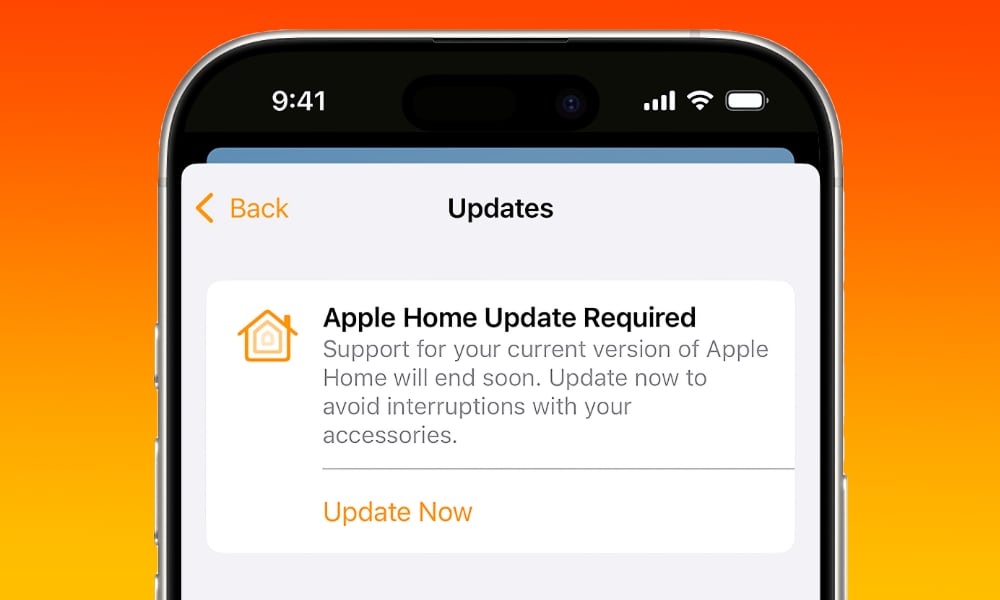
Here’s how to update to the new Apple Home architecture:
- Open the Home app on your iPhone or iPad.
- Tap the More button (the three dots in the top right-hand corner of the screen.
- Choose Home Settings (if you manage multiple homes, choose one first).
- Select Software Update.
- Tap or click Update Now, then follow the prompts.
Keep in mind that all the homes you manage will be updated at the same time.
Apple also suggests this update may be performed automatically after the deadline, noting in its support article that “If you are part of a home in the Home app that is using the older version of Apple Home, you may be automatically upgraded to the latest version of Apple Home.” However, the word “may” here isn’t just hedging; Apple will likely only do this if all devices in the home are already compatible and certain auto-update settings are enabled in the Home app.
If you have already completed these steps, or if you see “This home and all accessories are up to date” shown in Software Update, you’re already on the current version and there is nothing more that you need to do.
The upgrade brings support for Activity History, guest access, and robot vacuum cleaners. It also brings faster and more reliable performance for smart homes equipped with multiple HomeKit and Matter accessories.






