
8 Essential Google Apps for the Cross-Platform iPhone User
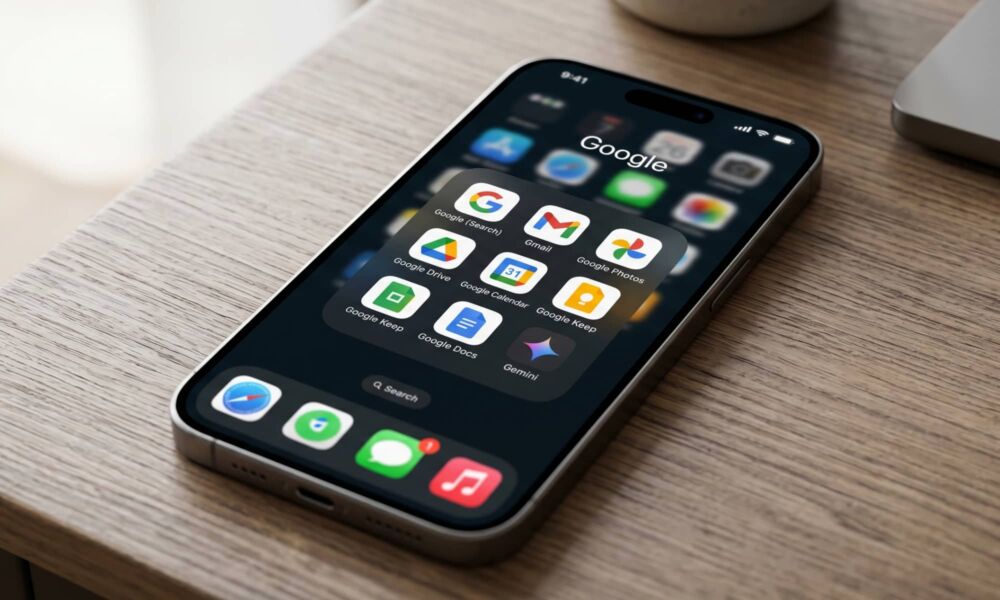
If you mostly think of Google as what's behind your browser’s default search bar, it's easy to forget that the company makes far more than just a search engine and Gmail.
Google has a collection of iPhone apps that cover a much wider range than many people realize. Maps, notes, cloud storage, photo editing, translation, smart-home control, document editing, and AI tools are all part of the lineup, and several of these things are genuinely excellent on Apple devices. But most importantly, they’re also free to use.
That’s part of what makes them useful for iPhone users in particular. A lot of iPhone fans still use other operating systems. Maybe you use an iPhone and a Mac at home, but your work machine is Windows.
Or maybe you want your photos, notes, and files to follow you between your phone, tablet, browser, and laptop without feeling like you’re trapped in the Apple ecosystem. Whatever the reason, Google’s apps can help you with that. They tend to sync quickly, work almost everywhere, and make cross-platform life feel less annoying.
So if you use an iPhone but still don’t want to ignore some of the best software Google makes, read on for 8 apps worth trying.
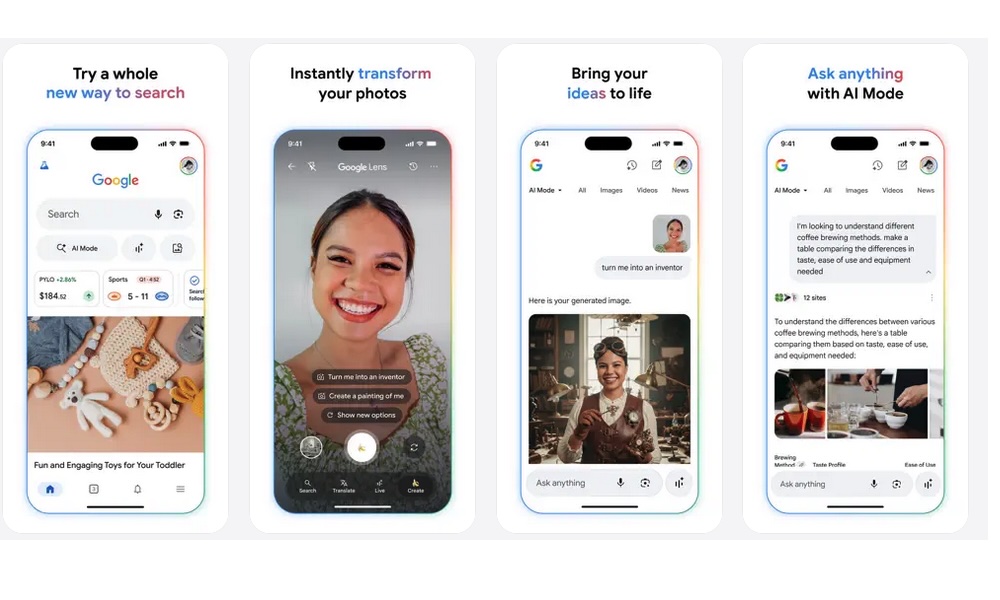
The main Google app is still one of the easiest apps to recommend because it improves one of the things people already do constantly on their phones: searching for stuff. That sounds obvious, but the app does a better job than many people expect. Search, Discover, image-based lookup, and AI-powered answer tools all live together here, which makes the app feel more useful than just a browser shortcut.
The Google app is especially useful if you like having a faster and more direct path to quick answers without opening Safari, typing a search, and hopping between tabs. It’s also useful if you like the Discover feed and want your updates and stories living in one place. If you already use Google Search heavily, this app makes that experience feel better.
Gmail
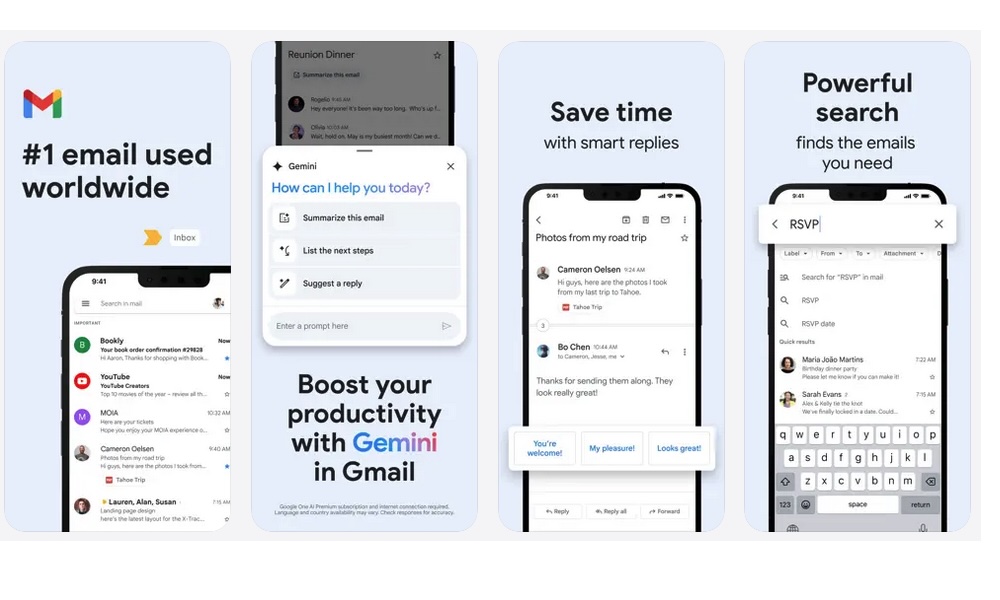
Gmail is still one of the strongest email apps on iPhone. It supports multiple accounts — and not just Gmail accounts — has a strong built-in search, and stays tightly connected to other Google services like Calendar, Drive, and Docs. That makes it much more useful than a plain email inbox for people who are already living inside Google’s ecosystem most of the day.
One of Gmail’s biggest strengths is how fast and easy it is to search and work across devices. Email is one of those things that can quickly become frustrating when the app feels slow, cluttered, or awkward when you move between phone and desktop. Gmail generally avoids that problem. If you already use a Gmail address, the official app remains one of the easiest ways to keep track of all your mail, no matter which device you’re using.
Google Photos
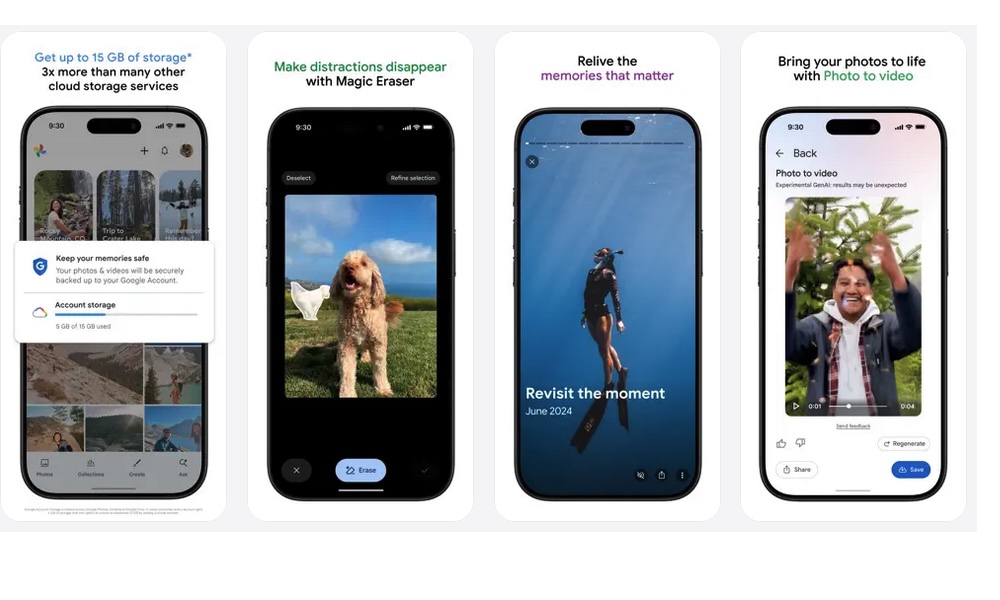
Google Photos is ideal for iPhone users who don’t want their photo library locked too tightly inside one ecosystem, and it’s perfect if you don’t want to pay for more iCloud storage.
If you use Windows PCs, Android devices, Chromebooks, or the web regularly, Google Photos gives you a much more flexible way to keep your pictures available everywhere. That matters a lot if your digital life is mixed and you don’t want to have all your photos on one platform.
Because Google offers up to 15 GB of cloud storage for free, Google Photos is also a perfect alternative for those of us who don’t want to fill up our iCloud storage space with all our photos. Granted, 15 GB might not sound like much, but it’s better than the 5 GB Apple offers for free. Plus, it’s significantly more affordable to upgrade your Google One storage than it is to scale up your iCloud plan once you hit that 5 GB ceiling, as Google offers discounted annual plans and even some attractive deals for new users.
It also helps that Google Photos continues to offer practical extras that make it more than just a backup app. AI-powered editing tools, automatic backup, search, and space-saving tools all make the app more useful.
If your iPhone storage fills up too quickly or you simply want a second photo system that works well outside Apple devices, Google Photos is still one of the best alternatives.
Google Drive
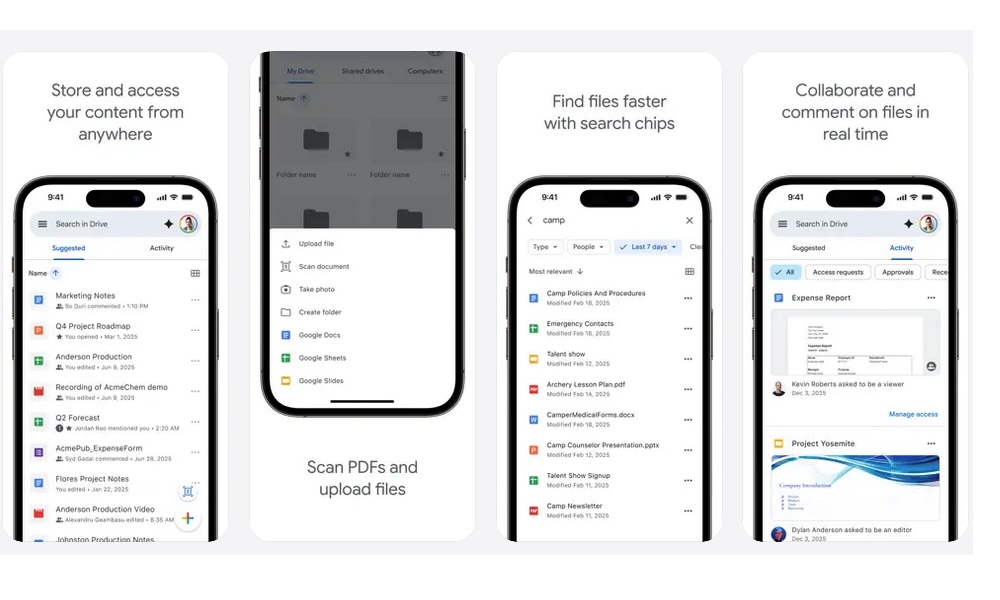
Google Drive is one of the best Google apps for iPhone users who regularly move between devices. Files, folders, PDFs, and scans can all live here, which makes it really easy to find work documents at home or to make sure you never leave that big project you're working on behind.
As we mentioned before, one of Google’s biggest strengths is the free cloud storage it offers. You get 15 GB just for creating an account, which means you’ll be able to store a ton of documents and carry them with you without spending any money.
It also does a good job of handling document scanning and quick uploads from your phone, which makes it more useful on the go than you might expect. If you think of cloud storage as something you need everywhere, not just on Apple devices, Drive will work perfectly for you.
Google Calendar
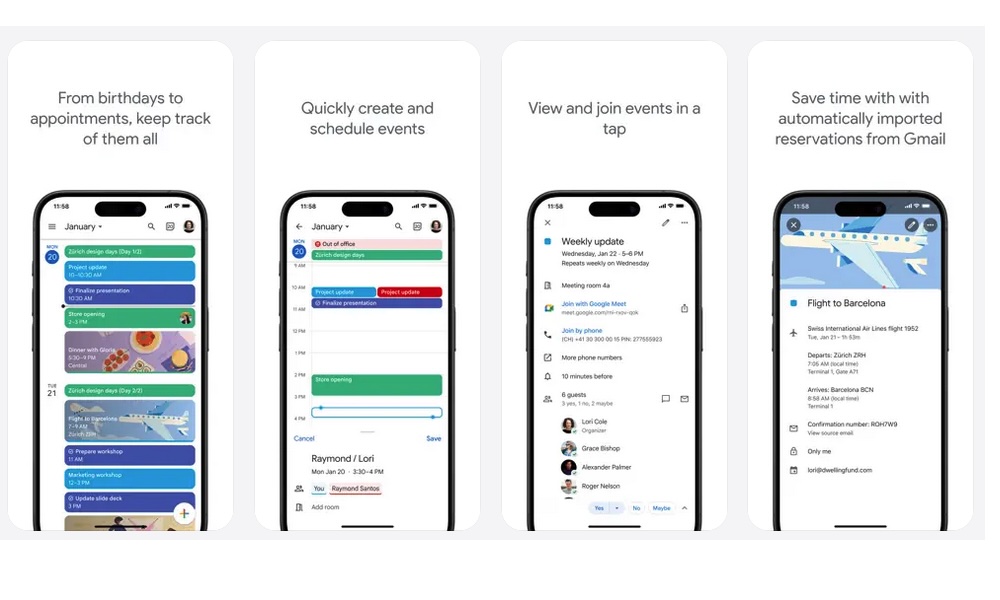
Google Calendar remains one of the easiest calendar apps to recommend if you care about staying in sync across multiple platforms. On iPhone, it works well as a planning app on its own, but its bigger strength is how well it follows you between devices. If you use your phone on the go, then switch to a laptop or browser later, Google Calendar will stay up to date with whatever you throw at it.
It also helps that Google Calendar does a good job of automatically adding events from Gmail, and offers widgets, tasks, and multiple calendar views. That way, if you get an invitation for a remote meeting in your inbox, Gmail will ask if you want to automatically add it to your calendar. You can accept with a single click, and the complete event will be added to your calendar without any hassle.
For people who already use Gmail heavily or coordinate across work and personal accounts, it can feel a little more connected and practical than using a separate calendar app.
Google Keep
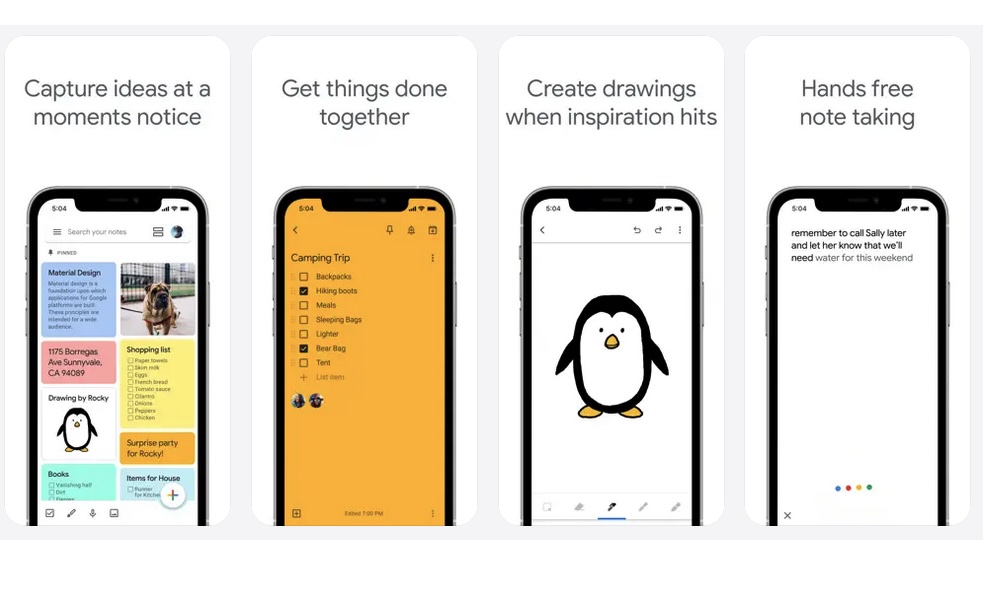
Google Keep is one of the most underrated apps from Google. That’s because when you think of note-taking apps for iPhone, you probably think of Apple Notes or Notion, but Google Keep is actually really powerful, and it brings a ton of free features that other apps charge money for.
The app sits in a really useful middle ground between a notes app and a reminders app, which is probably why so many people end up liking it once they actually give it a chance. It’s fast, lightweight, and very good at helping you capture something before it disappears.
That makes it a great fit for grocery lists, creative ideas, quick reminders, voice memos, and messy everyday note-taking. The app supports labels, colors, reminders, image text extraction, and even voice memos with automatic transcription, which makes it more capable than many other options.
Google Docs
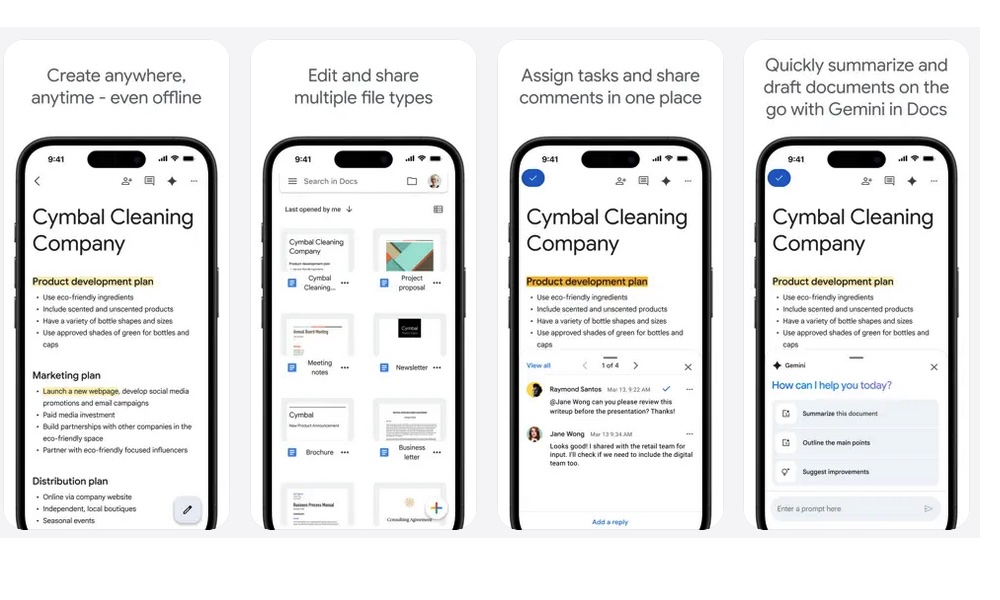
Many people think of Google Docs as a desktop tool, but it works better on iPhone than you might expect. It's especially useful if your work involves collaborating and sharing with others, editing shared drafts, reviewing comments, or making quick changes on the move.
Real-time collaboration is still one of its biggest strengths, but it also handles Word files and lets you can download your files in many different formats, too. This makes it even more practical if you use different operating systems or work with people who have Android phones or Windows computers. If you ever need to stay productive away from your laptop, Google Docs is one of the most useful apps to keep ready.
Google Gemini
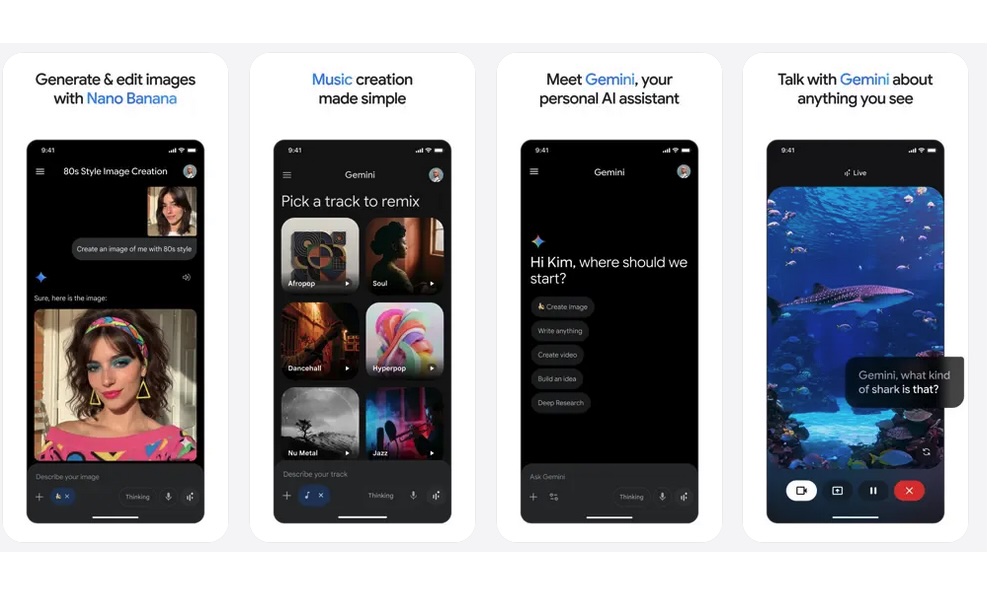
Even though new iPhones come with built-in AI tools, they’re far from comprehensive. That’s when using other alternatives like Google Gemini makes more sense.
Google Gemini is one of the most recent and interesting Google apps on iPhone because it brings a more conversational AI experience directly into iOS. While Apple Intelligence is restricted to recent iPhone models, Gemini brings high-end AI capabilities to almost any iPhone capable of running the latest apps
That makes it useful for brainstorming, summarizing, rehearsing, organizing thoughts, and talking through ideas without opening a browser or treating AI like a search-only tool.
It also helps that the app can do much more than a simple chatbot. Features like live voice interaction, screen and camera sharing in conversations, and Canvas for building out ideas make it feel more flexible for real tasks. If you use your iPhone for work, school, planning, or just thinking through things verbally, Gemini is one of the more interesting Google apps to try.
Find the Most Helpful Google Apps for You
The best Google apps for iPhone are not just there to replace Apple’s default options. In a lot of cases, they fill very specific roles that Apple’s own apps don’t necessarily fully cover.
More specifically, Google apps offer better cross-platform syncing, better ways to share and collaborate with others, more flexible cloud storage, and better tools to work on a mobile device.
And above all of these benefits, the real advantage of using a Google tool is that they’re free to start using. Most of us can get a lot done without even thinking of subscribing to one of Google’s services, and that makes these apps perfect for students, people on a budget, or anyone who wants to be able to access all of their data across multiple platforms.