
9 Apps That Help You Identify Anything With Your Camera
 igor / Adobe Stock
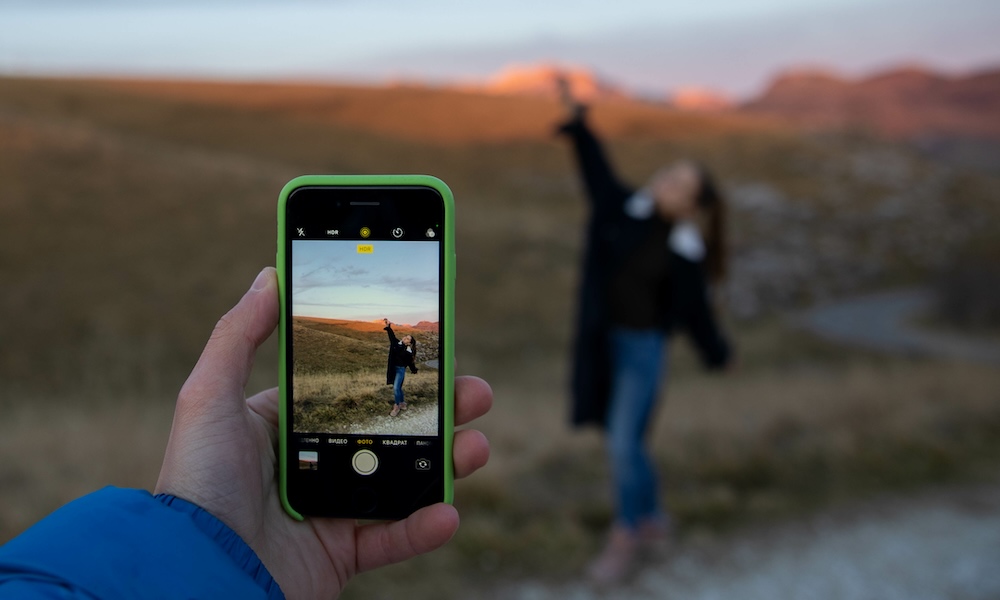
Nowadays, your iPhone’s camera can do a lot more than just take pictures. With the right app, it can identify plants, animals, landmarks, artwork, products, wine bottles, food labels, math problems, text, and even random objects you find around the house.
So, instead of typing a vague search into Google and hoping you describe something correctly, you can point your iPhone at the object and let the app do the hard part. Some apps are great for general visual search, while others focus on specific categories like nature, shopping, accessibility, food, or schoolwork.
Of course, no app will be perfect every time. Lighting, image quality, angles, location, and the object itself can all affect the result. Still, these apps can save you a lot of time when you’re trying to figure out what something is, what it’s called, where to buy it, or how to understand it better. Read on for 9 apps that turn your iPhone camera into the ultimate real-world search bar.
Google Lens
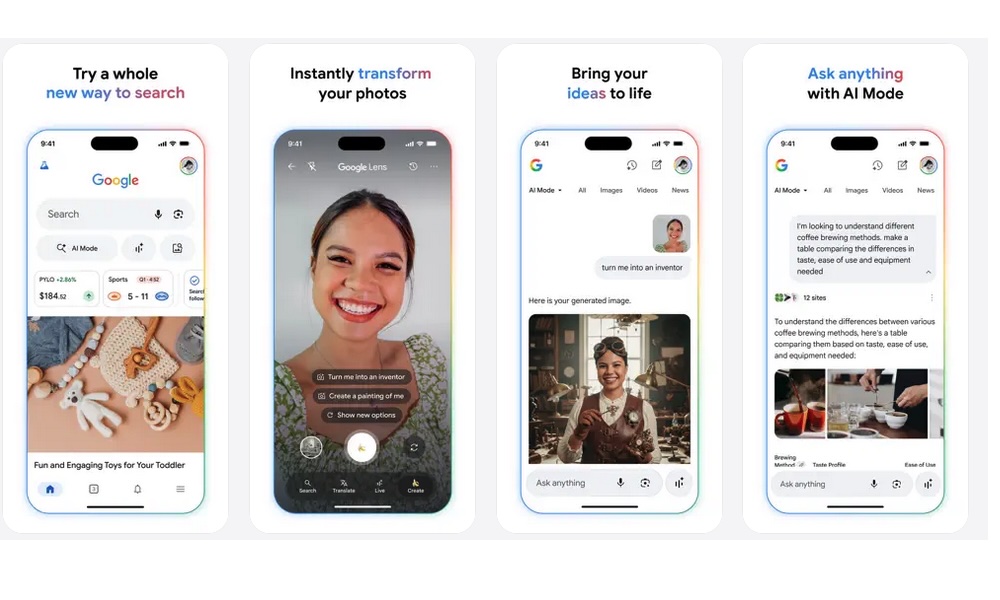
Google Lens is one of the best all-around camera identification tools you can use on your iPhone. It’s available inside the Google app, or you can download it separately, and it lets you search using your camera or an existing photo from your library.
The main reason Google Lens is so useful is that it handles a little bit of everything. You can use it to identify objects, plants, animals, landmarks, products, furniture, clothes, and even similar images online. If you only want to download one visual search app, this is probably the one most people should try first.
Google Lens is also great for text. You can point your camera at a sign, menu, document, label, or handwritten note and copy the text, translate it, or search it online. That makes it helpful when you’re traveling, shopping, studying, or trying to understand something written in another language.
And, believe it or not, it’s also a strong shopping tool. If you see a pair of shoes, a lamp, a backpack, or a piece of furniture you like, Google Lens can help you find similar products online. It won’t always find the exact item, but it usually gives you a good place to start.
Apple’s Visual Intelligence

Apple’s visual intelligence isn’t a separate app, but it deserves a spot on this list because it’s built directly into supported iPhones. Depending on your model and iOS version, you can use this feature to point your camera at objects, plants, animals, businesses, posters, text, and more to get quick information.
Visual intelligence is especially handy with text and real-world details. For example, you may be able to scan a poster and create a Calendar event, call a phone number, visit a website, or search for more information about something in front of you. It’s incredibly easy, and when it works, it almost feels like magic.
Unfortunately, visual intelligence is only supported on iPhones that support Apple Intelligence — the iPhone 15 Pro and later models. But for older iPhones, Apple also has Visual Look Up, which works inside Photos, Safari, Quick Look, and other places. It can help identify landmarks, statues, art, plants, pets, books, food, and other subjects from images you already have.
The best part is that there’s nothing extra to install. If your iPhone supports these features, you can use Apple’s own tools without downloading another app or creating another account. For people who prefer keeping things simple, this is a big advantage.
Seek by iNaturalist
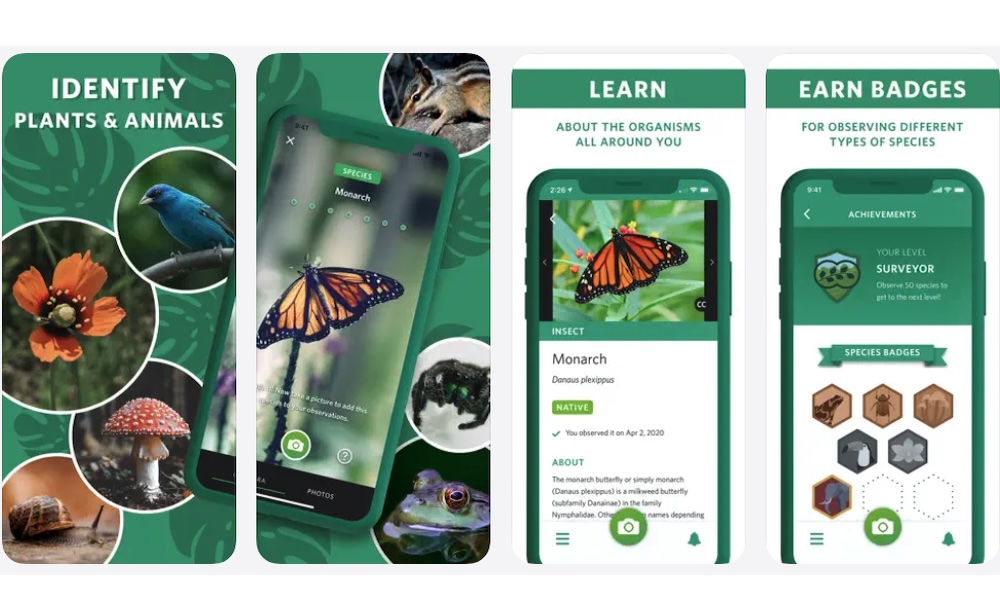
Seek by iNaturalist is one of the best apps for identifying nature with your iPhone camera. It can help recognize plants, animals, fungi, insects, birds, amphibians, and other living things you find outside.
What makes this app great is that it’s perfect for beginners. You don’t need to know technical terms or manually narrow anything down. You can just point the camera at a plant, bug, mushroom, or animal, and Seek will try to identify it based on image recognition.
Seek also makes nature exploration feel more fun. It includes badges and challenges, which can encourage you to pay more attention during walks, hikes, or trips to the park. It’s a great app for families, students, casual hikers, and anyone who wants to learn more about the world around them.
Another nice detail is that Seek can show species commonly recorded near your area. That can make the results feel more relevant than a generic search, especially when you’re trying to identify local plants or wildlife.
Merlin Bird ID
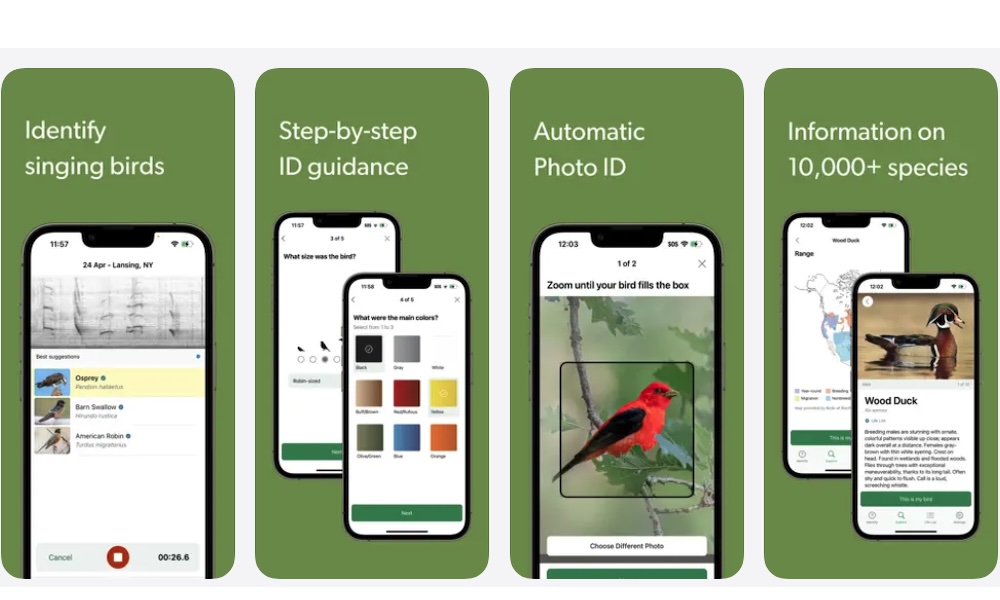
Merlin Bird ID, from the Cornell Lab of Ornithology, is one of, if not the best, apps for identifying birds. It can help identify birds from photos, sounds, and guided questions, which makes it useful even if you’re completely new to birdwatching.
The sound identification feature is one of the app’s best tools. You can let the app listen to birds around you, and it will try to identify the species by their songs or calls. That’s extremely helpful because birds are often easier to hear than see.
Merlin Bird ID also works with photos. If you manage to capture a bird on your iPhone, you can use the image to get possible matches. The app can also ask simple questions about the bird’s size, color, location, and behavior if you don’t have a clear picture.
For beginners, Merlin makes birdwatching feel much less intimidating. Instead of flipping through a field guide and guessing, you can use your iPhone as a quick learning tool during walks, hikes, or birdwatching in your backyard.
Seeing AI
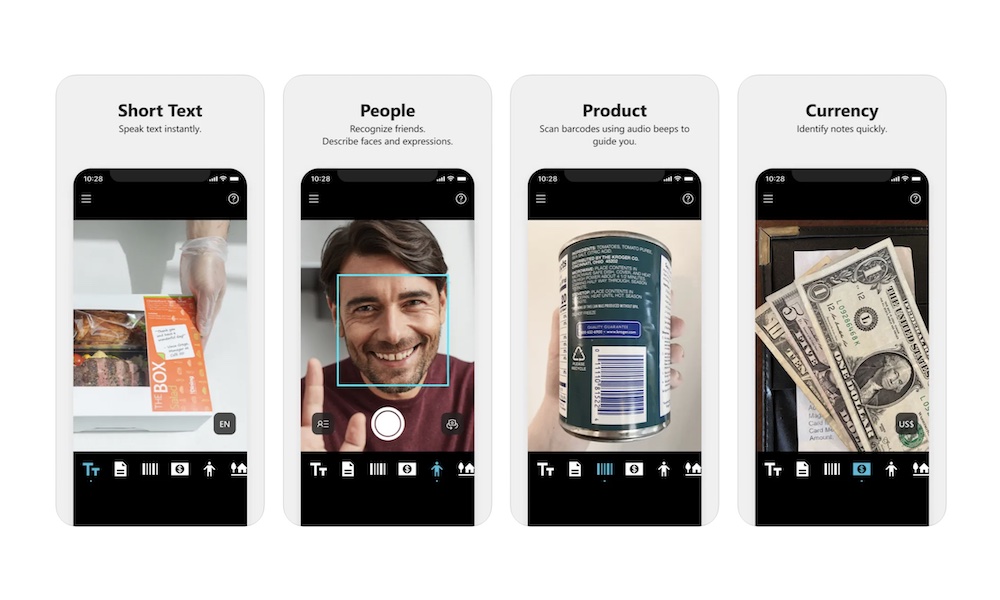
Seeing AI is a free Microsoft app designed for blind and low-vision users, and it’s one of the most impressive camera-based tools on the iPhone. It uses the camera to describe text, objects, scenes, people, colors, documents, currency, and more.
The app is especially helpful for reading. You can point your iPhone at short text and hear it read aloud, or scan longer documents with audio guidance. That can be useful for mail, labels, signs, instructions, menus, and printed pages.
Seeing AI can also describe objects and scenes. While it won’t replace human judgment, it can give users a quick idea of what’s in front of them. It’s also useful for identifying colors, recognizing products, and getting spoken feedback about the environment.
Even though it’s designed for accessibility, many people can find uses for it. If you want your iPhone camera to help read, describe, or identify things out loud, Seeing AI is one of the best apps available.
Smartify: Arts and Culture
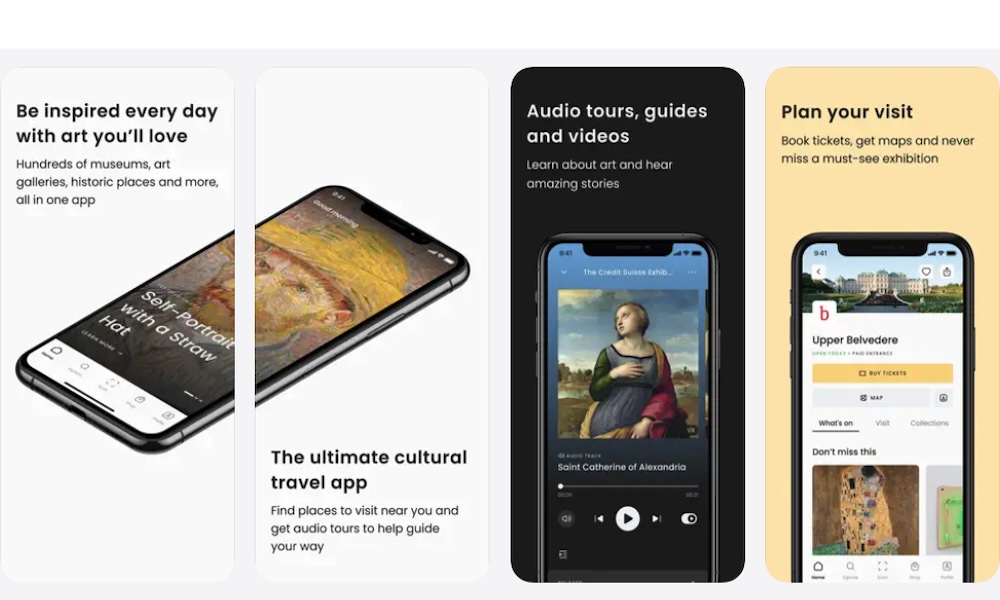
Smartify is a great app for identifying artwork, museum pieces, paintings, sculptures, and cultural objects. It’s the kind of app you’ll appreciate most when visiting museums, galleries, historic sites, or places with lots of art.
Instead of searching for a title or trying to type an artist’s name correctly, you can scan the artwork and learn more about what you’re seeing. When it recognizes the piece, Smartify can provide background information, stories, and related content.
The app also includes museum guides and audio tours, which can make visits feel more organized and interesting. It can help you learn at your own pace without needing to join a guided tour or read every wall label.
Smartify is also useful for building a personal art collection inside the app. If you enjoy art, travel, or museums, it turns your iPhone into a pocket-sized cultural guide.
Amazon Shopping
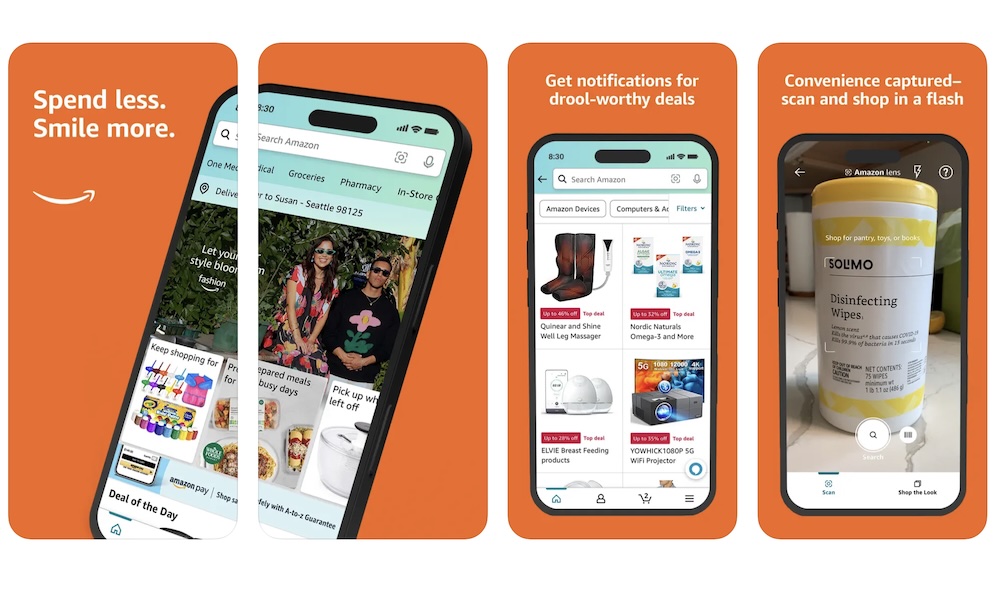
The regular Amazon Shopping app you probably already know also includes camera-based product search through Amazon Lens.
You can tap the scan icon in the search bar, take a picture of an item or barcode, and Amazon will try to find the product or similar listings, which is great for when you want to know what that cool product is or where to buy it. It works well for household items, accessories, furniture, electronics, toys, kitchen tools, and everyday products.
Amazon’s visual search is especially useful for shopping because it connects directly to product listings. You can compare prices, read reviews, check availability, and see similar options without leaving the app.
Of course, the results are limited to Amazon’s marketplace, so it’s not always the best tool for identifying rare items or learning detailed background information. But if your goal is to find something similar to buy, it’s one of the fastest options.
eBay Online Shopping and Selling

eBay is useful when you want to identify a product and understand what it might be worth. The app’s image search can help you find similar listings based on a photo, which makes it great for thrift shopping, collectibles, vintage items, toys, sneakers, cards, old electronics, and discontinued products.
Amazon is often better for new products, but eBay shines with used and harder-to-find items. If you find something at a garage sale, flea market, thrift store, or storage box, eBay can help you see whether similar items are listed online.
It’s also useful for research. You can compare active listings and, when available, check sold listings to get a better idea of what buyers have actually paid. That can help you avoid overpaying or underpricing something you want to sell.
The app won’t identify every item perfectly from a photo, but it’s a great tool when you’re dealing with products that don’t have obvious labels or are no longer sold in regular stores.
Photomath
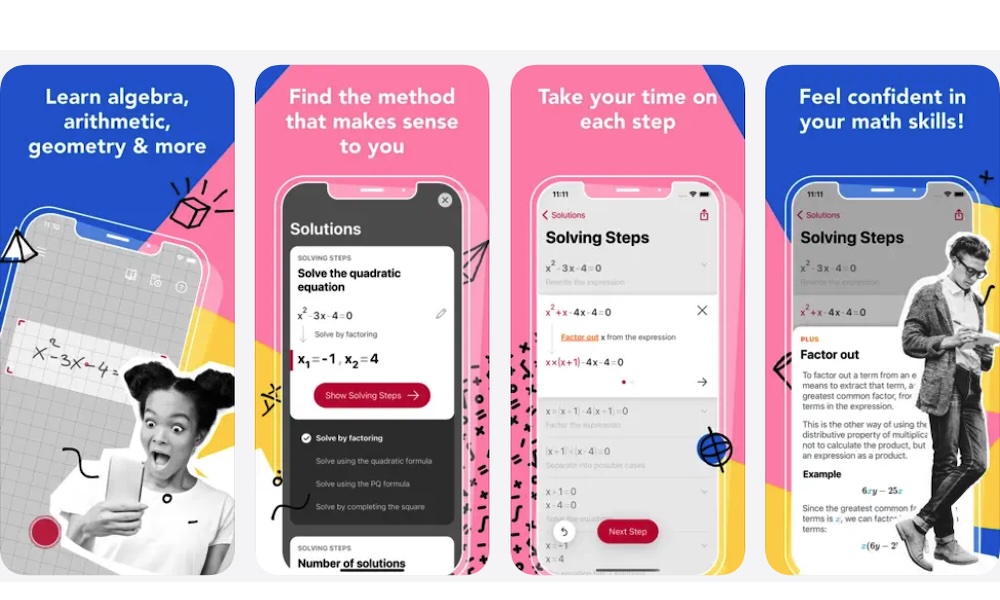
Photomath doesn’t identify objects, plants, or products, but it absolutely belongs on this list because it uses your iPhone camera to identify math problems. You can scan a printed or handwritten equation, and the app will show the answer with step-by-step explanations.
That makes it great for students, parents, tutors, and anyone trying to brush up on math. Instead of only giving the final answer, Photomath can break down the process so you understand how the result was reached.
The app covers many types of math, including arithmetic, algebra, inequalities, geometry, and more. It’s especially useful when you’re stuck on homework or trying to check whether your work is correct.
Like any learning tool, it’s best used to understand the process rather than copy answers. Used the right way, Photomath can turn your iPhone camera into a surprisingly useful math tutor.
Your iPhone Camera Is More Useful Than You Think
All of these apps are fantastic and will help you recognize whatever it is you want. But of course, you probably won’t need every app at once. It all depends on the things you usually want to search for that you just can’t put into words.
The good news is that whether it’s plants, animals, or places, there’s an app for you. What’s more, all of these apps are free to download, so you can try them out and see which one works best for you.
Start with one general visual search tool, then add a few specialized apps based on what you actually want to identify. Or, if you don’t want any extra apps, you can simply start using Apple’s very own Visual Intelligence. It isn’t perfect, but it’s better than people give it credit for. Whichever option you use, you’ll start learning more about the things around you in no time.