
Try StandBy When Charging Your Phone
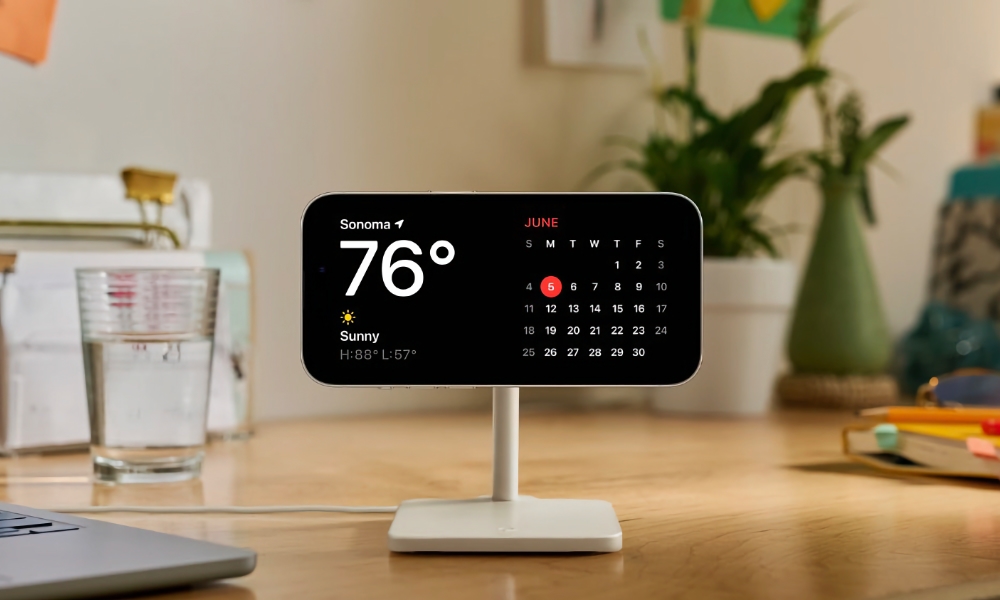
StandBy mode activates when your iPhone is charging and placed horizontally. It basically turns the screen into a large display showing clocks, widgets, photos, and live updates. If you have an iPhone with an Always On display, this feature will appear constantly on your screen. If not, you’ll need to press the side button or tap the screen to see the information.
This makes your iPhone even more useful when it’s sitting on a desk or nightstand. Here’s how you can use it:
- Place your iPhone on a charger.
- Rotate it into landscape orientation.
- Wake the screen if necessary.
Now you’ll see a cool clock and maybe even some useful widgets. If not, you can swipe between displays to get other, more useful widgets and clocks.
Pro Tip: You can adjust your StandBy settings by going to StandBy in the Settings app. This lets you control whether notifications or notification previews are shown, how long the display remains on, and whether a red “Night Mode” tint is used in low lighting.