
Check In
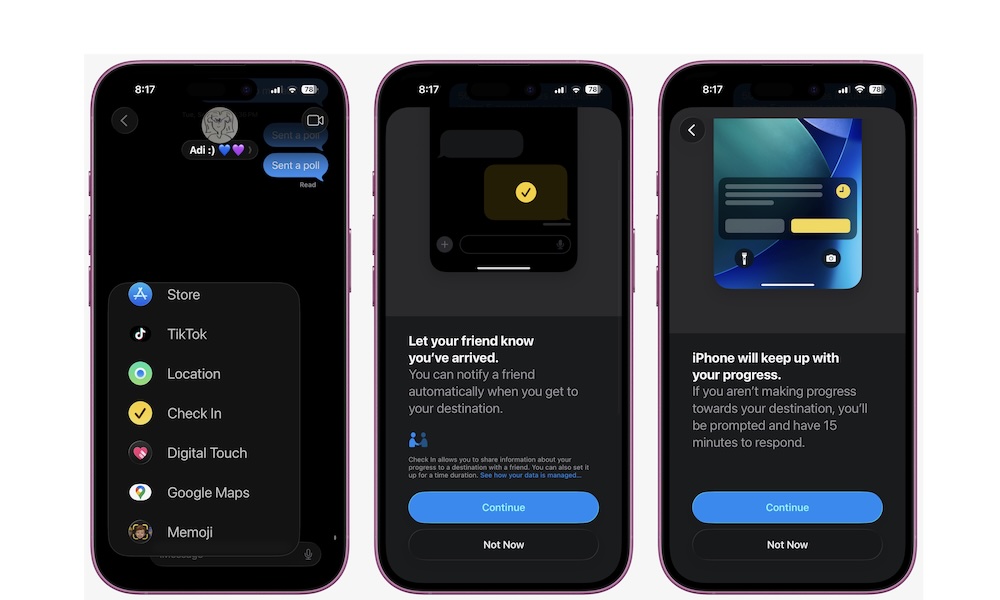
Check In is a Messages feature that can automatically let someone know you arrived safely, or share details if something goes wrong. It’s perfect for late-night rides, solo walks, hikes, travel days, and any moment where you want to give your loved ones peace of mind without constantly sending or asking for updates.
Instead, the other person knows you’re okay, and you don’t have to keep your phone in your hand the entire time. To start using Check In on your iPhone, follow these steps:
- Open Messages and choose a conversation.
- Tap the + button and find Check In (you may need to tap More to see it).
- Choose When I Arrive or After a Timer.
- Once you’re done, tap on Send.