
Apple Passwords
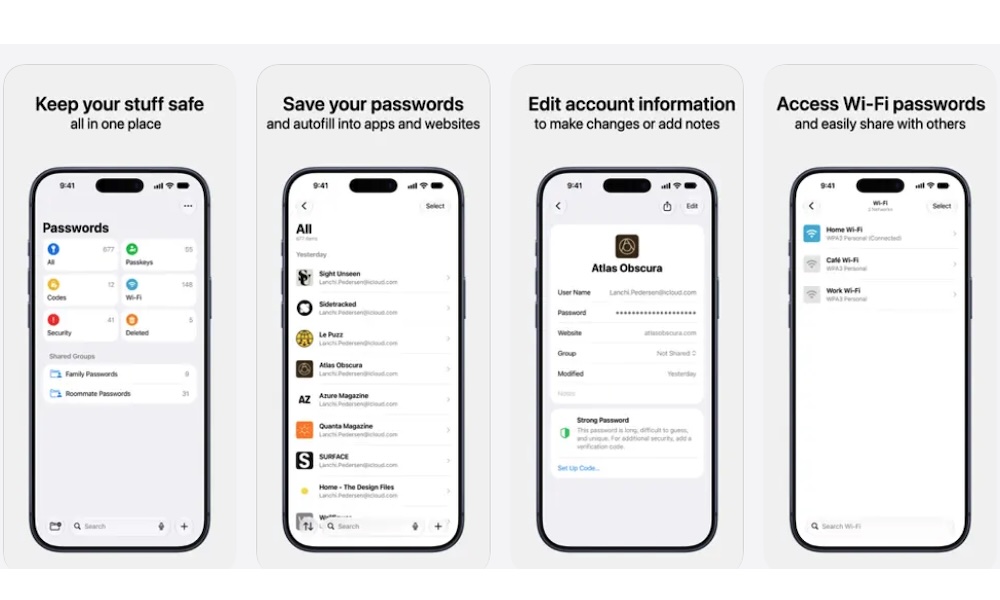
One of the easiest ways to protect your online accounts is to stop reusing the same password everywhere. Unfortunately, remembering a different password for every website can become next to impossible, especially if you have dozens of accounts.
That’s where Apple’s Passwords app comes in. It’s a built-in password manager that lets you securely store your login credentials and access them whenever you need them.
Instead of creating passwords yourself, you can let your iPhone generate strong ones for supported websites and apps. These passwords are saved automatically, so you won’t have to memorize them every time you want to sign in.
Another useful feature is the app’s Security section. It can identify passwords that have appeared in known data leaks, as well as credentials that are weak or reused across multiple accounts.
So if you see a weak password, you can go and change it yourself. Or, if the platform supports it and you’re using an Apple Intelligence-capable iPhone, you’ll soon be able to ask the Passwords app to do it for you. While it’s not available just yet, iOS 27 is slated to offer a feature where Passwords can literally go into your account and change the password to something no one will know (not even you — although you can always check the password in the app later).