
The 8 Best iPhone Scrapbook Apps

Digital scrapbooking is one of the easiest ways to turn your iPhone’s library into something you’ll actually want to look back on. Instead of letting thousands of photos sit untouched in the Photos app, you can use a scrapbook app to organize your favorite memories, add captions, design pages, create photo books, or even print everything as an actual physical scrapbook.
The best part is that digital scrapbooking can be as simple or as creative as you want. Some apps give you full control over every sticker, background, and layout you can use. Others do most of the work for you and help you turn a vacation, birthday, or everyday moment into a finished album in just a few minutes.
Whether you want a traditional scrapbook page, a quick collage, a private visual journal, or a printed photo book, these are some of the best digital scrapbooking apps you can use on your iPhone.
Project Life
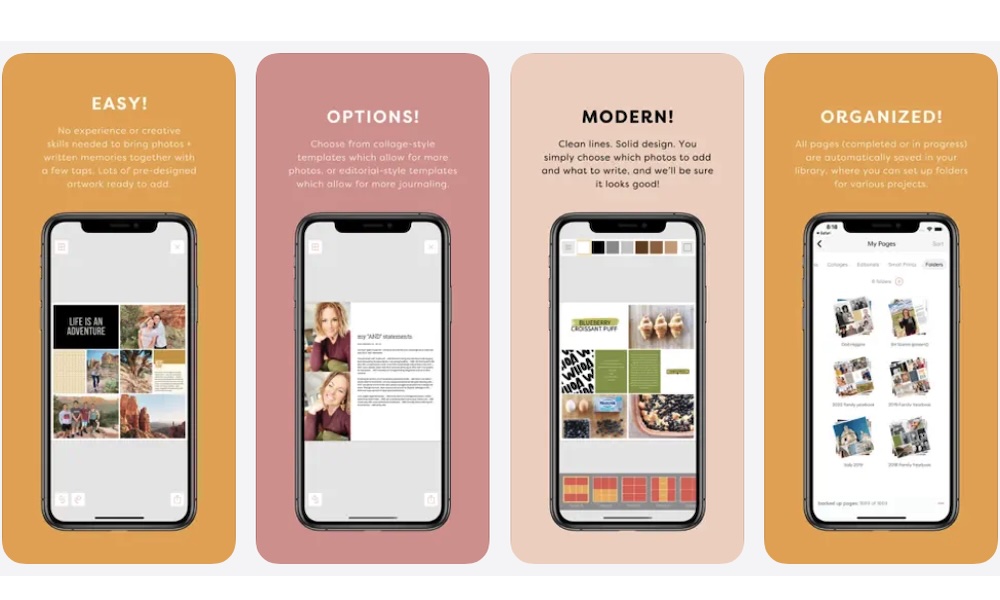
Project Life is one of the most scrapbook-focused apps you’ll find on the iPhone. Instead of feeling like a general photo editor with a few collage tools added in, it’s built around the idea of combining photos, journaling, page layouts, and decorative cards into full scrapbook pages.
That makes it a great choice if you like the look of traditional scrapbooking but don’t want to deal with paper, glue, scissors, or printed photos in real life. You can pull pictures from your camera roll, library, or even Dropbox, place them into clean collage-style layouts, and add journaling cards to explain what was happening in each memory so you can relive them like it was yesterday.
Project Life also gives you plenty of creative control without making the app feel overwhelming. You can crop, rotate, rearrange, and edit photos, adjust fonts, change background colors, and choose between rounded or square corners. It also supports different page and photo book sizes, which helps if you eventually want to print your pages rather than keep everything digital.
Canva: AI Video & Photo Editor
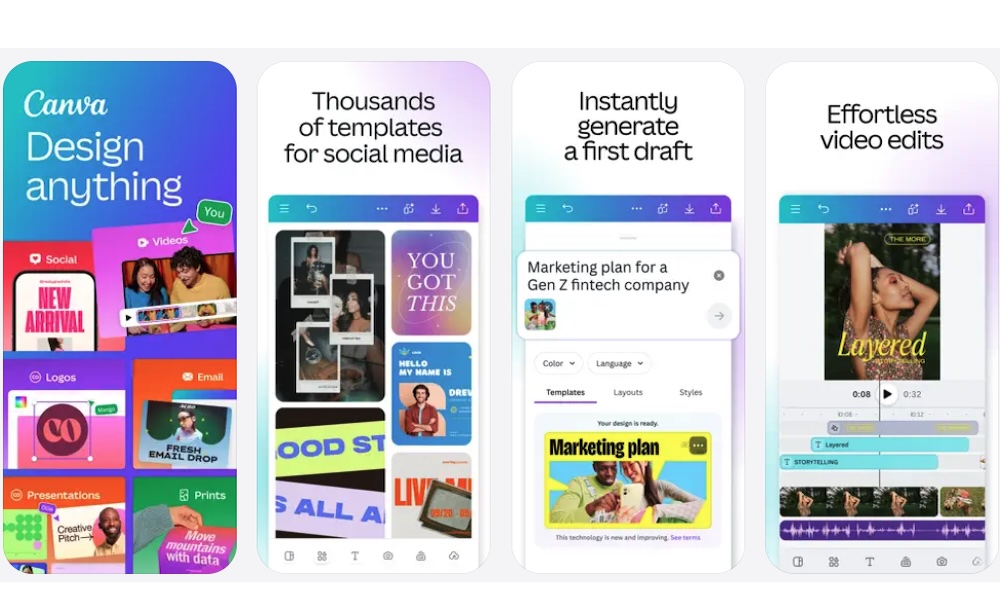
Canva is one of the easiest apps to recommend for digital scrapbooking because it works for almost any style. You can use it to make scrapbook pages, travel recaps, birthday collages, recipe books, holiday memories, printable albums, and social media posts.
What makes it really stand out is its huge template library. You don’t need to start with a blank page unless you want to. You can search for scrapbook templates, choose a design that fits your theme, and then replace the sample images with your own photos. From there, you can change the colors, move the text, add stickers, adjust fonts, and personalize the whole page from your iPhone.
Canva is also helpful if you want your scrapbook to look professional without spending hours designing every detail. It gives you access to graphics, frames, illustrations, photo filters, and text effects, so you can create pages that look more like a finished design project.
You can also export your pages, share them with others, or use Canva’s print options if you want a physical version. The downside is that if you want access to everything Canva has to offer, you’ll probably need to pay for its subscription. But if you love scrapbooks and making other things like cool cards or Instagram posts, it’ll probably be worth it.
Picsart AI Photo Editor, Video
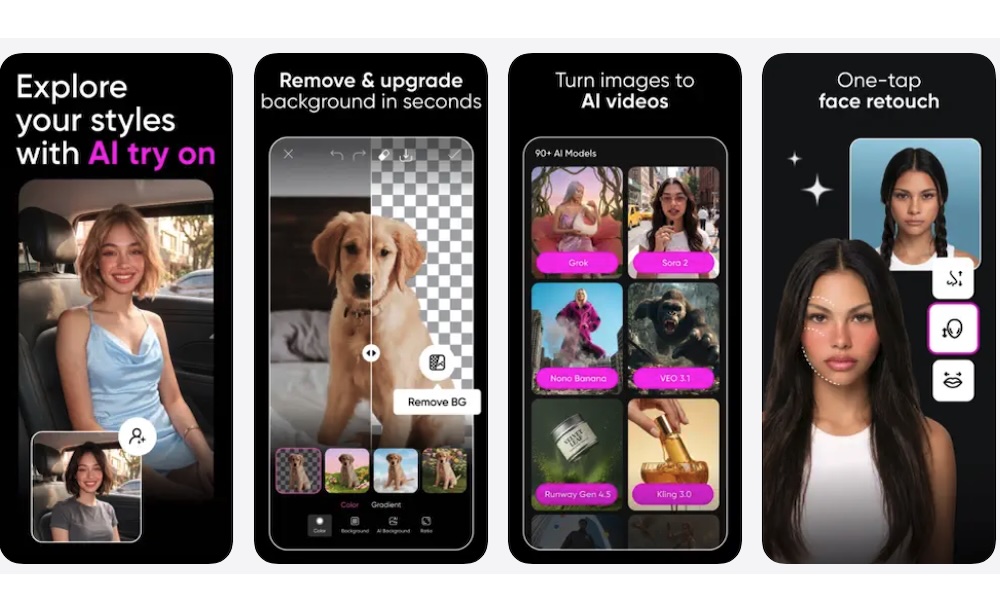
Picsart is a strong option if you want your scrapbook pages to look more colorful, playful, and modern. It’s an all-in-one photo editor and collage maker with stickers, templates, filters, cutout tools, background effects, and plenty of creative editing options.
What makes this app different is that its scrapbook pages, which feel closer to social media edits. You can remove backgrounds, create cutouts from your photos, add aesthetic stickers, use freestyle collage layouts, and layer different design elements on top of each other. It’s great for creating pages around concerts, vacations, outfits, birthdays, pets, or any memory that deserves a more unique look.
Picsart also gives you enough tools to make each page feel different. One scrapbook page can look like a clean collage, while another can feel like a poster, mood board, or magazine-style spread. Some of its more advanced tools are tied to its premium plans, but even the basic editing features can help you turn ordinary photos into something more creative.
PicCollage: Magic Photo Editor
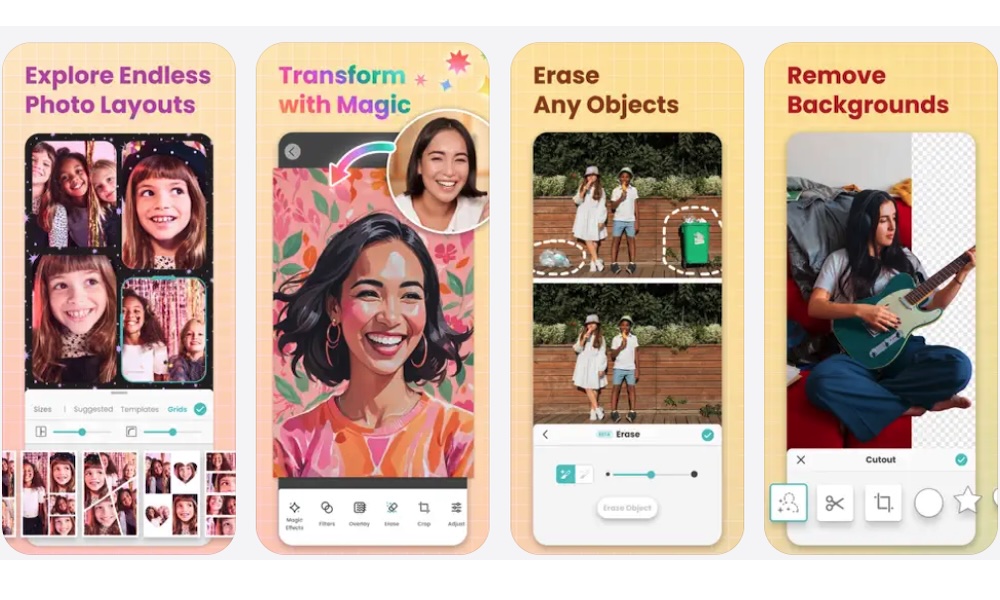
PicCollage is an incredibly easy app to use, and it’ll give you quick scrapbook pages without spending too much time learning a design tool. It focuses on collages, cards, photo layouts, stickers, and so much more.
The app offers both grid and freestyle layouts, making it flexible for different projects. You can make a clean photo grid for a family event, or you can create a more playful page with stickers, custom text, and doodles. It’s also a good option for seasonal pages, birthday cards, school memories, and simple visual recaps. Whatever it is you want, this app can help you make it in just a few minutes.
The best part is that PicCollage keeps things really beginner-friendly, which is one of its biggest strengths. You can start with a ready-made layout, add photos from your iPhone, decorate the page, and share or save it quickly. Of course, you can also let your imagination run wild if you’re willing to learn a little more about the app and what it can do. Granted, it’s not as advanced as Canva or Picsart, but that simplicity is exactly why many people will enjoy it.
FreePrints Photobooks
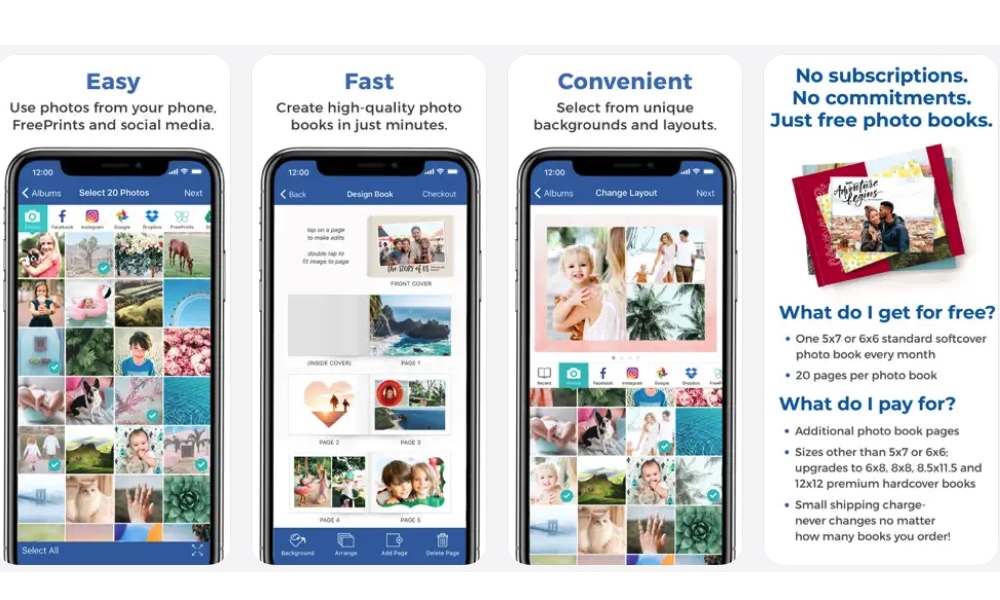
FreePrints Photobooks is a great choice if you want to make printed scrapbooks regularly without spending too much money. The app is built around creating photo books from your iPhone, and its biggest selling point is that users can get one free standard softcover photo book every month and pay only for shipping.
That makes it ideal for monthly memory books. You can create a small album for each month, a vacation, a birthday, or a family event without turning the project into a huge expense. It’s also nice for people who don’t want to design complicated scrapbook pages from scratch.
What’s more, the app makes it really easy to create these books in a flash. You choose your photos, arrange the book, make any edits you want, and order it from your iPhone. It won’t give you the same creative freedom as a full design app, but it’s one of the easiest ways to keep your memories saved in a special way.
Mixbook: Photo Book Creator
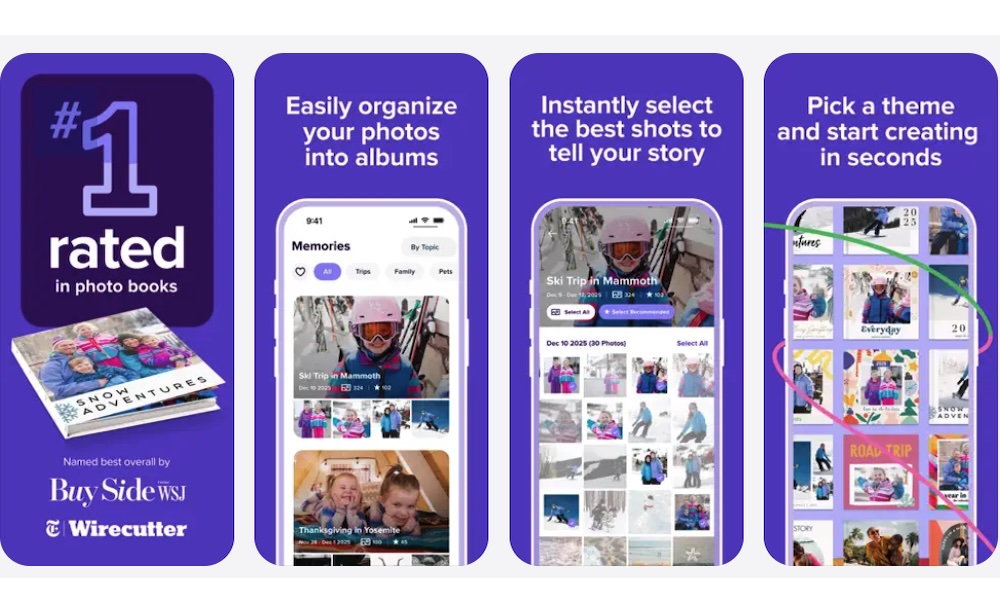
Mixbook is another excellent app for creating professional-looking printed photo books. It’s especially good for events like weddings, vacations, graduations, baby albums, family yearbooks, and anniversary gifts.
The app includes thousands of themes for different occasions, but you can also start with a blank template if you want more freedom. Once you choose your photos, Mixbook’s editor lets you customize layouts, backgrounds, page designs, and other details right from your iPhone.
Mixbook also does a good job of making photo books feel gift-worthy. You can explore different book sizes, paper types, and finishes, which gives you more control over the final product. If you’re making something important and want it to look more premium than a basic photo album, Mixbook is one of the better options.
Popsa: Print Your Photos
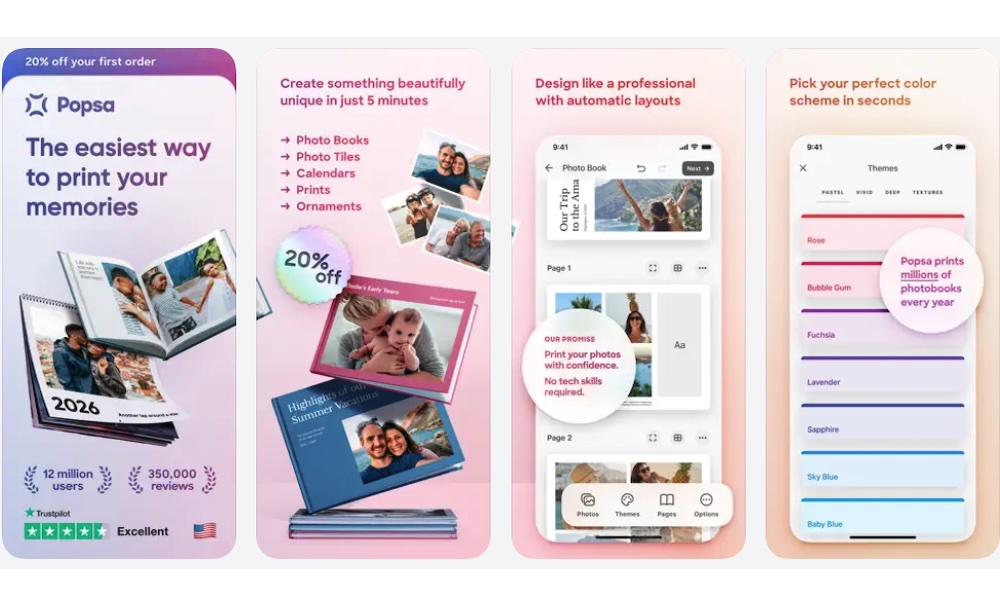
Popsa is made for people who want printed photo books without spending hours arranging pages. The app can automatically create layouts, crop pictures, group similar photos, and choose color schemes, making everything faster and easier for you.
That’s especially useful when you have a lot of photos from one trip or event. Instead of sorting through every picture manually, you can choose the ones you want, let Popsa generate the album, and then make changes before ordering. The app says the average order takes only a few minutes, which gives you an idea of how streamlined the experience is.
Popsa also supports larger photo books, with many photos and pages depending on the project. It’s a good fit for travel albums, family memory books, or a creative gift for your friends or family. You still get customization options, but the app does a lot of the tedious work for you.
Muse: Secret Diary With Lock
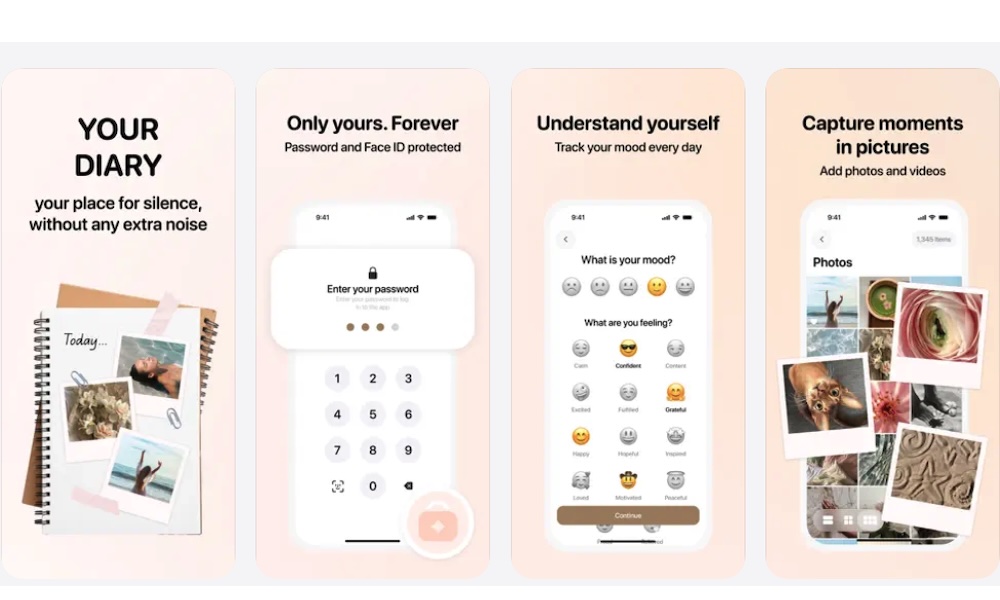
Muse is a different type of scrapbook app because it blends visual journaling with AI. Instead of making traditional scrapbook pages from scratch, it helps turn everyday moments into aesthetic diary-style entries, travel recaps, and visual stories.
This makes it a good option if you like the idea of scrapbooking but don’t want to spend a lot of time placing every sticker and photo by yourself. You can use it to capture small daily memories, organize moments from your camera roll, and turn them into something that feels more thoughtful than a regular photo album.
The app is especially great if you want your scrapbook to feel personal and emotional. It leans more toward journaling than printing, so it’s best for people who want a private visual diary on their iPhone. If your Photos app library is full of coffee photos, sunsets, trips, pets, outfits, and small moments you don’t want to forget, this app gives those memories a better home.
Start With the Type of Scrapbook You Actually Want
The best digital scrapbooking app depends on what you’re trying to make. If you want traditional scrapbook pages, there are apps to help you create something instantly, alongside tools that grant you total creative freedom.
What’s more, you can even find an app that will help you print those memories so you can keep them physically and digitally.
No matter which app you choose, the goal is the same: don’t let your best photos disappear into your library. With the right app, your iPhone can help you turn everyday moments into something you’ll want to revisit again and again.