
9 Essential iPhone Apps for Seniors
 Getty Images / Unsplash+
It doesn’t matter how old you are; the apps you install on your iPhone are always meant to assist you with something. Whether you need help keeping yourself busy with fun games or you need help reaching your boss or coworkers, there’s an app for that.
And when it comes to seniors, the best apps are the ones that make everyday life easier, safer, and more enjoyable. That can mean remembering when to take medication, making text easier to read, calling family members, ordering a ride, borrowing free books, or keeping important health details in one place.
The good news is that seniors don’t need dozens of complicated apps to get more out of their iPhone. In many cases, these apps are incredibly easy to get, and some of them are already built into your device.
Of course, there are also plenty of third-party apps worth having. So, whether you’re helping a parent or grandparent get more comfortable with their iPhone or you’re looking for useful apps for yourself, read on for 9 of the best iPhone apps to check out.
Medisafe Medication Management
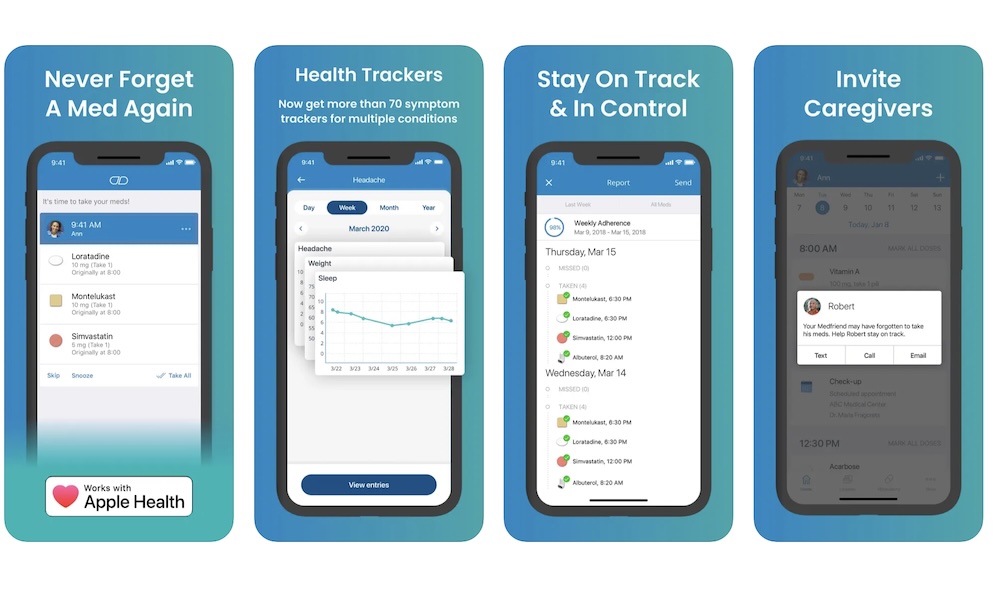
Medisafe is one of the most useful apps for people who take daily medication. It can keep track of pills, vitamins, prescriptions, and supplements and send reminders when it’s time to take each dose. That’s helpful for anyone, but it becomes even more important when someone has several medications with different schedules.
The app can also help prevent accidental missed or double doses. Instead of trying to remember everything from memory, you can just log each medication and mark it as taken when the reminder appears. Over time, that makes it easier to see what’s been taken and what still needs attention.
Medisafe also features caregiver and family features for relatives who want to stay informed without constantly checking in. If you or a loved one misses a dose, the app can notify you or any other trusted person. For seniors who want a little more independence but still appreciate having backup with their medicine, Medisafe is one of the best apps for the job.
Apple Health
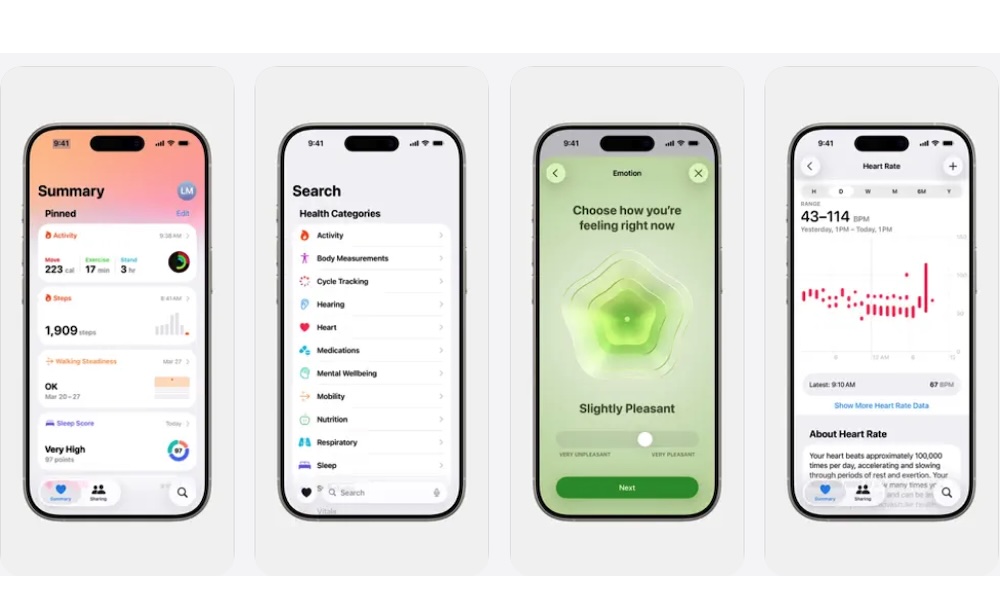
Apple Health is likely already on your iPhone, and it’s one of the most important apps seniors can use. It brings health information into one place, including medications, activity, sleep, heart data, medical records, and more. If the person also has an Apple Watch, the Health app becomes even more useful because it can show additional wellness and activity data.
One of the best features for seniors is the Medical ID. This lets users add important information like allergies, medical conditions, medications, blood type, and emergency contacts. First responders can access Medical ID from the Lock Screen in an emergency, which makes it worth setting up even if the rest of the Health app isn’t used every day.
The best thing is that Apple Health also includes medication tracking, which can be useful for people who don’t want a separate medication app. You can add medications, set schedules, log when you take them, and review their history. It’s simple, free, and a good option for people who prefer keeping everything inside the Apple ecosystem, as that makes it easier to share it with loved ones.
Magnifier
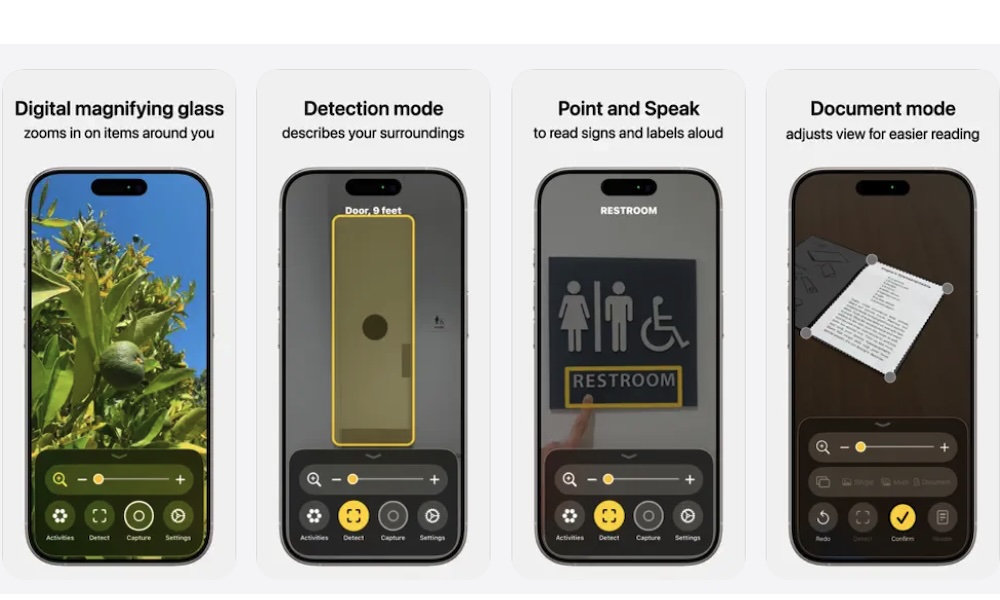
Magnifier is one of those iPhone apps that many of us forget is even there, but it can make a huge difference in your daily life. It turns the iPhone camera into a digital magnifying glass, making it easier to read small text on medicine bottles, menus, receipts, instructions, food labels, and product packaging.
The app is more useful than simply opening the Camera app and pinching to zoom. Magnifier gives users dedicated controls for zoom, brightness, contrast, filters, and lighting. That helps when the text is small, the room is dim, or the label has poor contrast.
But by far, the coolest feature is detection mode. Your iPhone can literally tell you what’s in front of you in case you can’t see it for yourself. Moreover, you can also point at something, like a sign, and your iPhone will read the text out loud for you to hear.
For people with low vision or anyone who struggles with tiny print, Magnifier is one of the easiest apps to install on your iPhone. It’s already part of the Apple ecosystem, so it works quickly, and it doesn’t require learning a complicated interface.
Find My
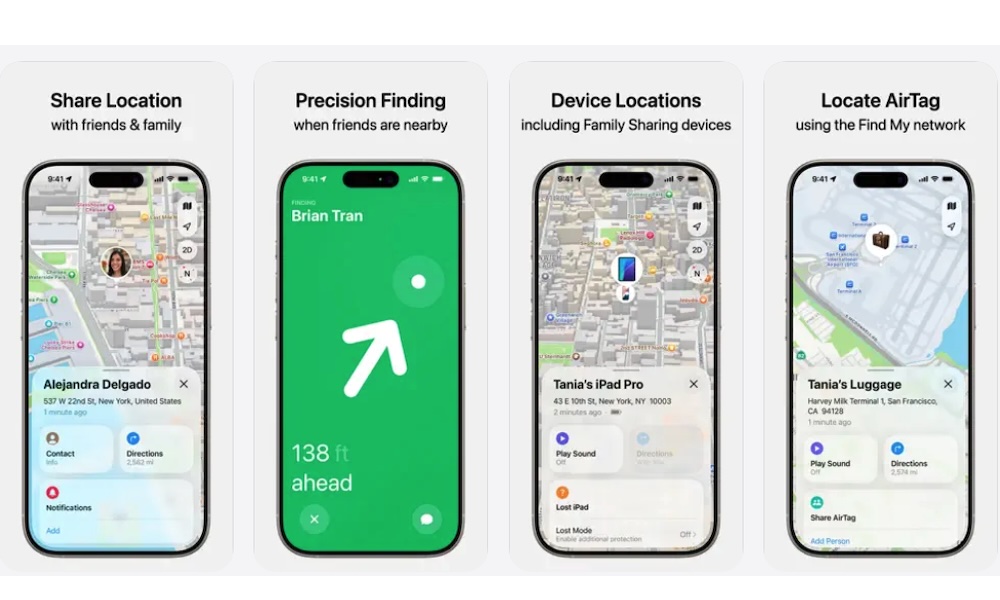
Find My is another built-in Apple app that can be incredibly helpful for seniors, their families, and anyone who's constantly losing their stuff. It can locate Apple devices like an iPhone, iPad, Apple Watch, AirPods, and AirTags, which makes it useful when something gets misplaced around the house or left behind somewhere else.
For everyday use, the most helpful feature might be finding a lost iPhone or AirTag. If someone attaches an AirTag to keys, a wallet, a purse, or a bag, Find My can show the item’s location, guide you right to it, and even play a sound when it’s nearby. That can save a lot of stress when something important disappears.
Find My also supports optional location sharing with trusted family members. This can be useful for seniors who want relatives to know where they are during errands, appointments, or if they’re traveling somewhere. Of course, this feature should always be used with the other person’s comfort and permission, but when everyone agrees, it can give families extra peace of mind.
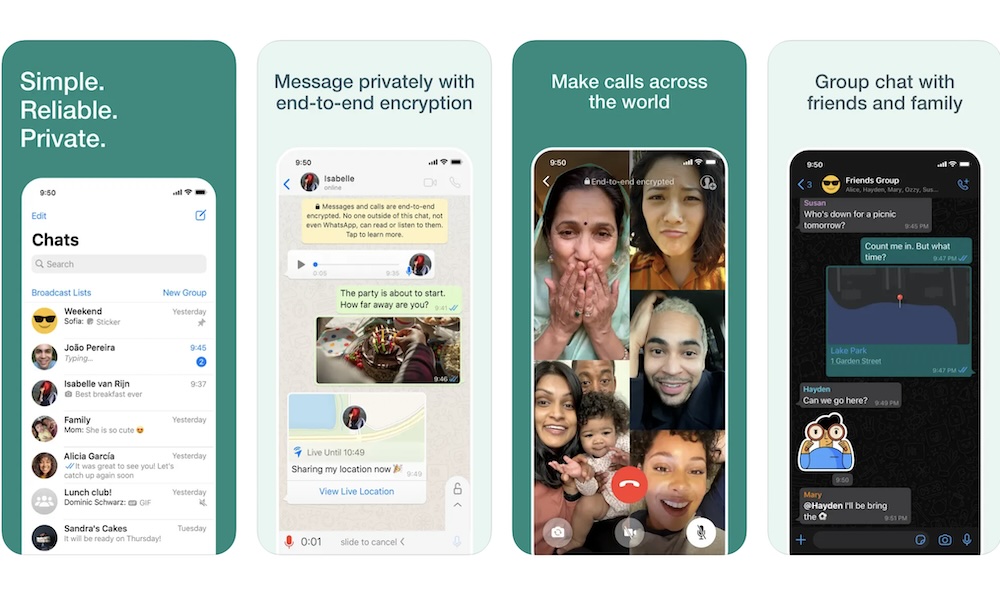
WhatsApp is a great communication app, especially if you’re a senior with family members who use Android, live in another country, or prefer messaging outside of Apple’s ecosystem. It supports text messages, voice messages and calls, video calls, photos, videos, and group chats.
The biggest advantage is that WhatsApp works across iPhone and Android. That makes it easier for families who don’t all use Apple devices. It’s also widely used internationally, so it can be one of the best options for seniors with relatives in different countries.
What’s more, you can set up WhatsApp on a computer or tablet, making it easier for older folks to read and type their messages.
Voice messages are also especially useful. Instead of typing a long message on a small keyboard, seniors can press and hold the microphone button and send a quick audio message. Group chats also make it easier to keep up with family updates, photos, birthdays, travel plans, and everyday conversations.
Google Maps
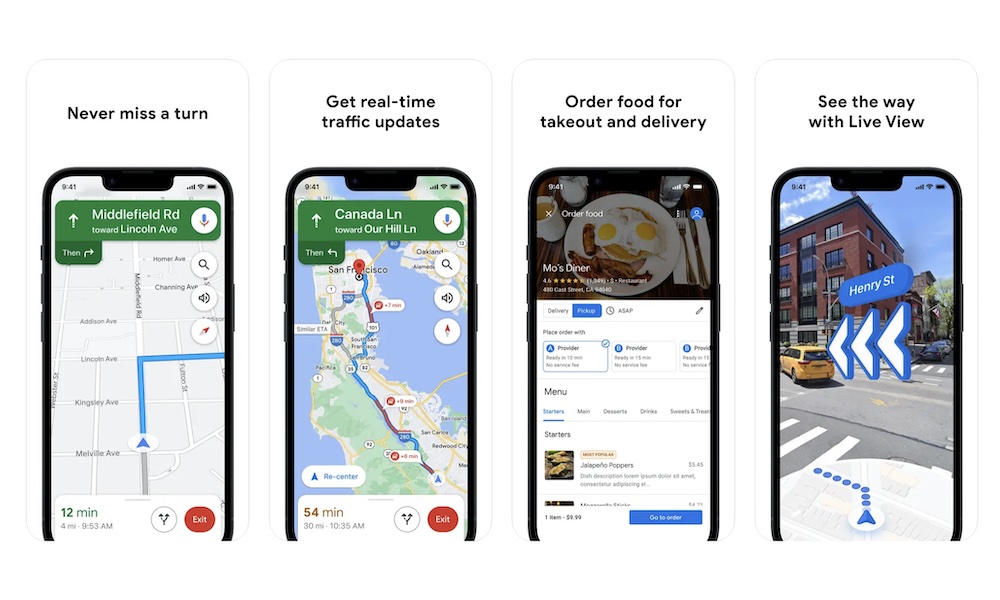
Google Maps is one of the best navigation apps for seniors because it does much more than give driving directions; it can help users find nearby restaurants, pharmacies, clinics, grocery stores, and other useful places. It also shows business hours, reviews, phone numbers, photos, and traffic information.
For older users who still drive, Google Maps can provide turn-by-turn directions and real-time traffic updates. For those who don’t drive, it can also help with walking directions, public transit routes, and checking how far away a place is before heading out. It can even use the iPhone's camera to help you find your way visually.
You can also save your favorite places, which is especially helpful for your frequently visited locations like home, a doctor’s office, a favorite store, or a family member’s house. It’s practical and one of the most useful apps to have ready.
Amazon Kindle
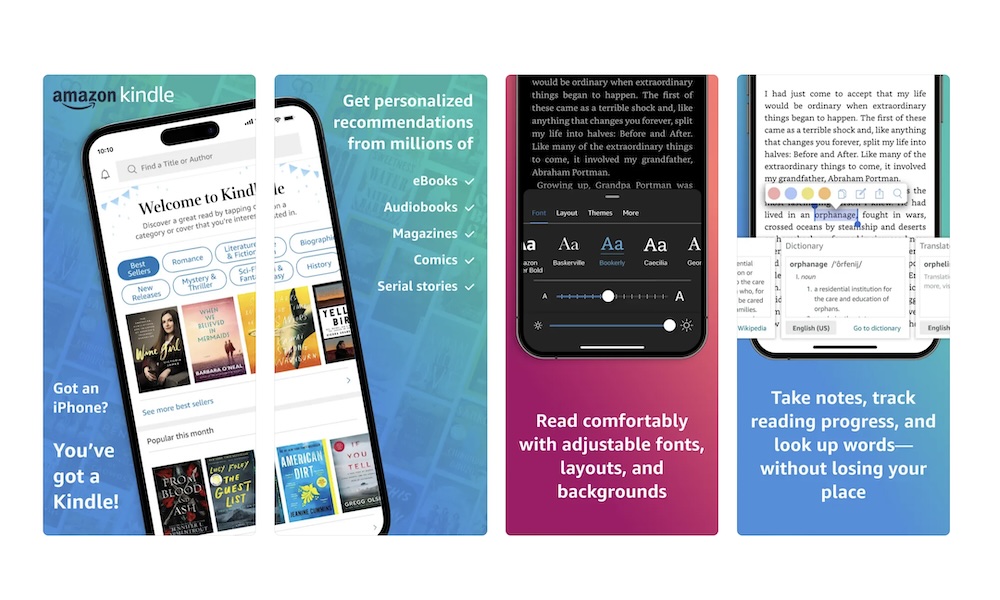
Not every app has to be a lifesaver; some of them can just help you stay entertained with your favorite books. And the Kindle app is a strong choice for seniors who want access to Amazon’s huge ebook library. It turns your iPhone or iPad into an ebook reader, and it includes several features that make reading more comfortable.
You can adjust the font, margins, alignment, brightness, background color, page layout, and, of course, text size. Those options are especially helpful for seniors who struggle with small print in physical books. Instead of needing a large-print edition, they can make the text bigger right inside the app.
Kindle also syncs reading progress across devices. Someone can start reading on an iPhone, continue on an iPad, and pick up in the same place later. If you already buy books from Amazon or prefer digital over physical, Kindle is one of the most convenient options available.
Audible
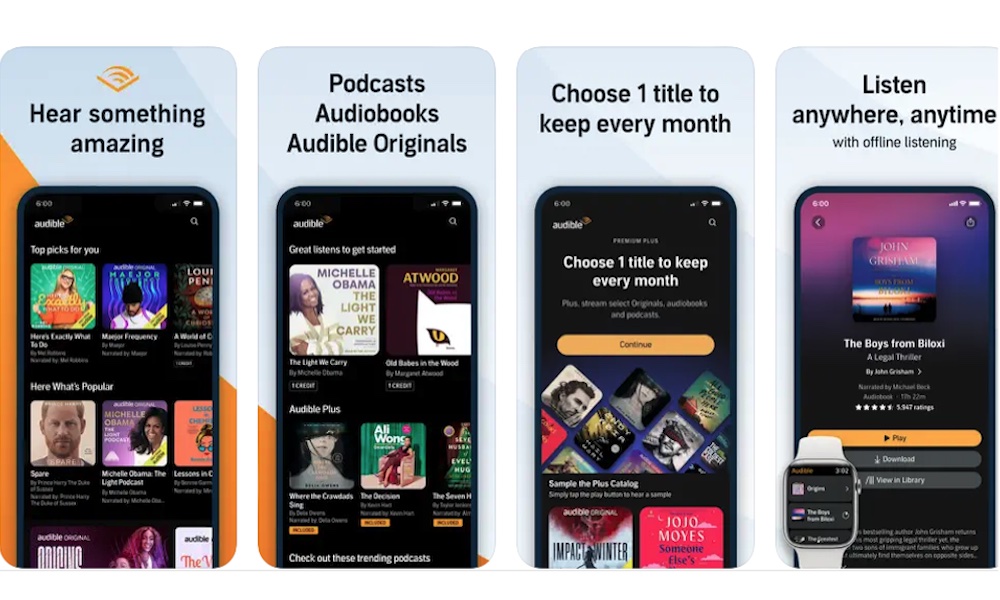
Audible is a great app for anyone who prefers listening to books instead of reading them. It offers audiobooks, podcasts, Audible Originals, memoirs, fiction, nonfiction, wellness content, and other types of entertainment.
Audiobooks can be especially helpful during walks, chores, rest time, travel, or moments when reading feels tiring. Also, people with vision difficulties may find Audible more comfortable than reading on a screen for long periods of time. The app lets you download anything you buy, making it easier to download your favorite books ahead of time and listen to them without an internet connection.
Another great feature is that Audible also lets you adjust playback speed. That means someone can slow the narration down if they want a more relaxed pace, or speed it up if they prefer a faster listening pace.
GoodRx
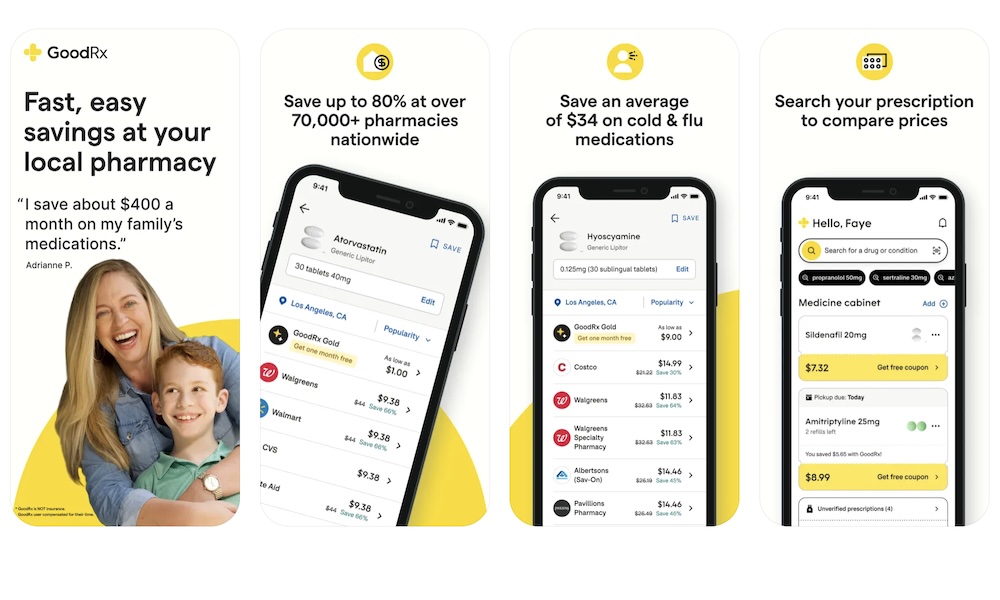
GoodRx can be very helpful for seniors in the US who want to compare prescription drug prices before paying at the pharmacy. Medication costs can vary a lot depending on the pharmacy, your location, and available discounts, and GoodRx makes it easier to check prices right from your iPhone.
The app lets you search for a medication, compare prices at nearby pharmacies, and access coupons that may give you a nice discount. This can be useful even for people who have insurance, since some cash prices or coupons may be worth comparing before paying. It’s also helpful when a medication isn’t covered or when someone wants to check prices before choosing a pharmacy.
Additionally, GoodRx comes with a medication tracker. The app can remind you when to take your medicine, and even when you need a refill, which is extremely helpful for anyone who’s taking a lot of medication or tends to forget about it.
The Best Apps Are the Ones You Will Actually Use
There are thousands of iPhone apps that can help seniors (or anyone, for that matter), but the best ones are usually simple, practical, and easy to use.
The key is to start with the apps that solve your most immediate problems. If remembering medication is the biggest challenge, or you find it hard to keep in touch with your loved ones, start with apps like Medisafe or WhatsApp. Then, move on to other apps that might seem like a challenge at first, but will actually make everything a lot easier.
Your iPhone can do a lot, but it’s much more helpful when the right apps are easy to find and simple to use.