
Use and Customize the Action Button (if Your iPhone Has One)
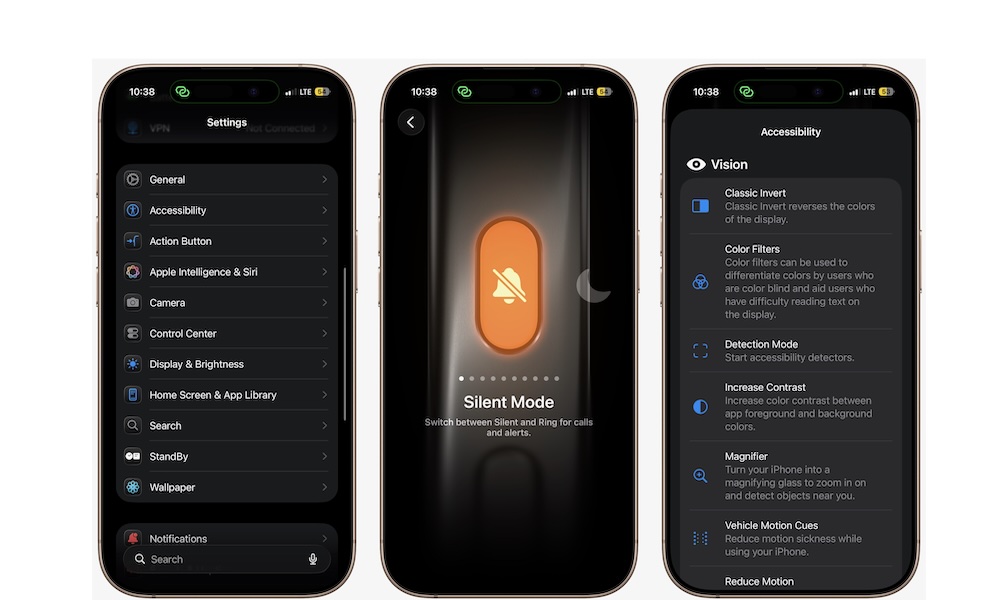
All the newer iPhone models include an Action button that replaces the traditional switch. This button can be customized to perform a variety of tasks.
Instead of toggling silent mode, you can assign it to open the camera, turn on the flashlight, start a voice memo, activate Focus modes, or even launch a custom shortcut. Unfortunately, it can only do one thing at a time, but it’s still a pretty versatile tool you’ll want to customize.
- Open the Settings app.
- Scroll down and tap on Action Button.
- Swipe through the available actions, and choose whatever you want.
- When you’re done, exit the settings and now press and hold the Action button to activate it.