
Customize Your App Icons and Home Screen Appearance
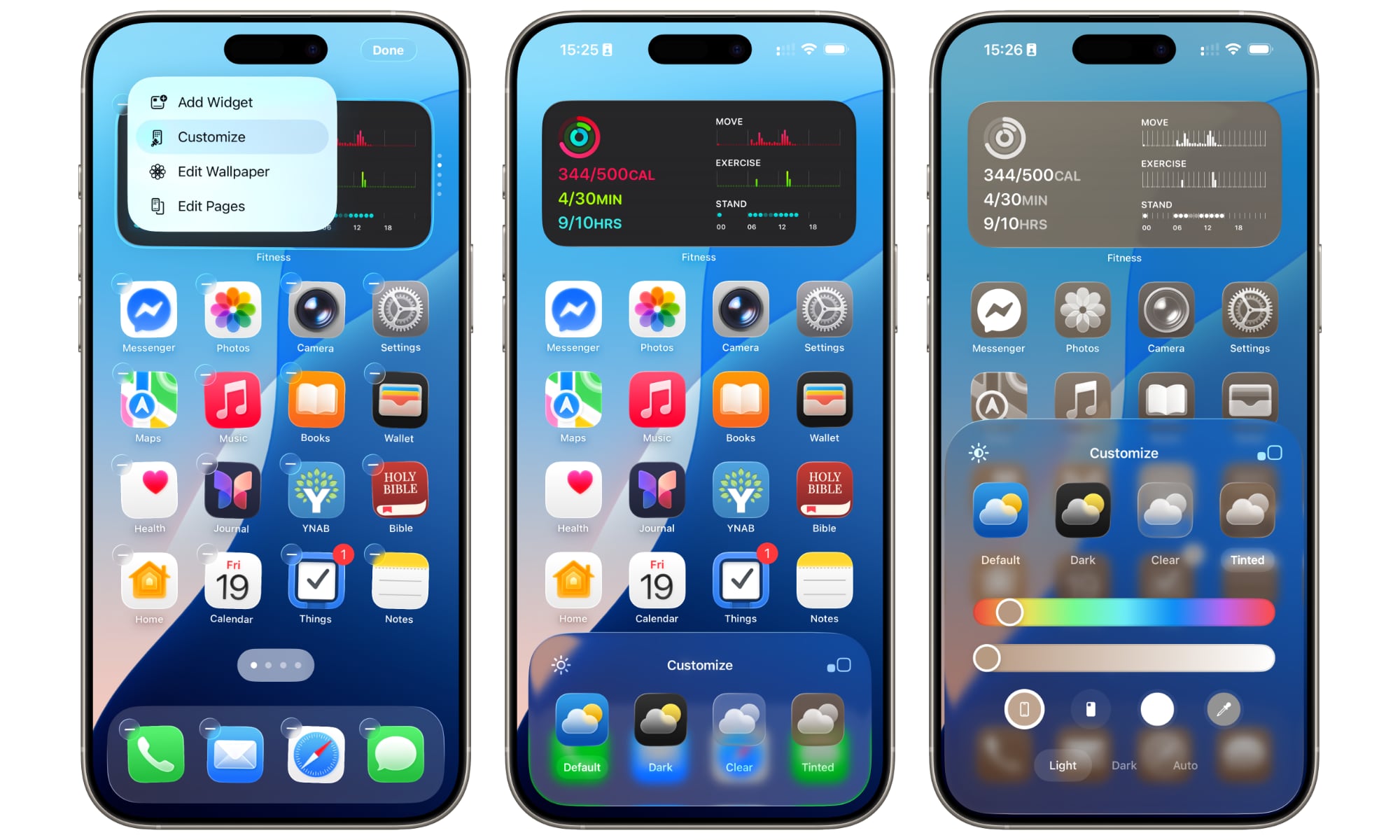
Apple now allows more customization of the Home Screen than many new users might realize. You can adjust icon appearance, change icon size, and choose visual styles that better match your wallpaper or aesthetic preference.
This doesn’t change functionality, but it does help your phone feel more personal. Plus, a simple visual adjustment can refresh your entire Home Screen. This is what you need to do:
- Touch and hold an empty area of the Home Screen until the apps start to jiggle.
- Tap Edit in the top right side of your screen.
- Tap on Customize.
- Choose Light, Dark, Clear, or Tinted styles.
- You can also tap the sun icon in the top left to make your screen darker or brighter.
- Tap the size toggle (the square icons) in the top right to change the size of your icons.
- When you’re done, tap on your Home Screen.