
Visual Look Up
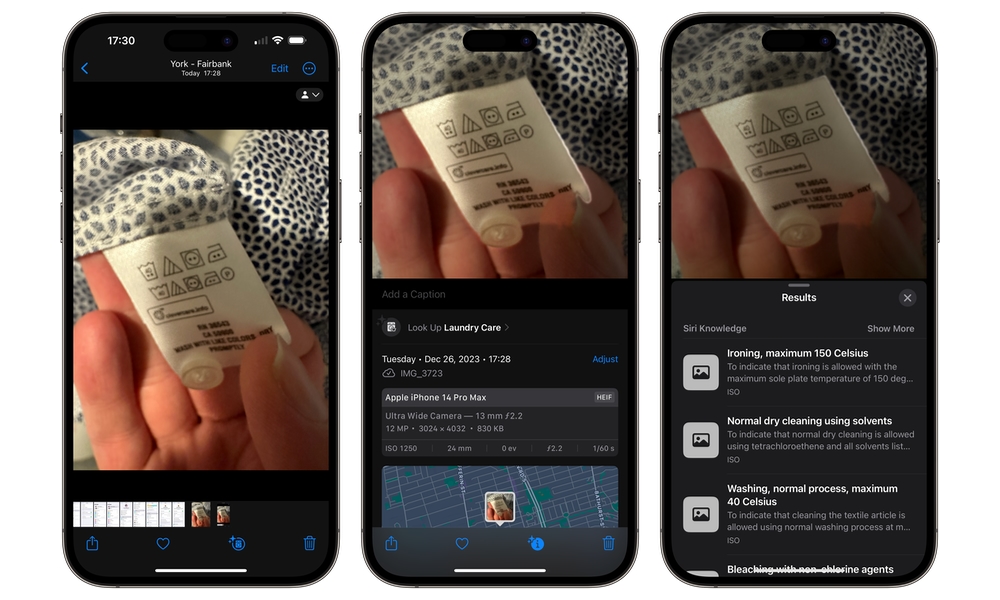
Visual Look Up turns your screenshots into fun little discovery tools. When your iPhone recognizes something in a photo, it will show you an indicator that can be used to identify plants, pets, landmarks, and other objects and pull up related information. It’s not meant to replace deep research, but it’s perfect for those moments when you’re staring at a photo, asking yourself what you’re looking at.
Granted, Visual Look Up isn’t the most reliable of features. It doesn’t always recognize the subject in the photo, so you might not get any information at all. However, when it works, it’s incredibly useful.
Visual Look Up can help when you’re traveling and want to identify a landmark, when you’re shopping and trying to recognize a plant, or when you’re sorting photos and want more context about what you captured. To use Visual Look on your iPhone, you need to:
- Open the Photos app.
- Tap a photo that has a clear subject, like a pet, plant, or landmark.
- Tap the Info button (the i icon).
- If Visual Look Up is available, you’ll see a prompt to Look Up.
- Tap Look Up to see results and related info.
If you don’t see the option, it doesn’t mean your iPhone is broken. It usually means the photo doesn’t have a recognizable subject, the lighting is too messy, or the feature doesn’t support that specific thing.