
Vehicle Motion Cues
If you’ve ever felt nauseous trying to read or scroll through social media in a moving car, Vehicle Motion Cues is worth trying. This feature uses animated dots on the screen to help your brain reconcile what your eyes see with what your body feels, which can reduce motion sickness for some people. It doesn’t block what’s on the screen, but just adds some subtle dots on each side that react to the physics of the car.
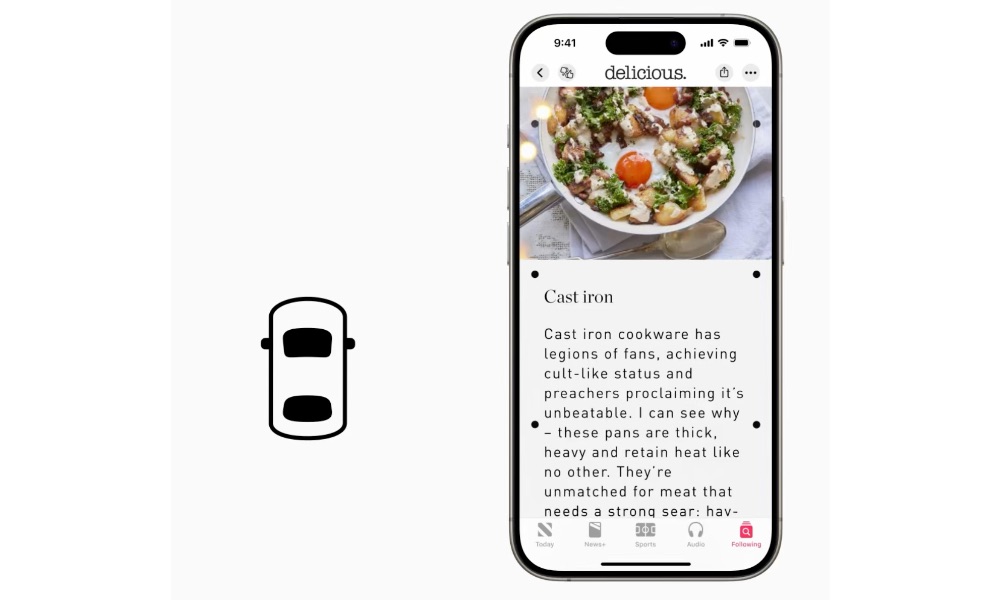
It’s a simple concept, but it can be the difference between being able to use your iPhone during a ride and feeling like you need to put it away immediately. If you’re someone who gets carsick easily, it’s a genuinely practical feature to experiment with.
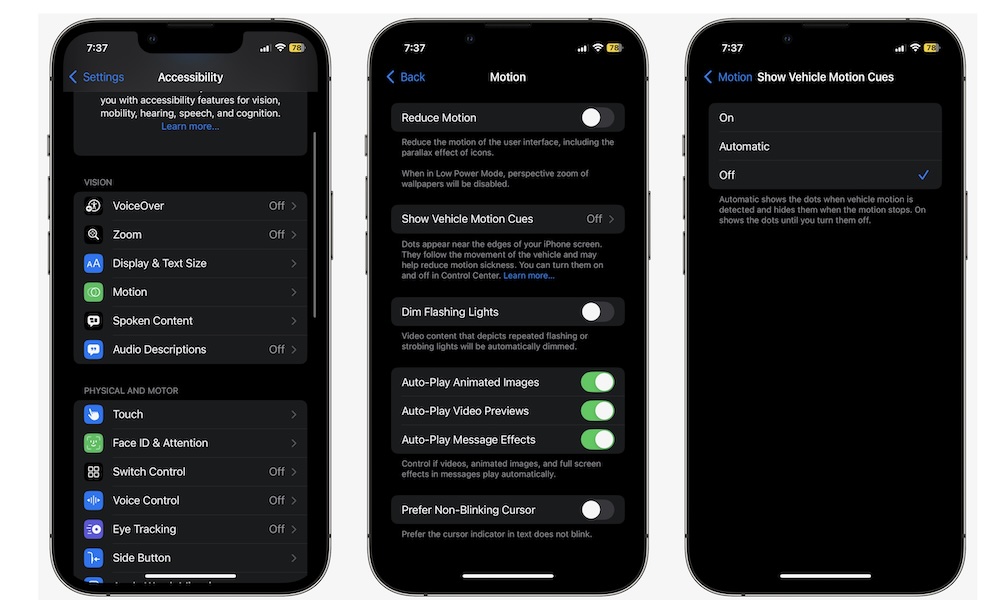
To start using Vehicle Motion Cues on your iPhone, you need to:
- Open the Settings app.
- Scroll down and go to Accessibility.
- Tap on Motion.
- Go to Vehicle Motion Cues.
- Choose On if you want to have it now, or Automatically in Vehicle if you want your iPhone to turn it on for you.
Your iPhone might not detect you’re in a car all that fast, so if you need to, you can add this feature to your Control Center, so you can turn it on in a flash.