
Disable Background App Refresh for Apps That Don’t Need It
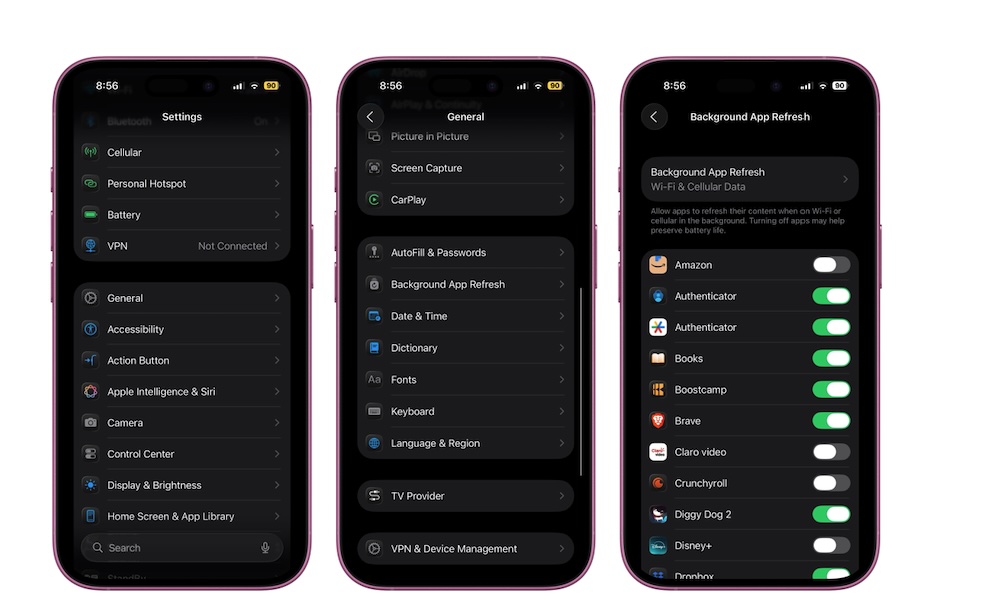
Background App Refresh sounds helpful, but it’s also one of the easiest ways for apps to quietly drain your battery and keep your iPhone busy in the background. Many apps don’t need to refresh regularly in the background; they’ll update when you open them, which is fine for the most part.
Go to Settings > General > Background App Refresh. You can turn Background App Refresh off entirely, limit it to Wi-Fi, or toggle it off for specific apps. On older iPhones, reducing background activity can make the whole system feel like a different device.