
Limit Location Access
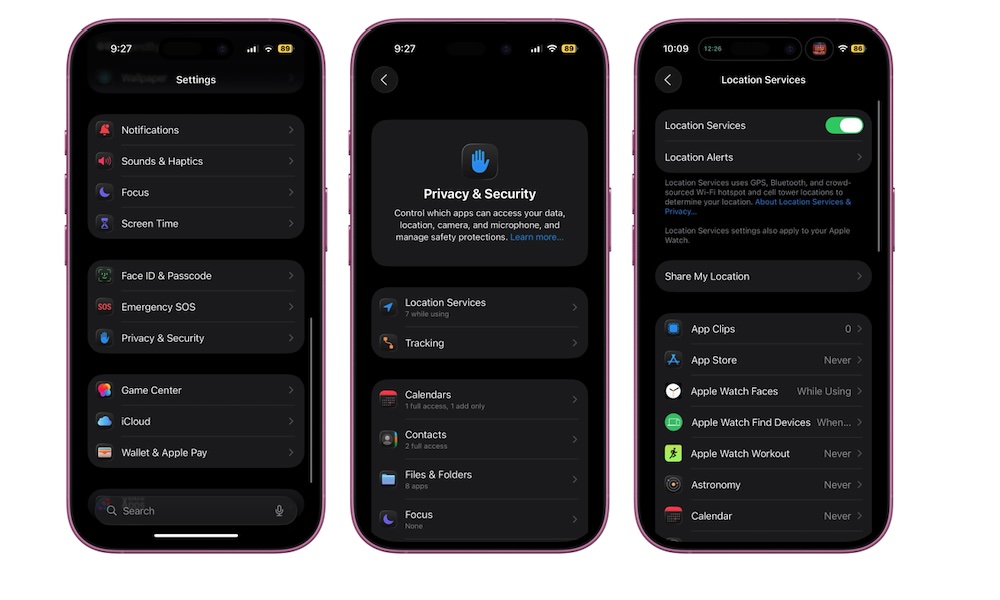
Location services are another sneaky battery drain. Apps that constantly check your location can affect battery life and create background activity you don’t notice. If your iPhone seems to lose battery faster than it should, location permissions are worth reviewing.
Go to Settings > Privacy & Security > Location Services. From there, tap through your list of apps and choose if you really need that app tracking you. For most apps, While Using is enough. For some, Never makes sense. Reserve Always for apps that genuinely require continuous location access, like navigation or certain safety tools.
Even small adjustments here can improve battery life and reduce the feeling that your phone is constantly working.