
Check Battery Health and Performance Status
Nothing makes you feel like you have an old iPhone more than battery issues. An overaged battery can ruin your overall experience as iOS throttles your iPhone’s performance to avoid power spikes that can cause sudden shutdowns.
This is why Apple has introduced a couple of useful features to make sure your battery life is as healthy as possible. For starters, you can check your battery health to make sure your iPhone is actually working properly.
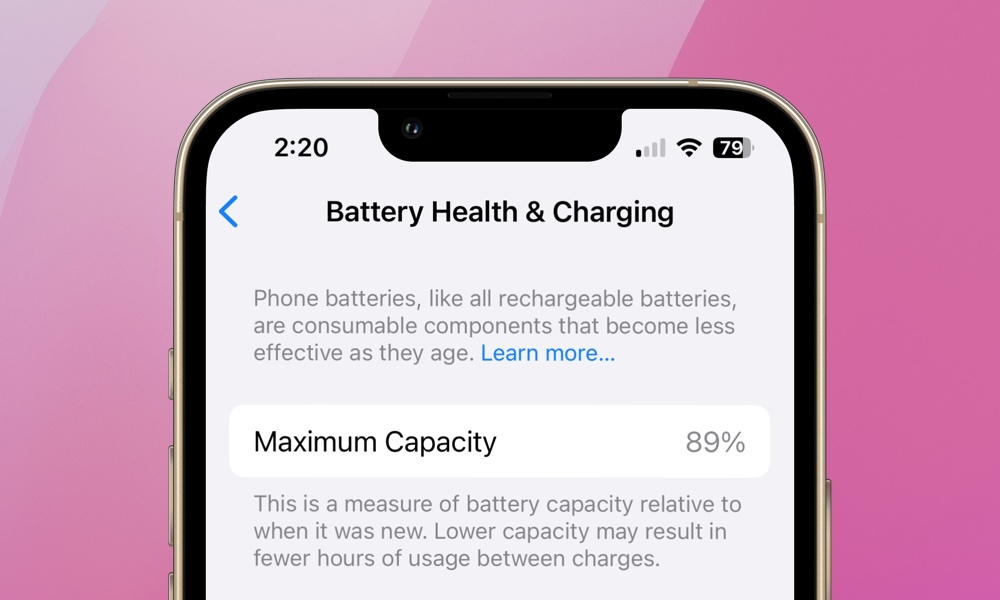
Go to Settings > Battery > Battery Health and Charging and look at Maximum Capacity. If the battery health is significantly degraded — anything below 80% — a battery replacement will give your iPhone a second life by restoring it to full performance.
Of course, this won’t magically turn your iPhone into a new model, but an $89 battery replacement for an older iPhone is also a lot easier on the wallet, and you might be surprised at how much it can restore stability and improve day-to-day responsiveness.
Even if you don’t replace the battery immediately, knowing where you stand helps you make smarter decisions about the rest of your tweaks.