
Set Up a New Focus for More Productivity
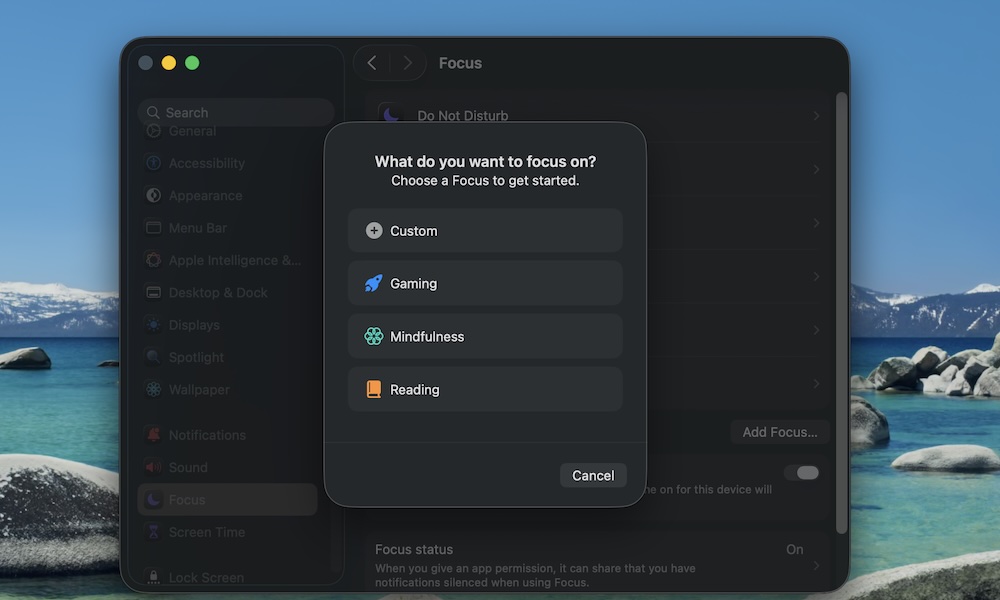
Your Mac’s notifications can get noisy fast, especially if you’ve set up Messages, Reminders, and the Mail app. The mistake is allowing all your apps to send you notifications whenever they want.
Luckily, you can silence all the unnecessary alerts on your Mac by setting up a Focus mode. This is basically a Do Not Disturb mode that has a couple of extra features and perks. If you have an iPhone, you’ll already have all your Focus modes on your Mac thanks to iCloud sync.
But if you want to create a new Focus mode from your Mac, here’s what you need to do:
- Click the Apple menu (Apple logo) in the top left corner of your screen.
- Go to System Settings.
- On the left sidebar, scroll down and click on Focus.
- Click on Add Focus.
- Select a default focus, or choose Custom and follow the instructions on your screen.
- Be sure to only allow certain people (e.g., family) and certain apps (e.g., calendar alerts), so you don’t get distracted all the time.
- Optionally schedule it or turn it on from Control Center when you need peace.
If your Mac and iPhone use the same Apple ID, you can also turn on Share Across Devices, so when you turn on Focus on your Mac, your iPhone shuts up too.