
Customize Your Mac’s Finder
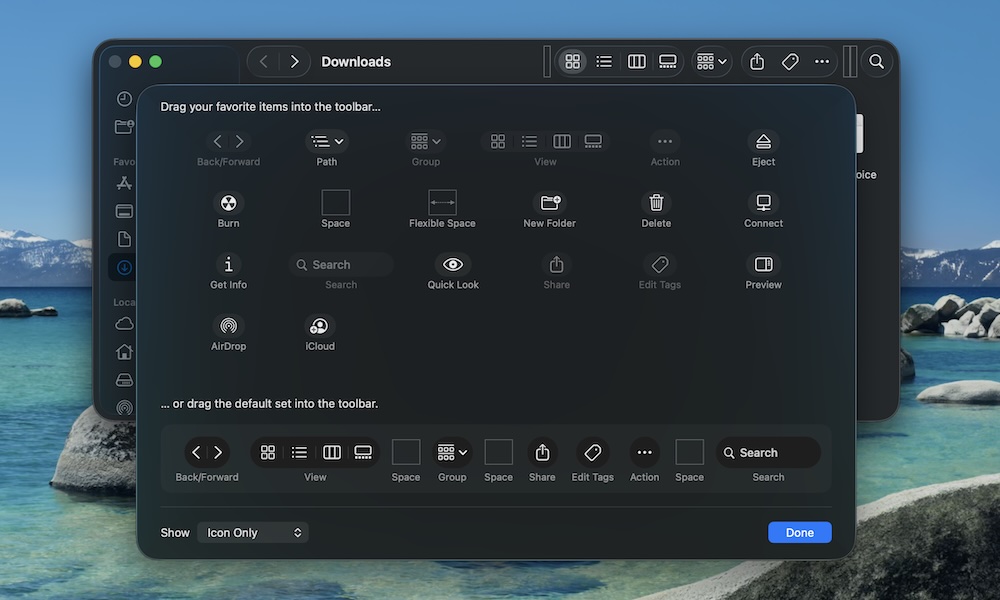
Another thing that makes a new Mac feel more personal is getting Finder set up so you have all your important tools handy.
By default, Finder doesn’t always show all of the options it has available, but you can customize it by doing the following:
- Open Finder.
- Click on View near the top left corner of your screen.
- Select Customize Toolbar.
In the new window, you’ll see all of the extra buttons you can add to your Finder’s toolbar. Additionally, you can also rearrange the buttons however you want.
Play around with the toolbar until you find something you like. If you still aren’t convinced, you can drag the default toolbar at the bottom to go back to the default look.