
Use the Reminders App Like a Power User
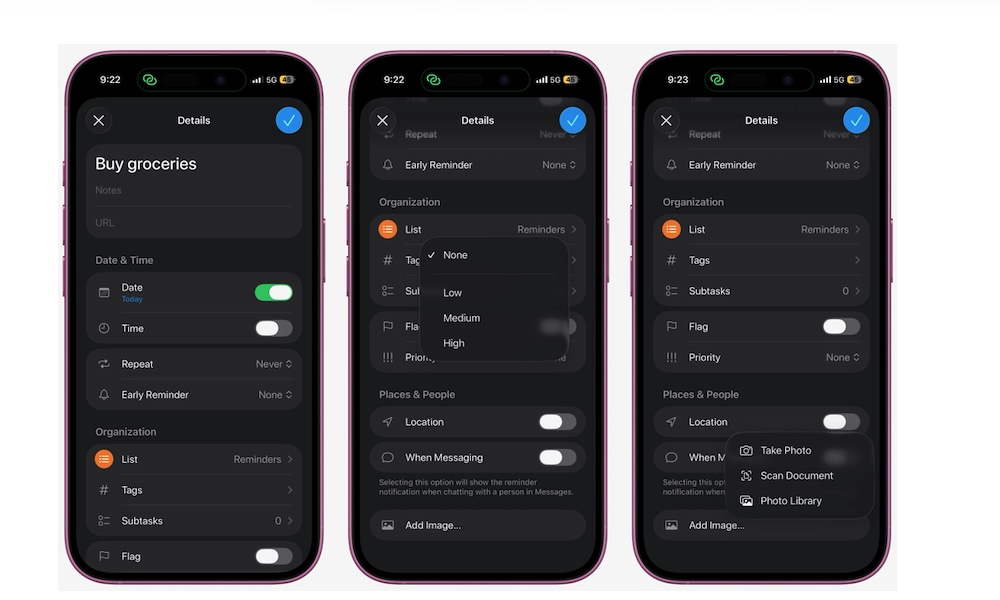
The Reminders app is way more powerful than most people realize. Not only can you create different lists to organize your personal and work life, but the reminders themselves are surprisingly versatile.
For instance, you can create a reminder and add a subtask, a URL, or even a picture. But the most useful thing is that you can set a reminder to trigger when you chat with specific people, visit a specific place, or even when you’re getting in or out of your car. When iOS 26.2 comes out later this month, you’ll even be able to create “Urgent” reminders that notify you with Clock-like alarms.
To customize a reminder, simply open the Reminders app and create or select one. Tap the i icon next to your reminder, and start customizing it however you want. There are many options to choose from, so play around with it and take your Reminders game to the next level.