
Turn Off Listen For Siri If You Rarely Use It
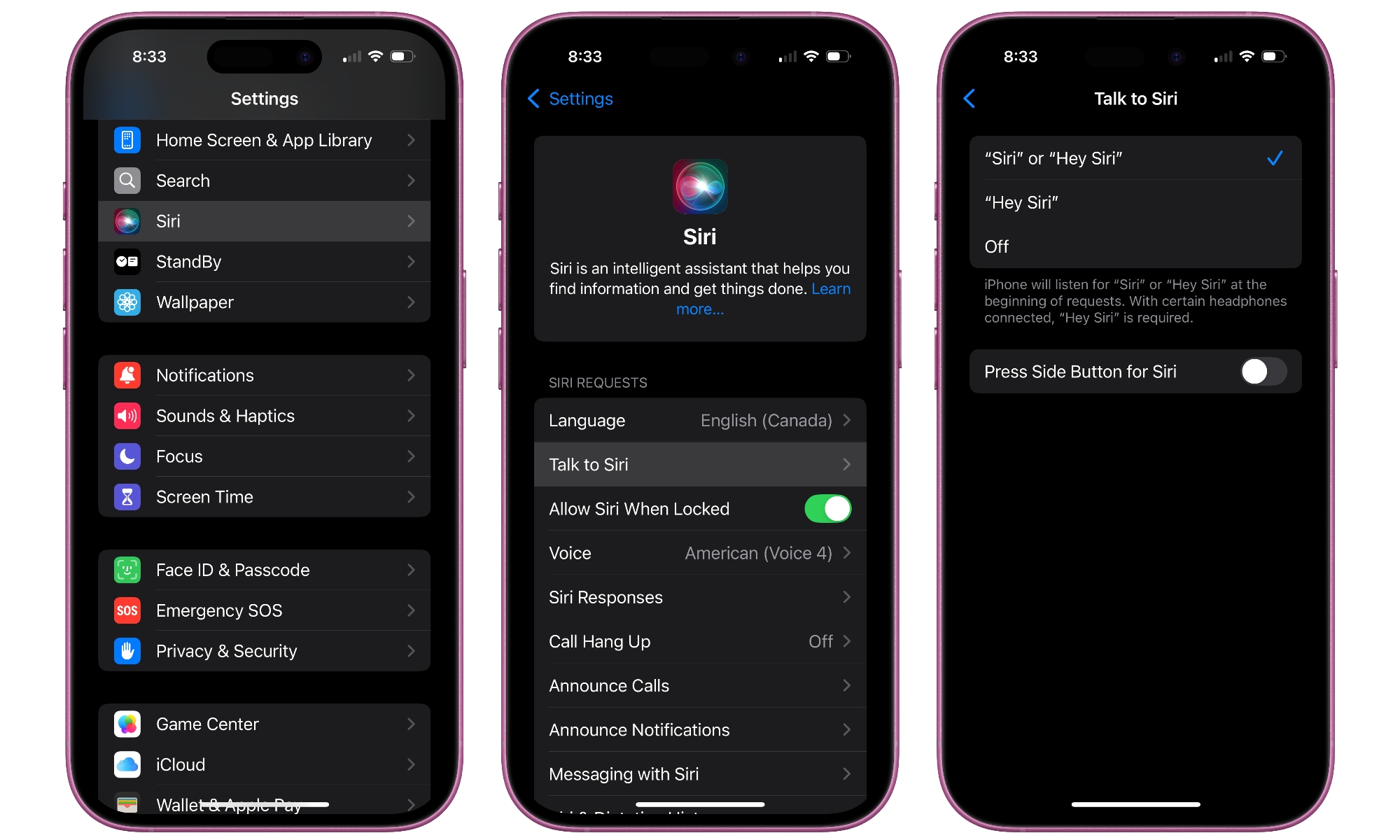
Having Siri always listening for its name is pretty handy, but it’s also one more background feature running on your iPhone. This is a must-have feature if you use Siri constantly, but if you rarely call it up by voice, you’re paying a battery tax for a tool you aren’t using.
A simple compromise is turning off “Listen for Siri” but keeping Side Button Siri enabled. That way, Siri is still available when you intentionally want it without the always-on listening behavior. Here’s how to do this:
- Open the Settings app.
- Scroll down and tap on Apple Intelligence & Siri.
- Go to Talk & Type to Siri
- Select Off from the options at the top.
One word of caution: Turning this setting off will also affect your ability to call up Siri while driving via CarPlay as there’s no separate setting for that. However, you can still use the button on your steering wheel (if your car has one).