
10 iPhone Apps to Help You Find (and Keep) Your Spare Cash
 micheile henderson
Managing your finances used to mean sifting through paper bills, scanning your inbox for renewal reminders, and, even worse, being surprised by an unexpected overdraft.
In 2026, however, your iPhone can handle all of that for you with the right set of apps. Whether you're trying to stop wasting money on unused subscriptions or simply want a clearer picture of your day-to-day spending, there are apps that can do the heavy lifting for you.
Read on for 10 of the best apps for the job to help you take control of your finances and stop wasting money on needless monthly payments.
Rocket Money - Bills & Budgets
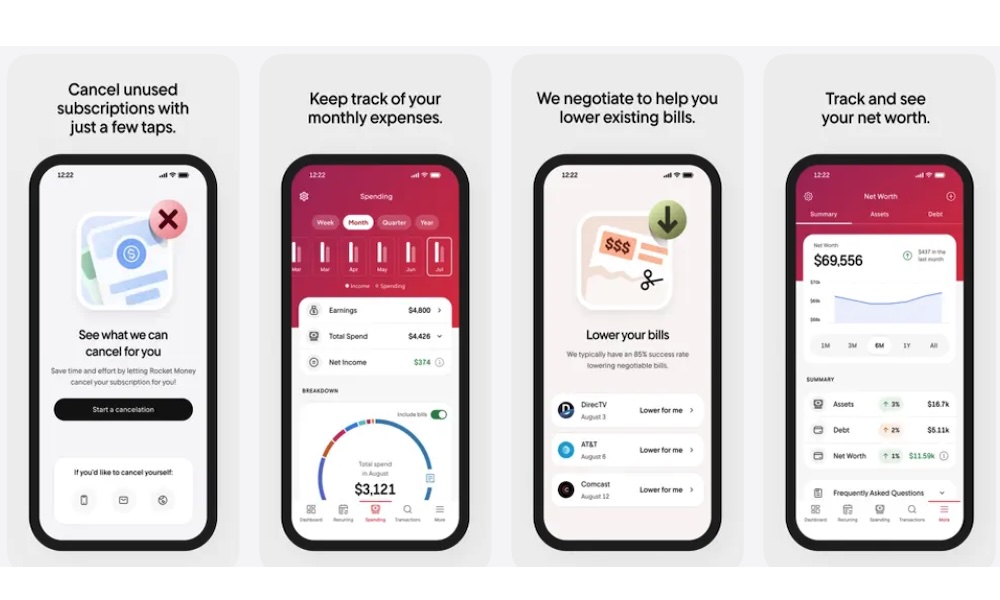
Rocket Money remains one of the best choices for automatically spotting and canceling recurring charges.
All you need to do is connect it to your bank account. Once that's done, it combs through your transaction history to identify subscription services, even the sneaky ones you might have forgotten about. This helps you be more mindful about where your money is going, and you can even cancel these monthly payments directly through the app — often with just one tap.
Besides canceling services, Rocket Money gives you a complete overview of your monthly bills, tracks spending trends, and even offers bill negotiation for things like cable or phone bills. Just be aware that if it does get you a lower rate, it will take a percentage of those savings as a fee.
Rocket Money also works to manage your money. You can set monthly budgets, get alerts for price hikes, and receive reminders before renewals hit. It’s like having a digital financial assistant in your pocket.
Bobby - Track Subscriptions
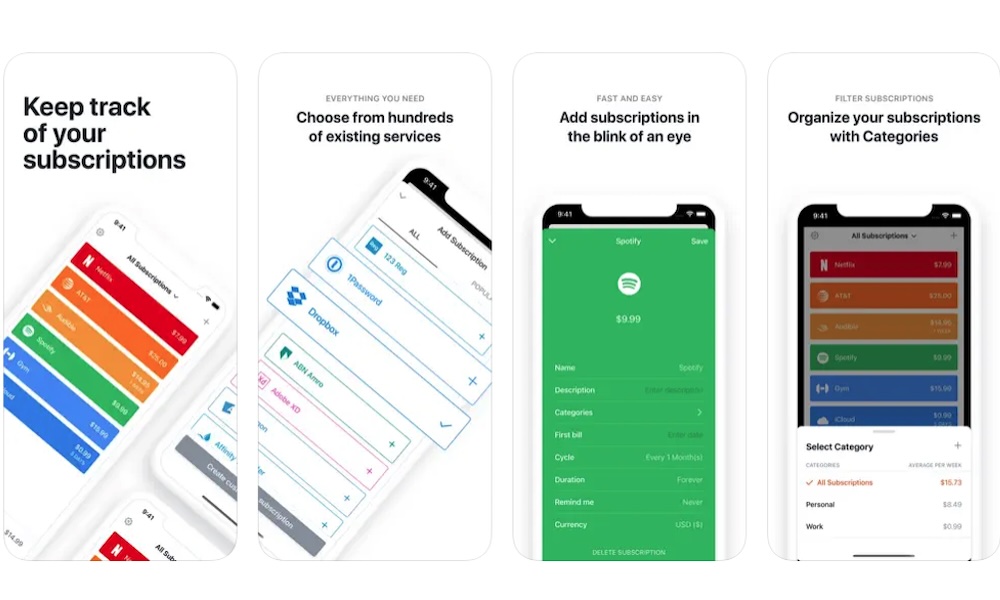
Bobby is a relatively simple app compared to the rest, but it will definitely get the job done if all you want to do is track and manage your subscriptions. The app takes a different approach compared to other options on the list as it’s designed solely for subscription tracking without needing access to your bank accounts.
Instead, you manually enter your subscriptions, including the name, billing amount, frequency, and payment method.
This is perfect if you’re not comfortable linking your financial accounts but still want a clean, intuitive view of your monthly obligations. The app lets you customize your subscription so it's easy to understand what you're paying for every month. There are countless subscription templates that you can use, or you can create your own if you're subscribed to a lesser-known service.
Additionally, you can set reminders a few days before a charge hits so you’re never caught off guard when a new expense comes your way.
PocketGuard - Budgeting App
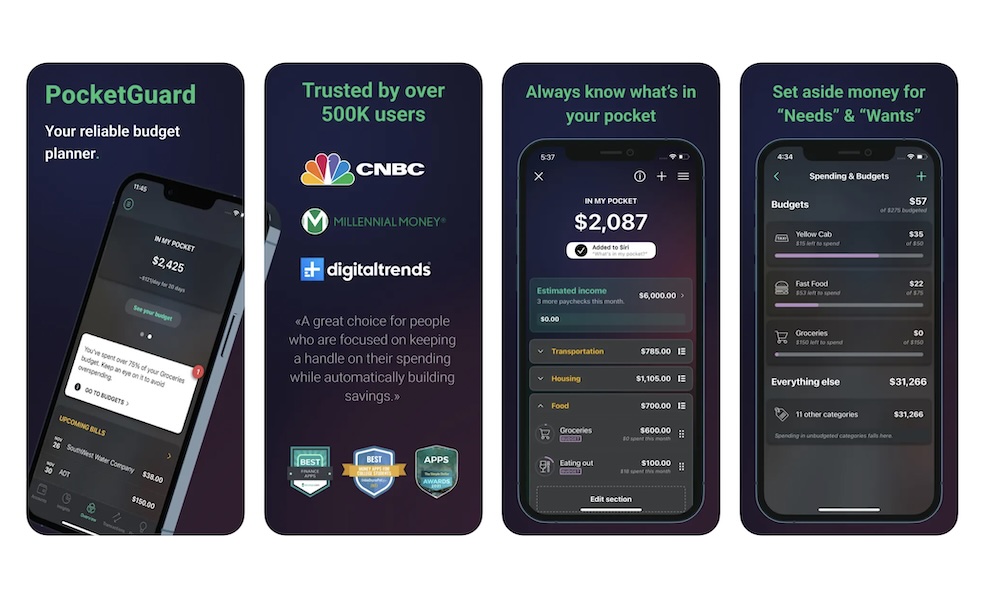
You've probably heard of PocketGuard, as it's one of the most popular budgeting apps on the App Store. However, it can do much more than just show your budget; it can also let you manage and track your monthly payments, subscriptions, or regular bills.
Because of the app's budgeting method, you can see how much you have left to spend every month based on your saving goals, your income, and your usual bills.
The app also identifies recurring charges and subscriptions automatically and even flags potentially wasteful spending. PocketGuard also offers pie charts and graphs that make it easier to understand how you're spending your money and where you can cut back.
Spendee Budget App & Planner
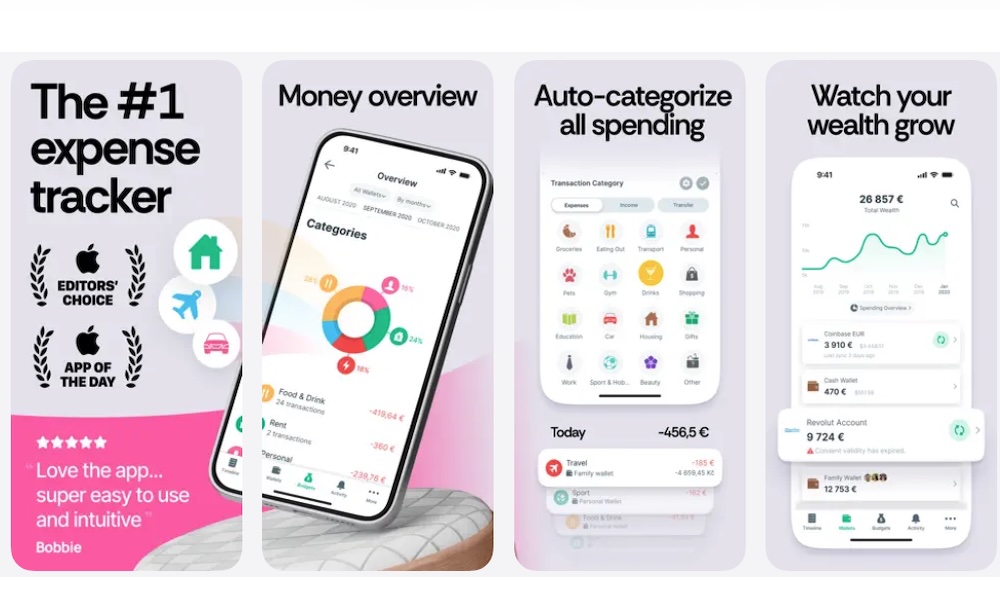
The first thing you'll notice about Spendee is how it adds a splash of color to budgeting with its vibrant, infographic-heavy interface. Overall, it makes money a bit more fun to manage, while still giving you the tools you need to take your finances seriously.
You can create custom wallets for specific spending categories — like travel, gifts, or events — and start budgeting towards those goals. If you don't want to do it alone, you can also invite family members or roommates to collaborate on shared budgets.
Like other options on the list, the app also lets you track your spending habits automatically. It supports both manual entry and syncing with your bank, and in both cases helps you separate recurring charges from one-off expenses so you can better visualize the full picture.
In addition to being able to see how you're spending your hard-earned cash, you'll also get smart financial insights from the app, with a few tips to improve your financial health that are especially helpful for those who are new to saving and investing.
Emma - Budget Planner Tracker
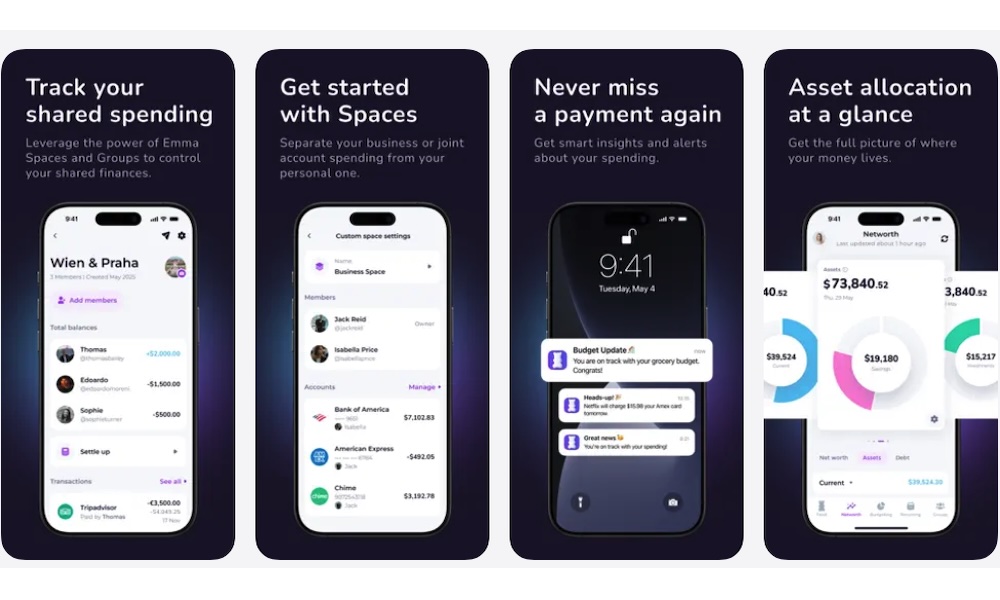
Emma tries to be a personal financial assistant in your pocket, and it does a pretty good job. Once you link the app to your bank accounts, it breaks down spending across all your services and sends daily or weekly insights to help keep you on track.
It’s especially good at highlighting hidden subscriptions and even lets you cancel most services from within the app. It also supports crypto portfolios, credit score tracking (UK and US), and budgeting tools, all in a sleek interface.
What's great about the app is that it lets you see, in an easy-to-understand chart, where your money is actually going, and it's even leaned into "Smart Rules" that help it predict your balance at the end of the month based on your spending habits. This will let you finally take control of your money and start saving for the future.
If you don't want to budget alone, the app also lets you share and sync your budget with other people.
Monarch: Budget & Track Money
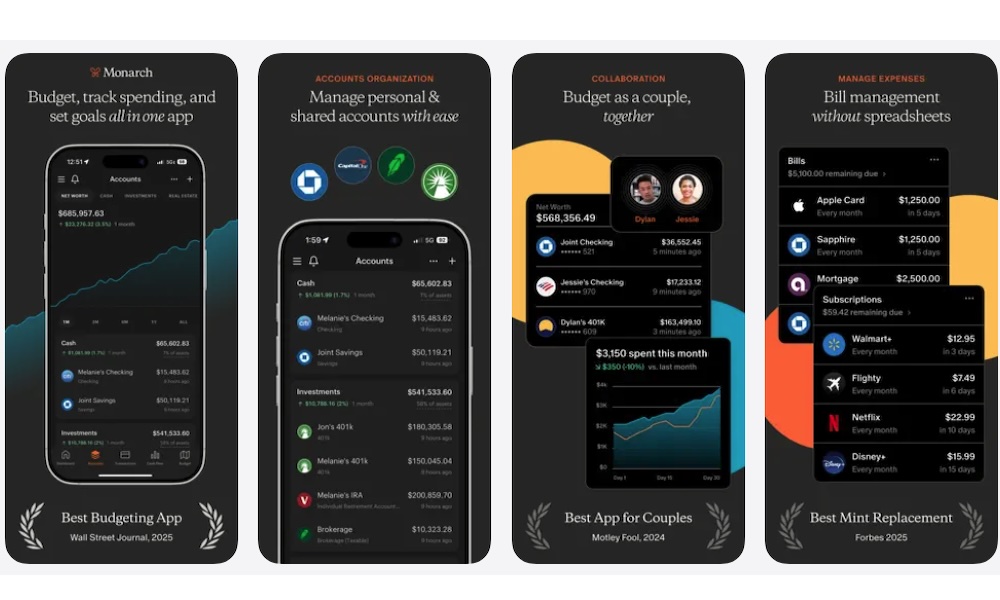
Think of Monarch as a financial planner for your iPhone that lets you keep track of everything while focusing on your financial goals and budgets.
The app supports everything from tracking bills and subscriptions to managing investments and calculating your net worth. You can manage all your personal and shared accounts instantly and see how much you spend every month in a neat and organized way.
All your spending is automatically categorized, making it easier to see how many subscription services you're paying for, how much money you're spending on them, and if they're really worth it or not.
And if you manage finances with a partner or spouse, Monarch makes collaboration easy with shared access and synced goals. Both will know how many subscription services you have, and how you can cut back on some of them if you want to use that money to continue building a life together.
Hiatus - Subscriptions & Bills
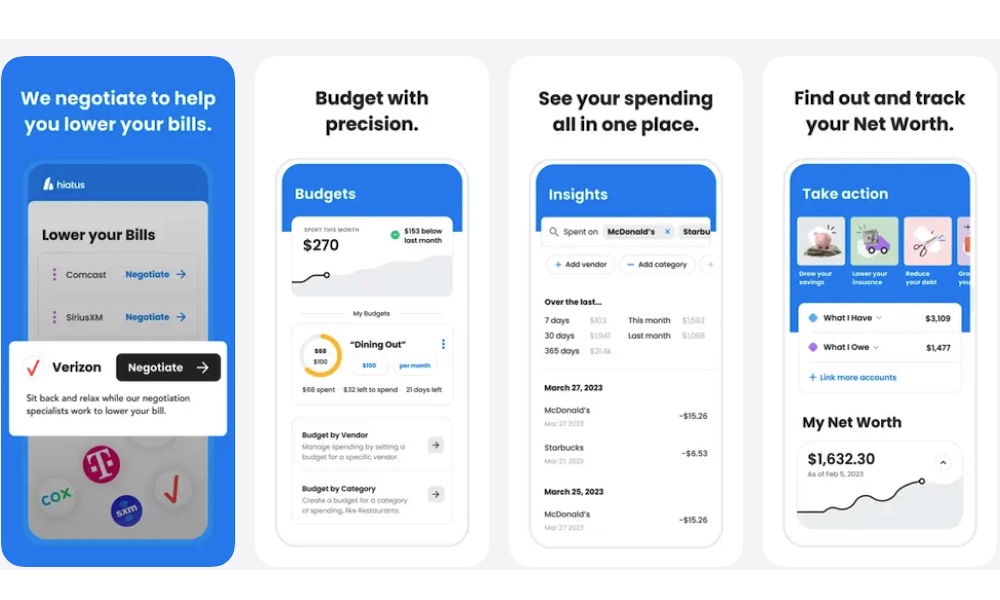
Hiatus is a great app for people who don't want to spend a lot of time looking at their finances. The app is smart enough to handle most things for you and give you the information you need.
For starters, it can detect recurring charges and give you better insight into your financial life. You can see all your spending in the same place, which will be organized by categories. That way, if you see a subscription service you rarely use anymore, you can cancel it right away — and you can often do this with just one tap, so you don't have to visit each subscription service manually.
Additionally, the app can also negotiate lower rates on your behalf, whether it’s for internet, cable, or even some insurance plans.
Beyond that, it shows your account balances in real time, alerts you of upcoming bills, and gives recurring insights based on your spending behavior. It’s great for people who want automation and savings without micromanaging.
Subscription Tracker: Subby
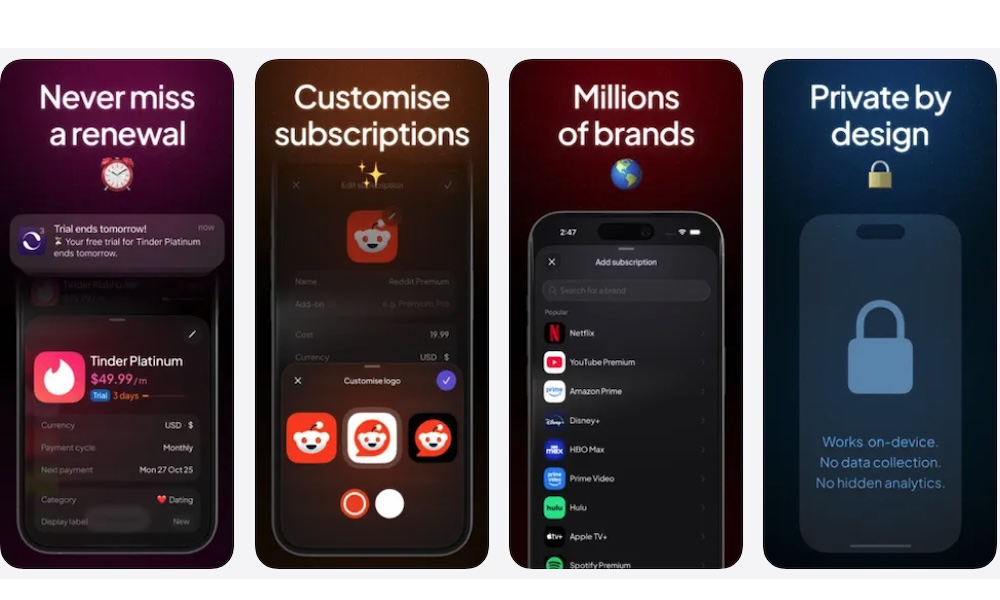
Subby is a simple, minimal, and privacy-friendly subscription tracker that gives you full control. Like Bobby, the app requires you to enter all your subscriptions manually, but some users actually prefer that to giving up their banking info. Afterward, the app organizes all your subscriptions by type and color-codes them so it's easier to know what you're looking at.
It estimates your monthly and yearly spending on subscriptions and can alert you to upcoming charges to help you remember how much you need to save for your subscriptions. Overall, if you want a simple and clean experience without bloat, Subby’s a great pick.
YNAB (You Need A Budget)
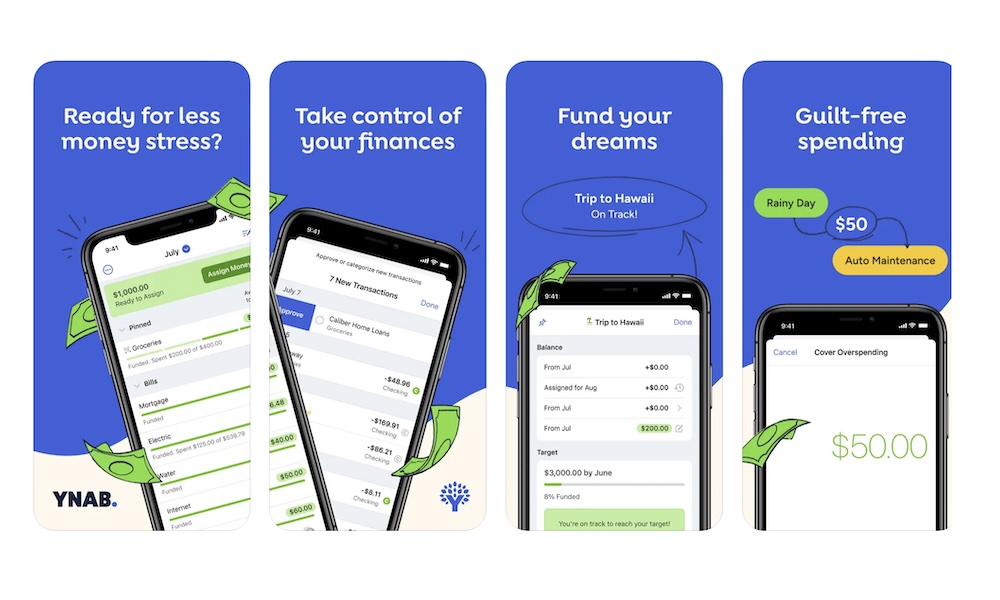
YNAB isn't just a budgeting tool; it’s a new way of budgeting your money. It teaches you to "give every dollar a job," and that includes your subscriptions. With real-time syncing across devices and rich educational content, YNAB helps you stay intentional with every expense.
What's great about the app is that it makes tracking your expenses pretty easy. You can see how much you've spent on specific categories like Netflix or other streaming services. Granted, the app isn't the best if you want to instantly cancel subscriptions or negotiate a lower rate, but it's still a powerful tool for people who also want to start budgeting.
Another useful feature is that the app will let you budget for your "true expenses," which is a great way to save money for those recurring subscriptions that charge you every year. That way, instead of having to pay over $100 for Disney+ when it comes up for renewal, you can start setting aside some money from each paycheck, so it's easier on your wallet.
Additionally, you can learn a lot from the platform, as they often post videos and articles teaching you how to use YNAB to create the financial life you want.
TrackMySubs: Track Subscription
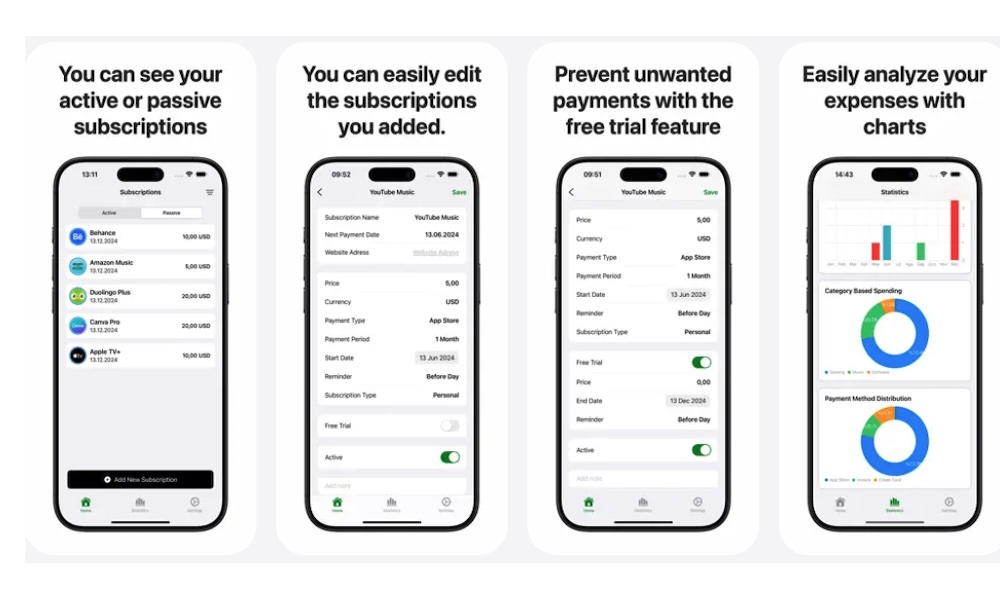
If you’ve ever signed up for a dozen free trials and forgot to cancel, TrackMySubs is a must-have. The app is designed specifically to manage your monthly subscriptions and renewals.
The app will alert you before you have to pay for a subscription service, so you can cancel it before it's too late. Additionally, it comes with a free trial feature, so you don't have to pay for a service you were only curious about.
It also lets you see charts based on your spending habits, so you can easily check where your money is going and how you can stop spending so much on subscription services.
Take Control of Your Finances
Keeping tabs on your subscriptions and daily expenses doesn’t have to feel like a second job. With the right mix of automation and customization, these iPhone apps let you reclaim control of your finances without annoying surprises or spreadsheets.
Whether you want an automated approach or a more hands-on experience, there's a solution for every budget style.
And the best part? You don’t need to download all of these apps. Picking one or two will be more than enough to keep track of your subscriptions and even start using a budget. Your wallet will thank you either way.