
7 Things to Know Before You Buy the $599 MacBook Neo
The proliferation of leaks and rumors surrounding Apple products makes it pretty difficult for the company to surprise us within anything new these days. While it still manages to keep a few key points like names and prices under wraps until the eleventh hour, the vast global supply chain involved in ensuring Apple actually has something to sell means we usually know about 98% of what’s coming months before an official announcement.
That’s probably why Steve Jobs famously showed off the original iPhone six months before it went on sale, telling the assembled crowd at Macworld 2007 in January that “we thought it would be better if we introduced this rather than ask the FCC to introduce it for us.”
Apple has since followed that strategy with similar trendsetting new categories like the Apple Watch and the Vision Pro, but more often than not it seems content to let the rumor mill do its thing, confident in the fact that the actual product will still offer enough surprise and delight.
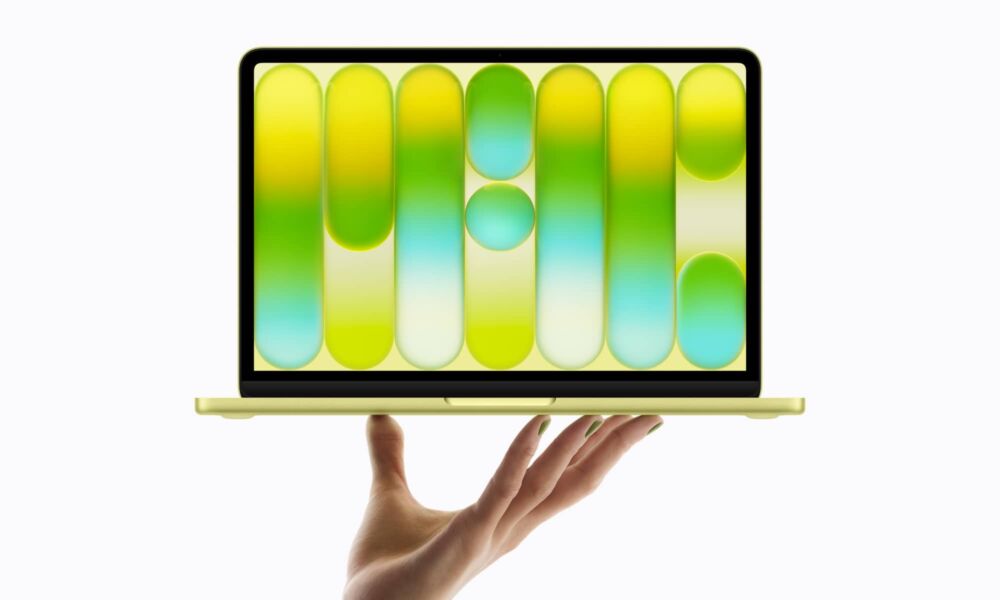
We saw the latest example of that strategy today with the MacBook Neo, Apple’s first-ever truly budget laptop. We all knew it was coming months ago, but it not only looks better in reality than theory, but Apple also managed to undercut the most optimistic price predictions from analysts by bringing it in at $599 — a remarkably achievement in an era when it's struggling to hold the line on pricing. The $599 street price also means it’s only $499 for educational buyers. That’s a big win no matter how you look at it.
Nevertheless, it’s clear that Apple had to sharpen its pencil to product a MacBook this affordable, and it might be the real reason it deserves to get the first truly new moniker that Apple has given to a mainstream product since the original MacBook Air in 2008. The MacBook Neo is powered by an iPhone chip — the A18 Pro — and also cuts back on the screen, camera, speakers, mics, ports, and more.
It’s one of the most unique MacBooks that Apple has ever made, and while we usually get excited about the company’s higher-end products, this one has broken new ground on the other side — but there are also quite a few things that are easy to miss at first glance. Read on for 7 things you should now before you rush out and buy Apple’s most affordable MacBook.
You Only Get 8 GB

The MacBook Neo comes in only two configurations, both of which pack in only 8 GB of memory. That’s likely a limitation of the unified memory in the A18 Pro chip, which has always had 8 GB as the only standard. It’s a reasonable baseline in a $599 MacBook, but that also makes it a pretty huge jump to the next tier; those who want 16 GB of memory will need to splurge for the $1,099 M5 MacBook Air.
Of course, you’re getting more for that price, as Apple’s MacBook Air now starts with a 512 GB SSD — the one upgrade that is available for the MacBook Neo. The $599 model will get you 256 GB while paying a $100 more will net you 512 GB, plus another feature that’s exclusive to the pricier version…
Touch ID Costs More
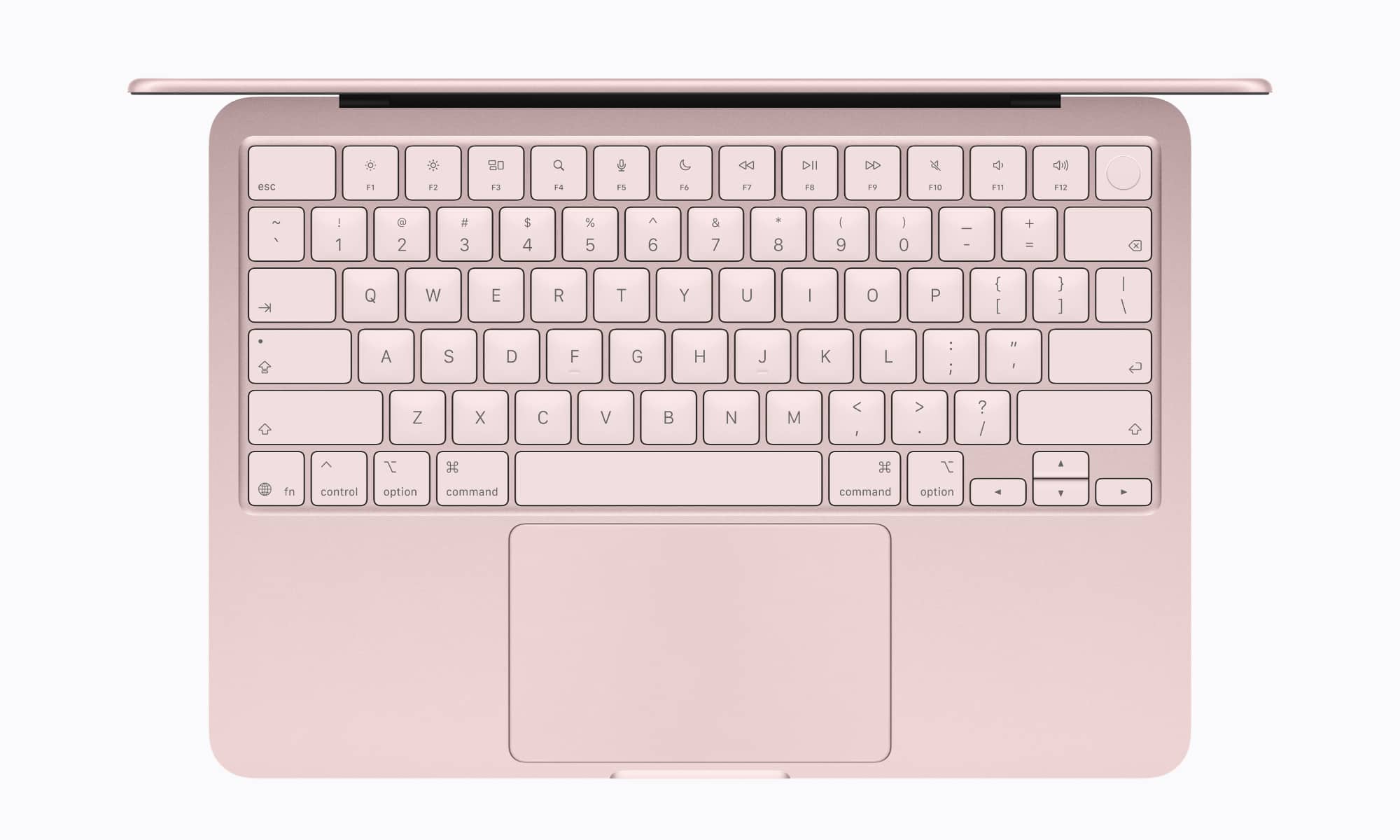
In a strange twist that sort of echoes Apple’s iMac strategy, the entry-level MacBook Neo does not include Touch ID. That means no secure authentication and no direct support for Apple Pay. If you want Touch ID, you’ll have to layout $699 for the 512 GB model, whether you need the extra storage of not.
It’s not the first time Apple has used this approach. The entry-level 24-inch iMac — the one with only two USB-C ports — has always been a strange duck in this regard, giving customers the option of a Magic Keyboard (without Touch ID), or an $80 upgrade to the Magic Keyboard with Numeric Keypad and Touch ID.
There’s nothing in between, so customers who want the Magic Keyboard with Touch ID (without the numeric keypad), either have to buy it separately, tossing aside the one that’s bundled with the iMac, or opt for the next model up, which includes the Magic Keyboard with Touch ID standard (and the numeric version as a $30 upgrade).
Still, at least iMac users have a reasonably affordable option if they change their mind. However, if you opt for the 256 GB MacBook Neo, you better be sure you’ll never need Touch ID as you’ll be stuck without it.
Only One High-Speed USB Port
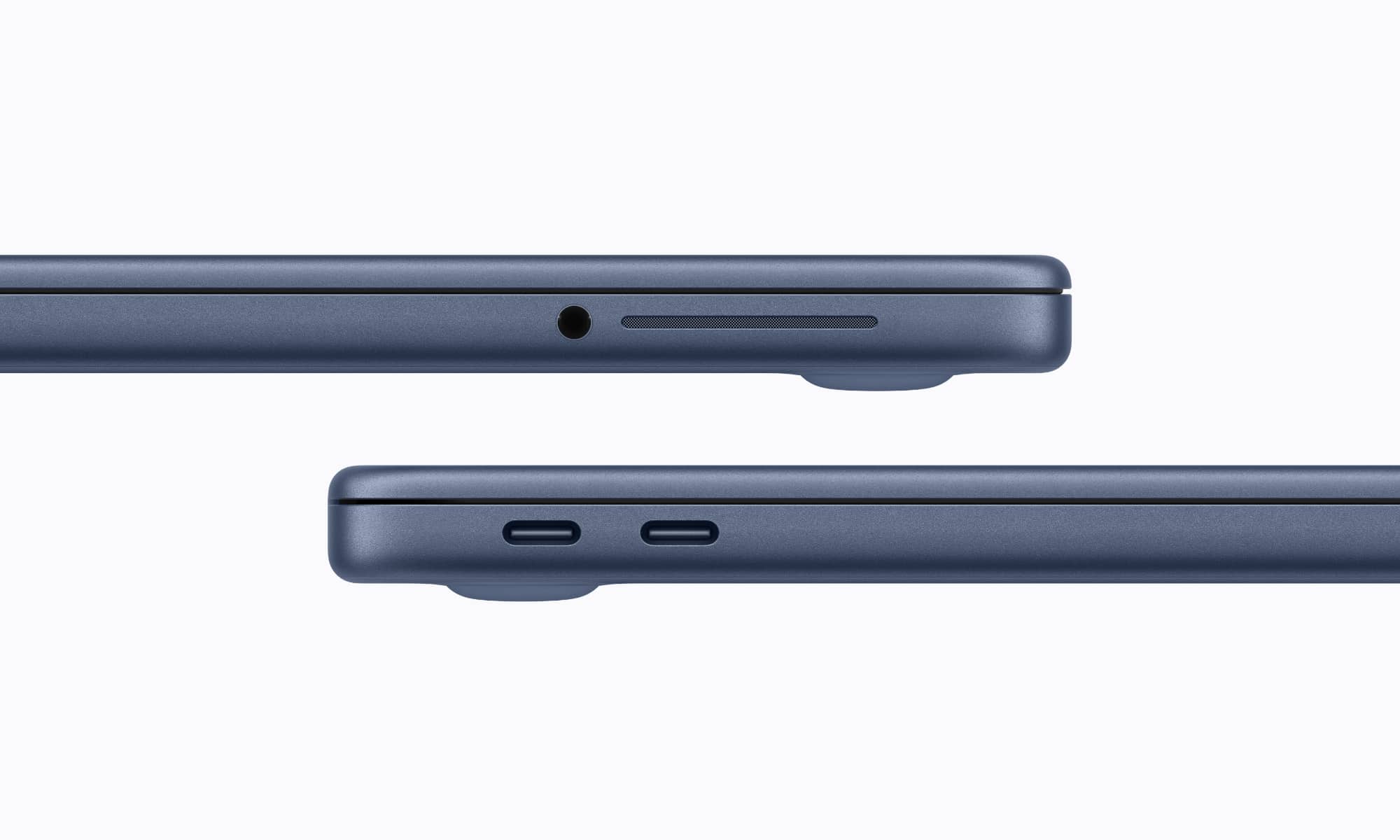
It wasn’t a big surprise that the MacBook Neo only included USB-C ports, as Thunderbolt would have been too big of an ask with an A-series chip inside. However, Apple did throw us a curveball by making only one of those two ports support USB 3.
That’s the left port when viewed from the side, or the one closest to the rear. The other one uses a USB-C connector, but is limited to party 480 Mbps USB 2.0 speeds.
The good news is that either port can be used for charging, since the MacBook Neo isn’t fast-charge capable anyway, but you may have a problem if you need to connect a high-speed USB device and an external monitor…
Limited External Display Support

That’s because only the left/rear USB-C port includes DisplayPort support. That means you’ll either need to disconnect your external display or invest in a DisplayPort hub if you also need to use a high-speed USB device at the same time.
Specifically, the MacBook Neo supports DisplayPort 1.4, and it surprisingly does allow the built-in display to be used at the same time. That’s something the iPhone can’t do, and it’s enough to make us wonder if rumors about expanded display support on the iPhone last year actually stemmed from leaks about making the A18 Pro chip do this.
You’re still limited to connecting a 4K display at 60 Hz, but we really shouldn’t expect more from a $599 MacBook — and there's a good chance you won't be able to use it with Apple's new Studio Display.
The Display

The MacBook Neo features a “13-inch” display, which may sound the same as the 13-inch MacBook Air, but it’s actually almost an inch smaller. Apple is almost certainly rounding up with the MacBook Neo, where is claims the screen is “13 inches diagonally” while adding that the “actual viewable area is less.” Meanwhile, the MacBook Air’s “13-inch” screen is actually 13.6 inches — with the same “viewable area” disclaimer.
Both displays feature the same pixel density, so they should be equally crisp. However, the MacBook Neo has become the first MacBook in seven years to lack True Tone and a P3 wide color gamut. That will be limiting for those hoping to do creative work like painting or photo editing, but matters far less for everyday activities like browsing, watching videos, or writing.
Keyboard and Trackpad

The MacBook Neo is also a throwback to a bygone era when MacBooks lacked Force Touch trackpads and backlit keyboards. Of course, many folks might not remember those halcyon days, as both have been standard on MacBooks for a very long time.
Apple introduced Force Touch on the 2015 MacBook Pro, and even released a new Force Touch Magic Trackpad that same year. Even the short-lived 12-inch MacBook featured it, although it took a bit longer to come to the MacBook Air, arriving with the Retina Display models in 2018. Still, that’s nearly eight years.
Backlit keyboards have an even longer history, having been standard on Apple’s higher-end laptops since the PowerBook G4 was released in early 2003. The MacBook Air also launched with a backlit keyboard, although it briefly lost it in 2010 during its transition from high-end luxury laptop to the new base model, returning in 2011.
While the MacBook Neo is arguably in good legacy company when it comes to the trackpad, it’s only the second MacBook in Apple history to lack a backlit keyboard. Some have likened it to the Magic Keyboard for the iPad Air, which might not be a bad comparison, considering its price tag.
Cameras and Sound

The MacBook Neo takes the audio-visual systems down a notch, with a 1080p FaceTime HD camera, a dual-speaker sound system, and dual-mic array. However, these compromises aren’t as serious as they sound at first blush.
The FaceTime HD camera is essentially the same one that was standard on the M3 MacBook Air, and while it doesn’t offer the Center Stage feature, it’s still quite capable and features an advanced image signal processor with computational video to enhance the quality.
The speakers and mic are a bit more of a regression, as the MacBook Air has used a three-speaker sound system since the M2 model, and a three-mic array since the 2020 Intel version. That said, you’re still getting support for Spatial Audio and Dolby Atmos for listening, plus Voice Isolation and Wide Spectrum microphone modes.
More Recycled Content Than Ever
To finish on a more positive note, the MacBook Neo is particularly novel in helping Apple meet its environmental goals. It contains 60 percent recycled content, which Apple says is “the highest percentage of any Apple product,” including “90 percent recycled aluminum overall and 100 percent recycled cobalt in the battery.”
Some of this is likely a result of a new manufacturing process that Apple has developed to forge the aluminum shells more quickly and cost-effectively, as making better use of recycled aluminum can save money over sourcing it from the ground.