
Backgrounds and Built-In Polls Are Available in Messages
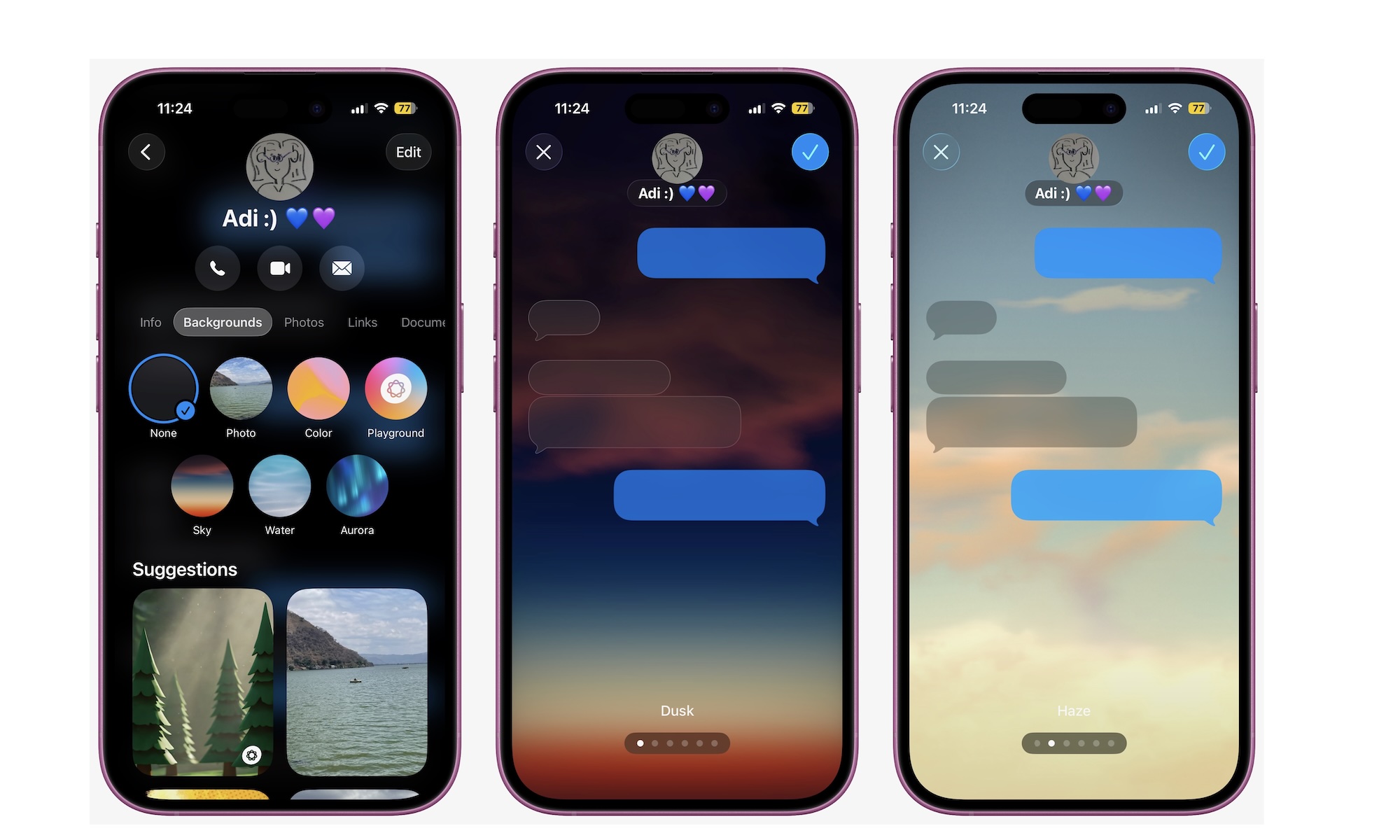
Messages is where most of us spend a lot of time, so it makes sense that some of the most beloved iOS 26 changes land there. Two that you’ll notice immediately are conversation backgrounds and built-in polls.
Backgrounds let you give each conversation its own personality. You might choose a quiet gradient for your partner, a chaotic dynamic scene for your main group chat, and a simple color for work. It’s not just about aesthetics; you can glance at a chat and instantly know which conversation you’re in, which helps avoid those awkward moments when you send a message to the wrong person.
You can change your background by simply tapping on a person’s name and then going to Background. From there, choose one of the default options or go to your photos to select a more distinctive background.
Polls solve a different everyday problem: trying to get a group to decide on anything. Instead of sending a dozen “yes or no” messages, you can drop a poll directly into a thread and let everyone vote in place.
After you open a group chat, tap the + button next to the text field and then select Polls. Fill your poll with the options you want and tap on Send.