
Pocket-Sized Professors: 8 Apps to Turn Your iPhone Into a Personal Classroom

One of the best things about an iPhone is that it’s always there when you have some time to kill. Unfortunately, for most of us, that time usually gets swallowed by messages, random scrolling, or opening the same three apps or games on autopilot. But if you swap even a small slice of that downtime with something that teaches you a real skill, your iPhone suddenly becomes a productivity tool instead of a time waster.
The trick is using the right apps for the job. You don’t need the kind of apps that always demand an hour of uninterrupted focus and a perfect mood, but the kind that let you jump in quickly, learn or practice something useful, and leave feeling like you actually gained something. There are countless apps on the App Store for that. Some of them teach practical career skills. Others teach school subjects, logic, memory, music, or mindfulness.
There comes a time when you know you want to start learning something, but you don’t know what. If that’s your current situation, we’ve gathered some amazing apps that will teach you many different subjects. You can choose what you like and start being more productive in your downtime. Read on for 8 great ways to learn something on your iPhone.
Duolingo
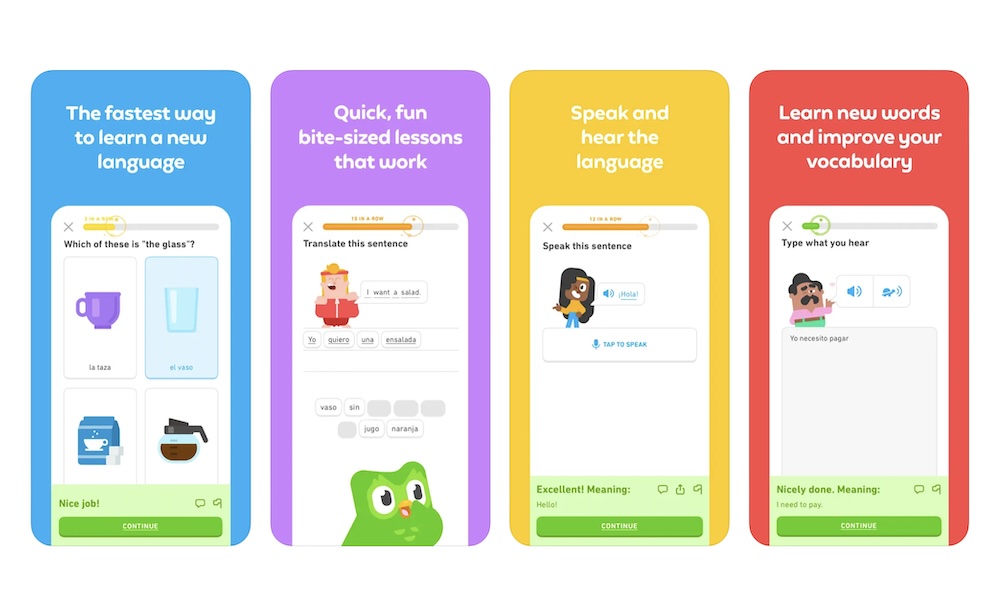
Duolingo is the app most people download when they want to learn a language, and there’s a reason for that — and no, it’s not just those catchy marketing campaigns. The apps make language practice feel pretty effortless. You open it, the next lesson is already waiting, and you can be done before you have time to talk yourself out of it.
It works especially well if you’re the kind of person who wants constant feedback. You’re not just reading vocabulary lists. You’re listening, translating, ordering words to create sentences, and practicing pronunciation in many courses. That variety matters because learning a language is more than memorizing words; you’re training your brain to think in that language.
Where Duolingo really shines is how it builds a language-learning habit. You constantly receive notifications from its colorful characters, and there are streaks in the game to keep you motivated. If you want something more formal and conversation-heavy, you’ll probably end up pairing it with another app on this list. But as a daily language trainer, you can actually stick with it; Duolingo is an awesome choice.
Babbel
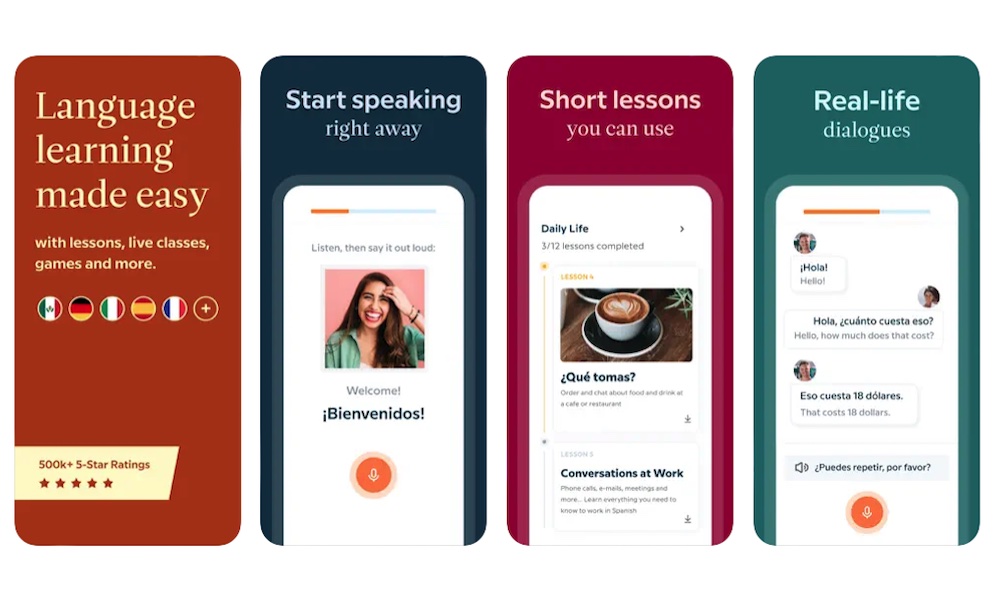
Babbel is the more structured, practical cousin to Duolingo. It still keeps lessons manageable, but the tone feels closer to a real language course. You’ll see more focus on phrases you would actually use, and the lesson flow tends to feel more intentional.
If you’re learning a language for travel, work, or everyday conversation, Babbel’s approach can feel more grounded. Instead of bouncing between random words and playful sentences, it nudges you toward useful patterns: how to introduce yourself, how to ask questions, and how to talk about time, directions, food, and routines.
It’s also a great option if you like the feeling of progress that comes from a structured plan. Some people love gamified learning, while others want a clear path with no extra fluff. Babbel is built for that second group, and if you’ve ever opened a learning app and thought, I don’t know what I’m supposed to do next, this one will be a welcome change.
Khan Academy
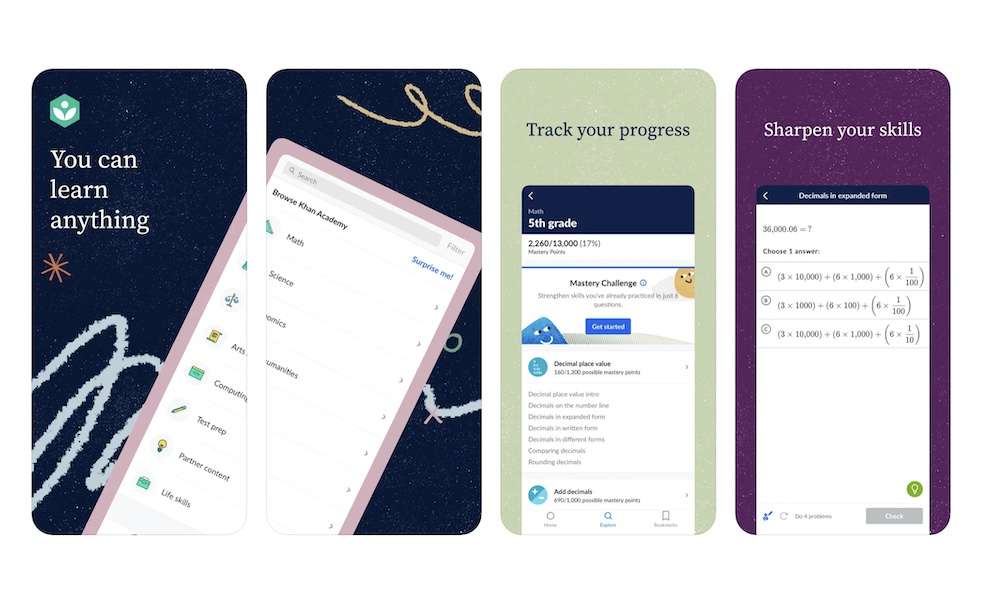
Khan Academy is a genuinely helpful app, whether you’re a student, a parent, or an adult trying to rebuild fundamentals you never fully learned. Math is the obvious example, but the app also covers science, economics, history, and more. The biggest advantage is that it explains things clearly without making you feel dumb.
If you’re prepping for an exam, it works like a structured study companion. If you’re trying to patch a weak spot, it works like a calm tutor that doesn’t get annoyed when you need to rewind. And if you’re just curious, it’s a great way to explore a topic without committing to a full course elsewhere.
It also fits perfectly on your iPhone because you can learn in short periods of time. You can watch a lesson, try a few practice problems, stop whenever you want, and pick it up again later. That kind of flexible progress is exactly what makes learning feel realistic instead of overwhelming.
Coursera
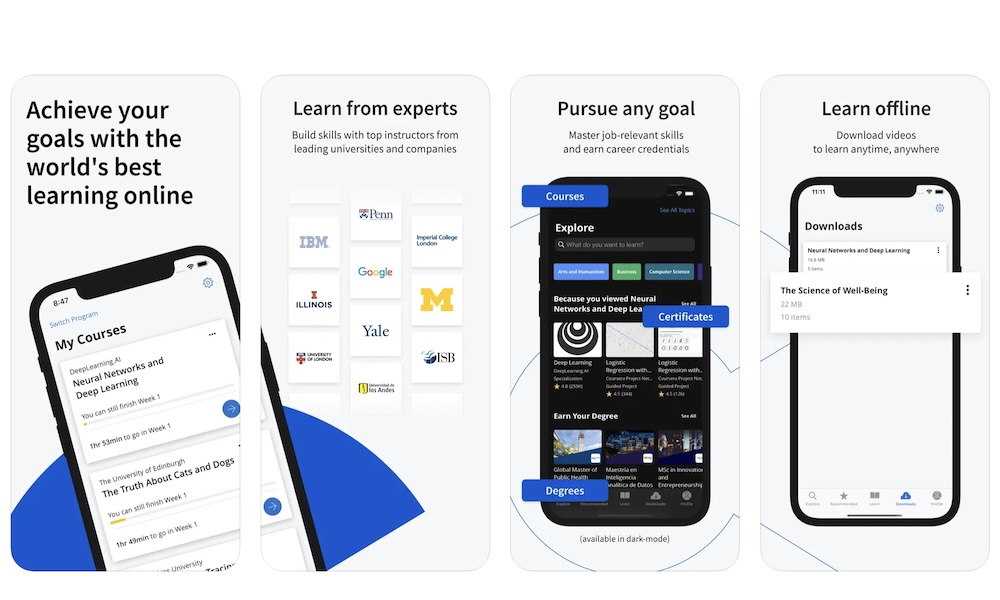
Coursera is a powerful learning app that makes you feel like you’re learning a new career path. This is the app you open when you want to build a real skill that shows up on job listings, like project management, data analysis, UX, or marketing. It’s not just casual learning content; many courses are built with industry needs in mind.
The best part is that it doesn’t matter your level of experience, you’ll find a course suited for you. You can take a light course that teaches the basics, or you can go deeper into programs that feel like a serious professional class. Some options include graded assignments, quizzes, peer discussion, and projects.
On your iPhone, you can watch lectures during your breaks, review concepts when you have a few minutes, and save assignments for when you can sit down with a keyboard. If your goal is skill growth with real-world payoff, it’s one of the best apps you can install.
Brilliant
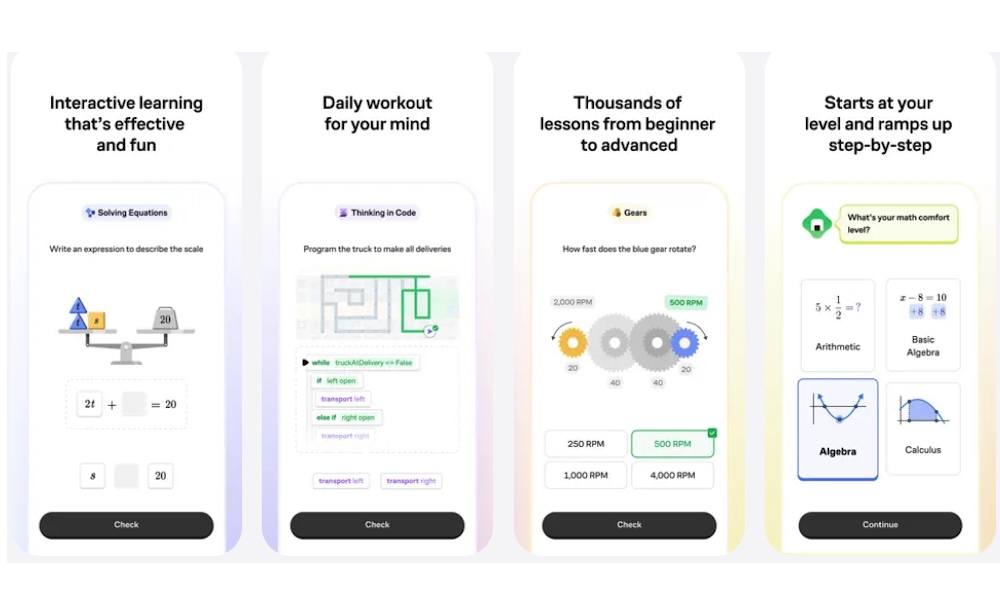
Brilliant is for people who learn best by doing, not watching. Instead of relying on long videos, it teaches concepts through interactive problems you need to solve. You learn by responding, making choices, testing your logic, and getting instant feedback. It’s one of the best ways to learn when videos make your brain drift off.
The topics are especially good if you like hard, practical subjects like math, logic, science, and computer science. The app is useful because it’s designed to help you understand why something works, which makes it easier to remember and apply later.
If you like that feeling of finishing a short challenge and realizing you actually learned something, Brilliant nails it. It also works great on iPhone because the app is built around touch-friendly interaction. You can do a lesson in a few minutes and still feel like you used your time well.
Mimo
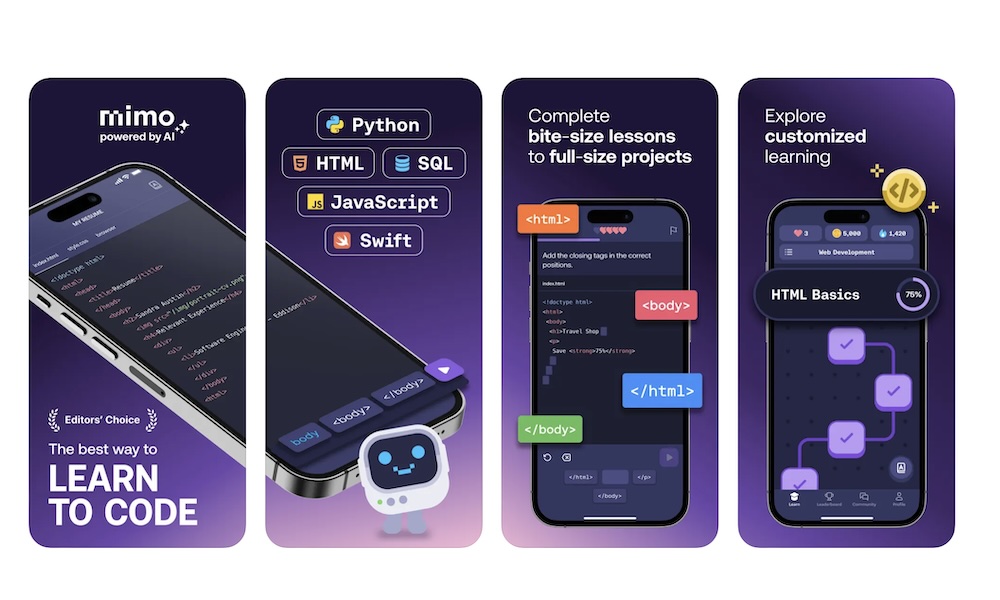
Mimo is another coding app, but it tends to feel more guided and path-based. It’s basically a Duolingo for programming lessons. Instead of tossing you into a big menu of courses, it often pushes you along a structured course, like learning Python basics or starting web development. That is extremely helpful if you want to open the app and immediately know what to do next.
It also does a good job of keeping sessions quick. You’re not sitting through long explanations; you’re moving through interactive lessons and practice that keep your attention. If you like learning that feels like progress checkpoints rather than long lectures, Mimo fits that style.
This is a great pick for someone who wants to build tech skills gradually, especially when your schedule is inconsistent. Even short sessions keep you connected to the material, which helps you retain it better than cramming once a week. Plus, you can compete with other people in different leagues, which makes it easy to stay engaged, even with the harder courses.
YouTube
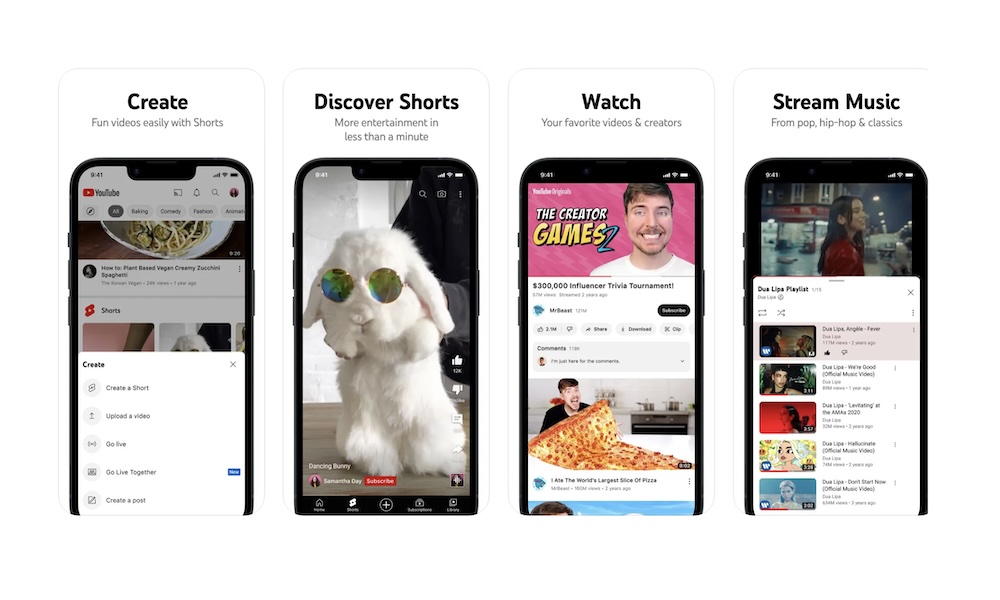
Whether you want to learn more about math, history, or wildlife, there’s a YouTube channel out there that probably already has hundreds of hours worth of content for you to dive into.
Of course, that isn’t always the best case scenario, especially for people who don’t know much about a topic. You’ll probably need to dig a little bit to find the best, most useful videos. But the good news is that you can check what the comments say to make sure other people like and agree with the content creator.
Granted, YouTube might not be the best if you’re looking to get a structured course or a certificate to add to your resume. But if you want to work on a weak subject, or just learn because you like learning, this will be a great platform for you, as everything is free (so long as you can stand all the ads).
TED
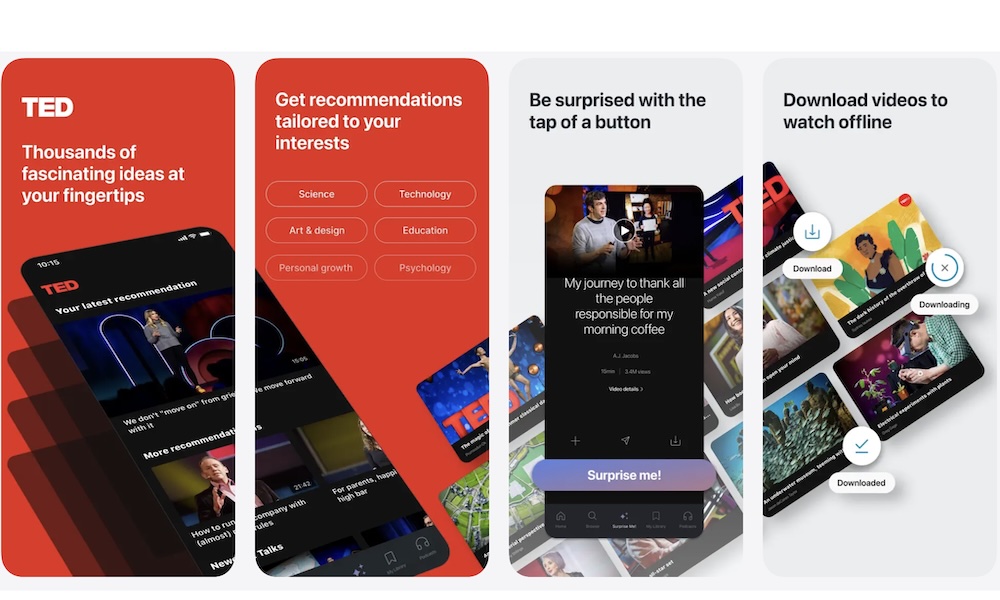
TED is the easiest app on this list to open when you want to learn something new without committing to a full course. The talks are short, polished, and often surprisingly engaging. You can learn about psychology, science, creativity, business, leadership, personal growth, and ideas you didn’t even know you were interested in.
The best part about the TED app is how it can hook you on things you didn’t know you'd love. You watch a talk, it sparks curiosity, and suddenly you have a new topic to explore deeper with another app from this list. That’s how learning expands naturally, and how you can learn a little more about everything.
Start Learning By Yourself
If your iPhone feels like it’s only good for messaging, social media apps, and the occasional random Google search, installing even a few of these apps can change the way you use your phone throughout your day.
Not just because you’re trying to turn your life into a productivity contest, but because it feels genuinely good to gain something from your screen time. A new phrase in another language, a clearer understanding of a math concept, or a coding lesson that finally makes sense.
The best part is that you don’t need to change your entire schedule to see results. You just need apps that make learning easy to start and easy to return to. Pick the ones that match what you actually want to learn right now, keep them visible on your Home Screen, and let your iPhone do what it does best: make what you want to do a bit simpler.