
The Frictionless Life: 7 iPhone Apps to Reclaim Your Focus in 2026
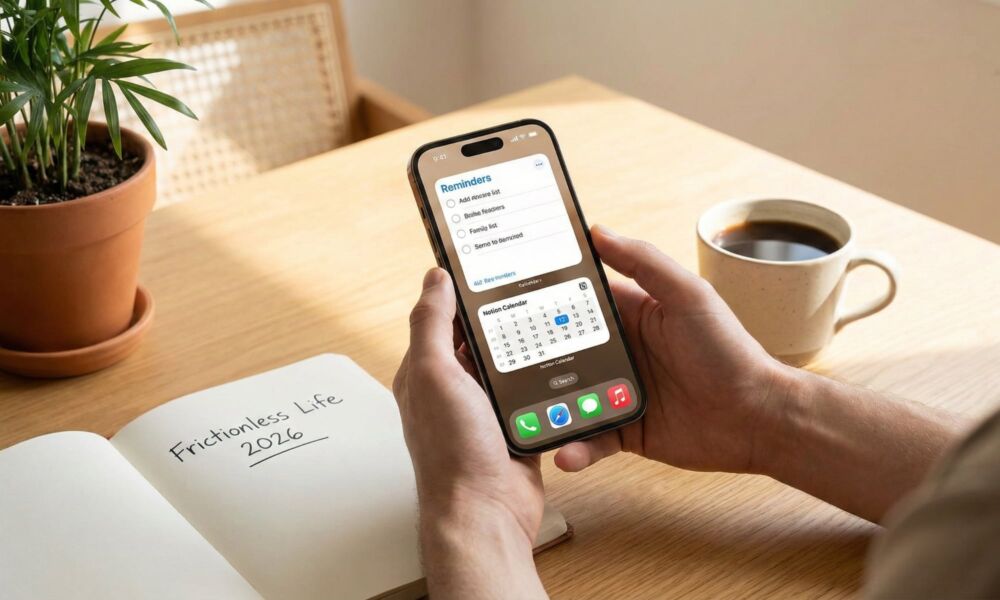
Most productivity systems don’t fall apart because you're not trying hard enough; they fall apart because they make things harder than they need to be. You start with good intentions, download a few apps, set up a fancy workflow, and for a week or two, you feel on top of things. Then real life shows up, and everything slowly goes off the rails again.
You miss a day, you just don’t feel like continuing, and suddenly it feels easier to just go back to how it was before.
Perhaps the best goal for 2026 isn’t to build the perfect system, but to make a system that's as easy to follow as possible. And for that, you’ll need the right app — one that removes friction instead of adding it.
That’s why this list includes some of the best built-in tools from Apple, as well as a handful of third-party apps that genuinely earn their place on your Home Screen. Read on for 7 of the best productivity apps to get you back on track in 2026.
Reminders
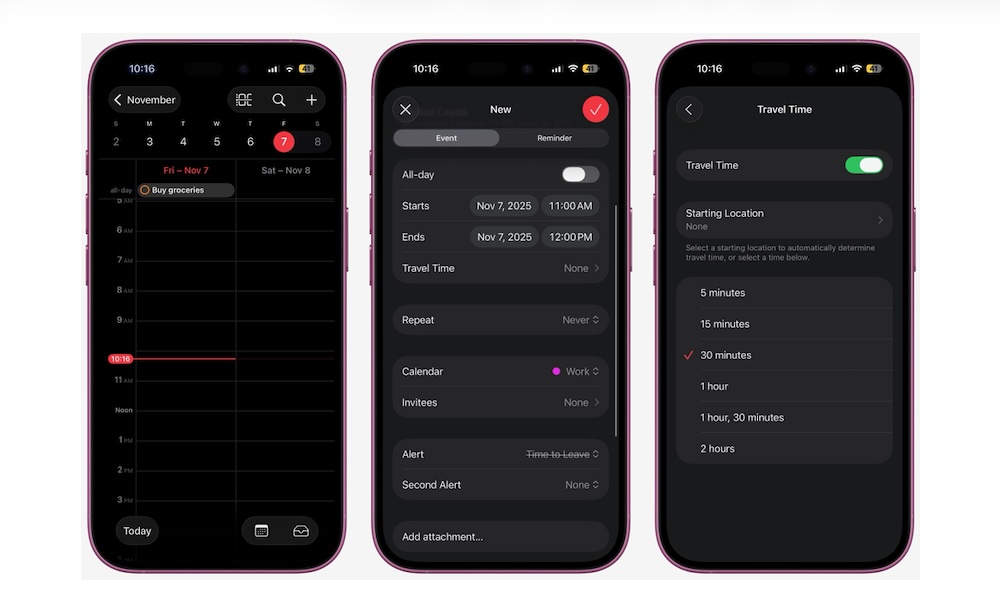
Reminders is one of those apps people underestimate until the day they finally use it to its fullest. Hidden beneath the simple-sounding name is a powerful task manager that you can use for free across all your Apple devices.
Reminders is one of the best productivity apps because it’s already on your iPhone, it syncs with iCloud, and it’s super quick to access. You can create a new reminder from the app or ask Siri to add it for you, which means you’ll never forget an idea or an important task you need to tackle. That matters more than features, especially if you’re someone who always says, “I’ll remember it later,” even though you know that’s not true.
Reminders has gotten way more flexible over the years. You can now organize lists with sections and subtasks, which makes it surprisingly good for light and pro projects. And if errands are a recurring source of chaos, Grocery Lists can automatically categorize items for you (as long as you have iOS 17 or a later software update).
When your task manager app is easy to use, you stop carrying tasks in your brain. And that’s where the real productivity boost comes from.
Files
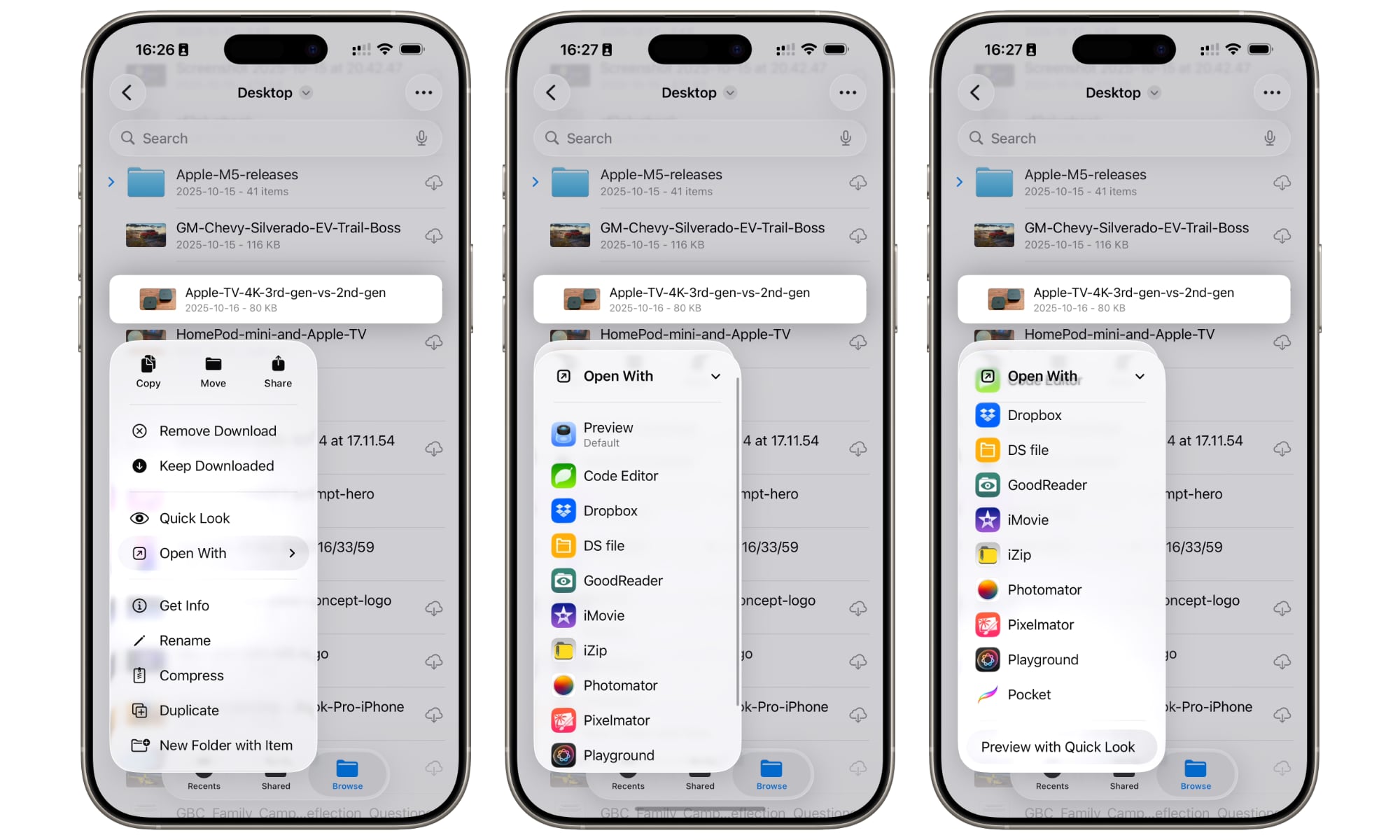
When people say they want to be more productive on an iPhone, what they often mean is that they want to use their iPhone like a computer. Luckily, Apple's Files app makes that possible.
The Files app doesn’t just store random downloads. Used well, it becomes your mobile command center for managing and viewing PDFs, invoices, screenshots, writing assets, contracts, and anything you need to grab quickly without digging through all your messages and emails. Plus, everything is indexed by Spotlight, making it easy to find that file you're looking for in a flash.
The best part is that you don’t just keep stuff stored in the app. Files includes a built in Quick Look feature that can view most file formats without leaving the app, and supports tags and pinned folders that make it easy to build your own workspace that you can access instantly. It also supports third-party cloud providers like Dropbox, OneDrive, and Google Drive inside the same app, so you’re not switching between multiple file management apps all day.
Once your Files app is organized, your iPhone stops feeling like a device for the basic stuff, and it starts to feel more like a real workplace on the go.
Todoist: To Do List & Calendar
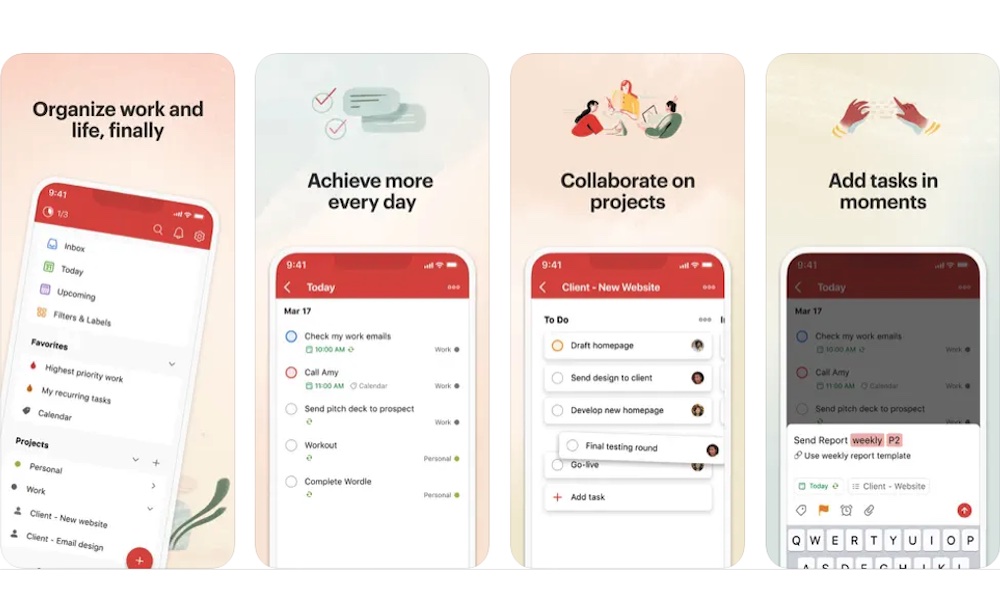
Todoist is what you look for when your list of chores stops being a simple to-do list and starts to become more like a huge project.
The app is great for deadlines, priorities, and huge projects, and it’s especially helpful if your biggest productivity issue is that tasks are floating around without a realistic plan for when they’ll happen.
One of Todoist’s most useful modern features is calendar integration for time-blocking. Todoist’s Calendar integration can sync time-blocked tasks into a dedicated calendar, so your tasks show up alongside your actual schedule.
Additionally, if you work with other people, Todoist lets you invite other users and see what everyone is working on in real time. It makes group projects easier and more manageable.
Whether you want to work for yourself or with others, this is the app that will help you get your work and life organized.
TickTick: To-Do List & Calendar
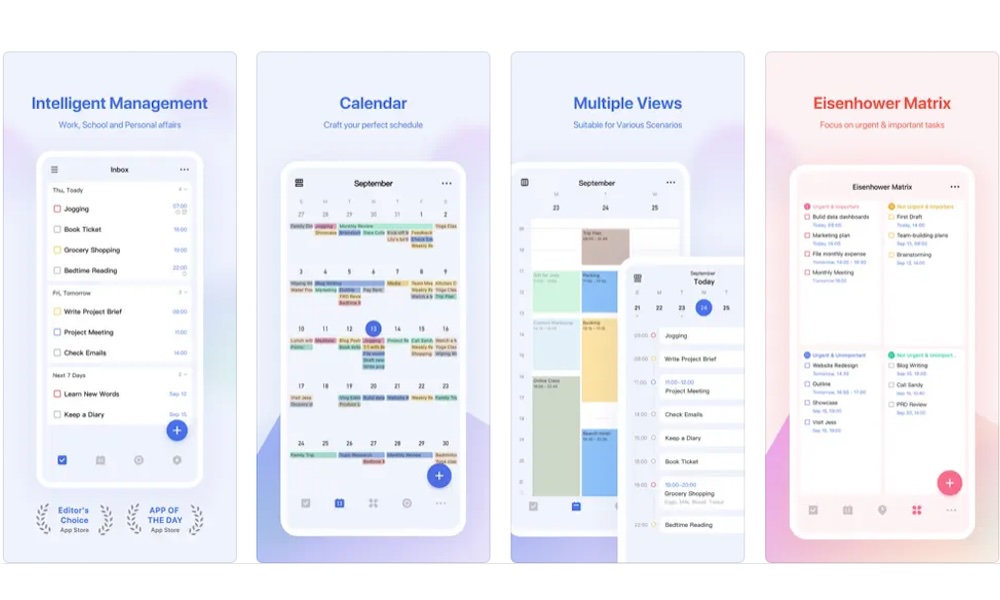
TickTick is for those of us who feel like we need an app to help us be productive throughout the day. TickTick describes itself as an all-in-one productivity app that lets you manage to-dos, habits, schedules, and use the Pomo Timer.
Instead of splitting tasks into one app, habits into another, and focus timers into a third, TickTick tries to keep all of these pieces together. You’ll find a space for your tasks, schedules, habits, and Pomodoro-style focus sessions.
Having all of these features in one place makes productivity easier to achieve because routines are often what make or break a productive day. You don’t just need to know what to do; you need a system that helps you do it consistently, especially when motivation drops.
If you struggle with procrastination, the built-in Pomodoro feature can be a game-changer. This technique forces you to work for 25 minutes straight, and then take a five-minute break, which is exactly what you want when starting feels hard.
Notion Calendar

Notion Calendar is for people whose work is more than just meetings; it’s also the docs, projects, and databases tied to those meetings.
If you already live in Notion for planning and project management, then you already know how annoying it can be to constantly switch between Notion and your Calendar app. Fortunately, Notion Calendar is designed to remove that annoyance so you can focus solely on your work.
Another great thing about using Notion Calendar is its built-in AI tool. Sure, you're probably tired of having AI everywhere, but Notion’s AI Meeting Notes will be a lifesaver next time you want to remember something important about a previous meeting. Plus, it can connect to your calendar and attach the notes to your meeting, so they never get lost.
Microsoft Outlook
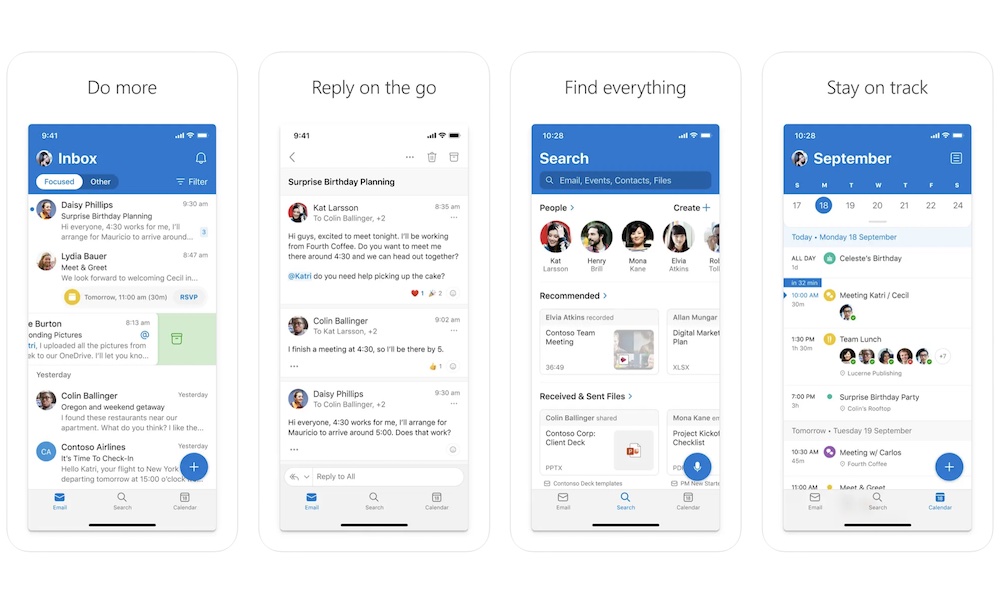
Outlook may not be the most popular email app for iPhone users, but it’s actually incredibly handy, and it comes with a bunch of powerful features to make your work and daily life easier. It's a great app to use if your job heavily relies on the Microsoft ecosystem, but it's also one of the best third-party apps for those who need to manage several different types of accounts in one place.
The feature that makes Outlook especially useful is its Focused Inbox, which splits your mail into “Focused” and “Other” so the important stuff stands out. Granted, this feature won’t work perfectly from the get-go, but you can “teach” it which stuff is important and which messages can wait by manually sorting your mail at first.
Besides that, Outlook can sort other types of mail for you. You can quickly access all your messages from subscription services, and even get alerts for when one of your next payments is coming soon, so you don’t accidentally waste money on a platform you don’t really want to use.
1Password
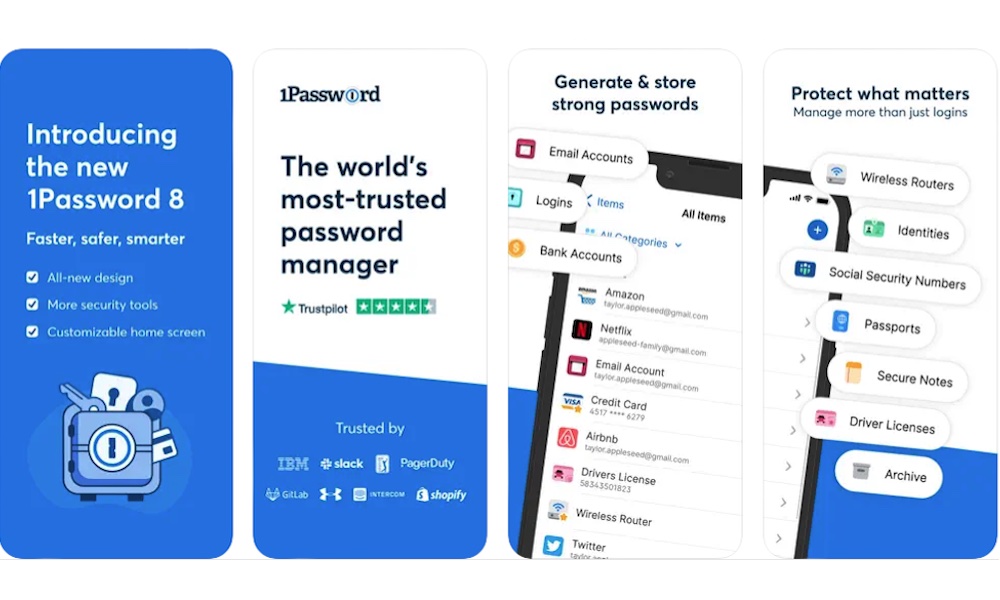
This one is sneaky because it doesn’t feel like a productivity app. But if logging in, resetting passwords, and constantly going through sign-in screens steals your focus multiple times a day, a password manager becomes one of the best productivity tools you didn’t know you needed.
1Password makes logging in to your account easy while also improving security. This app supports saving and signing in with passkeys, passwords, and even two-factor authentication (2FA) codes you need to keep safe, without forcing you to wait for text messages to arrive.
Admittedly, iPhone users might want to give Apple’s very own Passwords app a try, as it's more integrated — and free — but that will only get you so far, especially if you also use a Windows computer or want to share your password manager with Android users.
Besides productivity, using a password manager is a great way to keep all your data safe. You can create extremely hard passwords, resting assured that you’ll never have to remember them and that it will be extremely hard for others to hack into your accounts.
Become More Productive in 2026
At the end of the day, productivity isn’t about having more tools; it’s about having fewer distractions and obstacles. When your system works, you stop second-guessing what to do next. You stop relying on memory to remember everything. And you stop feeling like your phone is nothing more than a distraction.
Of course, you’ll need the right tools for the job. You can download countless apps, but the right ones make everything work without many distractions. They only nudge you at the right time and give you back your focus when distractions try to take over.
Sometimes less is more. Pick a couple of tools that solve your biggest pain points, give them a little time to play around with them, and then let them become part of your daily work routine.