
Amazon Kindle
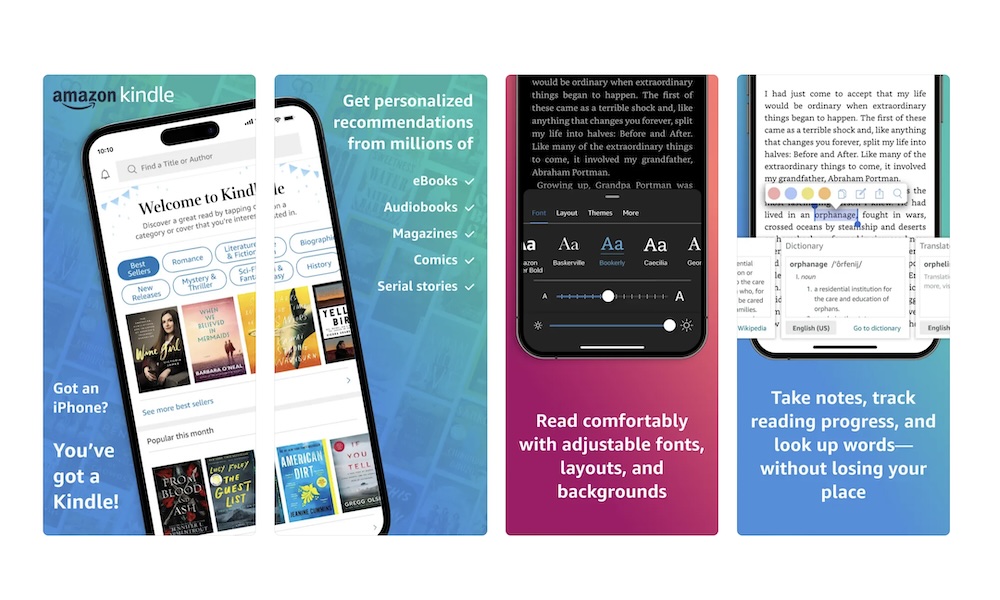
Kindle on iPhone is one of the fastest ways to turn your boring moments into something more interesting. You don’t need a Kindle device, and you don’t need a fancy way of reading.
While you’ll likely need to buy digital books on Amazon to get the most seamless experience from the Kindle app, there’s also a selection of titles available for free. Avid readers can also opt for a Kindle Unlimited monthly subscription to get access to millions of book at no extra charge.
You can also use the app to check out new books you might like, and even read some samples before purchasing them. And if you’re more of a comic reader, you’ll also find a ton of different graphic novels to buy, alongside a useful reader that lets you move between panels so you don’t have to wear your glasses or zoom in on the page to enjoy the action.
Another great thing about the Kindle app is that it doesn’t just support Amazon e-books. If you already have a digital book or a PDF file you want to read, you can add it to your library in a few taps. You can send books or PDF files to your Kindle app via email and start reading as soon as they show up.
Just like Libby, Kindle works because it lets you be entertained with something other than an endless loop of short-form content. Plus, when you open the app, you’re instantly back where you left off, which is the same convenience people love about social feeds, just pointed at something that’s more useful.
It also helps that the reading experience is completely customizable. You can change fonts, spacing, and themes so reading on a phone feels comfortable instead of cramped. Plus, you can start reading on your phone, and then pick up your book on your computer, tablet, or a Kindle device if you have one.
And if you like reading at night, the darker themes and night-friendly options make it easier to wind down without blasting your eyes with bright white pages.